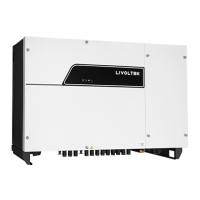
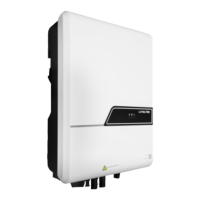
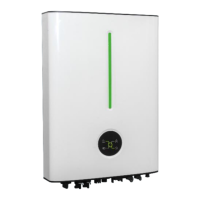
Off-Grid Inverter GF1-3K524S2/6K248S2
Min 0
Communication Cable *1
Inverter *1
User Manual *1 Certificate Card *1
200mm
Step1 Remove an appropriate length(about 7~8mm) of the insulation layer from the PV strings power cables.
Step2 Measure the voltage of every route strings using a multimeter. Ensure that the polarities of the DC input power cables are correct.
Step3 Insert the stripped PV cables into the corresponding interface in inverter and tighten the screws.
Model Typical Amperage TorqueCable Size
3.5KVA
6.2KVA
15A
27A
12 AWG
12 AWG
1.4~1.6 Nm
1.4~1.6 Nm
Suggested cable requirement for PV cables:
Model TorqueCable Size
3.5KVA
6.2KVA
10 AWG
8 AWG
1.4~1.6 Nm
1.4~1.6 Nm
Suggested cable requirement for AC cables
L
N
PE
Wi-Fi Logger *1 (Optional)
Step4 Insert AC output cables according to polarities indicated on terminal block and tighten the terminal screws.
Step1 Before making AC input/output connection, be sure to open DC protector or disconnector first.
Note: Be sure to connect PE protective conductor first.
Step2 Remove the cable jacket and strip the wire insulation by 10mm.
Step5 Make sure the wires are securely connected.
Step3 Insert AC input cables according to polarities indicated on terminal block and tighten the terminal screws.
10mm
Model Maximum Amperage TorqueCable Size
3.5KVA / 6.2KVA 137A 2 AWG 2~3 Nm
strip length:18mm
tinning length:3mm
Step4 Make sure the wires are securely connected.
Note: Please use appropriate cable, stripping length and tinning length.
Note: Make sure polarity at both the battery and the inverter/charge is correctly connected.
Step2 Connect all battery packs as units requires. It’s suggested to use recommended battery capacity.
Step1 Remove the cable jacket and strip the wire insulation by 18mm.
Step3 Insert battery cable flatly into battery connector of inverter and make sure the bolts are tightened.
Suggested cable requirement for battery cables
500mm
500mm
200mm200mm
Ÿ Mark the positions of holes of 2 corners of the inverter’s
bracket by marker pen.
Ÿ Drill holes with driller and make sure the holes are deep
enough(at least 40mm) to support the inverter.
Step1: Drill holes on the wall
Step2: Mounting the inverter
Ÿ Make sure the inveter is well fixed.
Ÿ Insert the expansion tubes into the holes and lighten
them. Then install the inverter by screwing the screws.
Step3: Installation Self-check
GF1-3K5: <240V
GF1-6K2: <480V
PV Panel
DC Breaker
Strip the PV cables:
Insert the PV cables into ‘PV IN’ port
Tighten the screws
Strip the AC cables:
Tighten the screws
Insert the AC cables into ‘AC IN’ and ‘AC OUT’ port
Strip the battery cables:
Tighten the screws
Insert the AC cables into ‘AC IN’ and ‘AC OUT’ port
D
Before Cable Connection
In order to facilitate subsequent cable connection,
installers needs to remove the fixed screws on
both sides of the inverter to remove the panel.

 Need help?






 To Next Page
 General