EasyManua.ls Logo

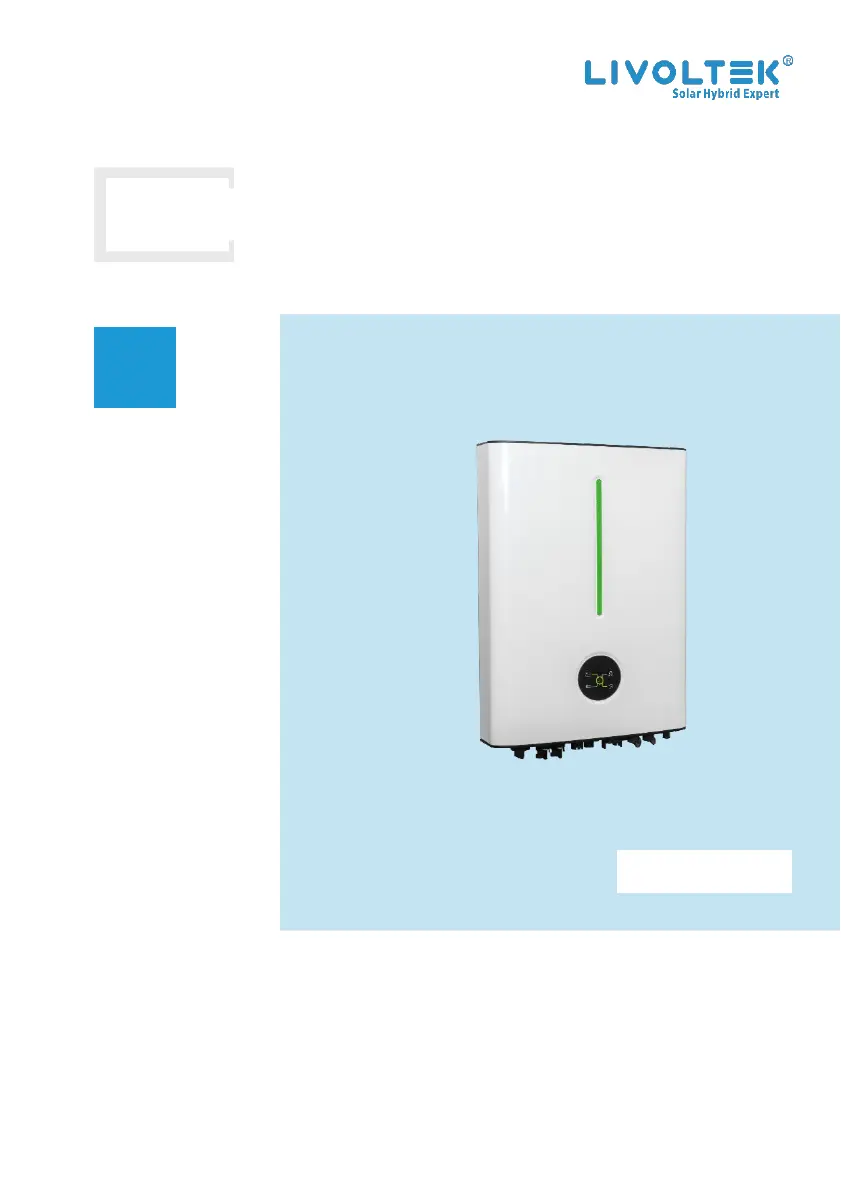
LIVOLTEK Hyper 3680 - User Manual

Default Icon
68 pages
Print Icon
To Next Page IconTo Next Page
Loading...
USER
MANUAL
Hyper 3~5kW
Copyright Declaration
The copyright of this manual belongs to Hangzhou Livoltek Power Co., Ltd. Any
corporation or individual should not plagiarize, partially or fully copy and no reproduction
or distribution of it in any form or by any means. All rights reserved.
HP16521-Ver 10-2204

Other manuals for LIVOLTEK Hyper 3680

Questions and Answers

  • S
    Stephen PerkinsAug 15, 2025
    What to do if my LIVOLTEK Inverter shows an AC Freq Fault?
    • D
      David CarterAug 15, 2025
      If the LIVOLTEK Inverter displays an 'AC Freq Fault', it means the grid frequency is outside the acceptable range. You should check the safety country setting, the frequency setting, and the connection of the AC cables. If the issue persists, contact your dealer for technical assistance.
  • M
    Martin ChapmanAug 18, 2025
    What to do if LIVOLTEK Hyper 3680 Inverter displays Leakage Over Current?
    • R
      ricardo00Aug 18, 2025
      If your LIVOLTEK Inverter is showing 'Leakage Over Current', it means the leakage current is too high. Inspect the PV cable ground connection and adjust if necessary. If the error continues, contact your dealer for technical support.
  • A
    Adrian AndradeAug 21, 2025
    What to do if LIVOLTEK Inverter shows Earth Fault?
    • K
      Kenneth GallagherAug 22, 2025
      If the LIVOLTEK Inverter displays 'Earth Fault', it indicates that an earth fault has occurred. Check the grounding connection, the L-line, and the N-line connections, adjusting as needed. If the problem persists, contact your dealer for technical support.
  • B
    Brandon TaylorAug 25, 2025
    What causes an AC Volt Fault on a LIVOLTEK Hyper 3680?
    • S
      Shelly AlvarezAug 25, 2025
      If your LIVOLTEK Inverter displays an 'AC Volt Fault', it signifies that the AC voltage is outside the permissible range. Verify the safety country setting and the AC voltage (L & N).
  • A
    Ashley MurilloAug 28, 2025
    What to do if LIVOLTEK Hyper 3680 Inverter displays PV1 Over Current?
    • M
      Matthew CameronAug 28, 2025
      If the LIVOLTEK Inverter is showing 'PV1 Over Current', it means the PV input current is not within the acceptable range. Check the PV input power and configuration. You can wait for the system to recover or restart it.
  • J
    Jocelyn MooreAug 31, 2025
    How to fix PV1 Over Volt error on LIVOLTEK Hyper 3680 Inverter?
    • K
      Kyle Day DVMAug 31, 2025
      If the LIVOLTEK Inverter displays 'PV1 Over Volt', it means the PV input voltage is not within the permissible range. Check the voltage and the number of PV modules, adjusting if necessary. You can wait for it to recover or restart the system.
  • K
    Katherine BlackSep 3, 2025
    What does EPS Volt Fault mean on my LIVOLTEK Hyper 3680?
    • J
      joygregorySep 3, 2025
      If your LIVOLTEK Inverter shows an 'EPS Volt Fault', it means the output voltage is abnormal, specifically, the inverter voltage is higher than 260Vac. Check if the load power is within the EPS power range and ensure the AC output wires are properly connected.
  • E
    erica53Sep 7, 2025
    What to do if LIVOLTEK Hyper 3680 says PV1 Strings Reverse?
    • E
      Eduardo LewisSep 7, 2025
      If the LIVOLTEK Inverter displays 'PV1 Strings Reverse', it indicates that the cables of the PV strings are connected in reverse. Disconnect the DC Switch, then check the cables of the PV strings and reconnect them if needed.
  • A
    Andrew LopezSep 12, 2025
    Why is my LIVOLTEK Hyper 3680 Inverter showing PV Energy Weak?
    • A
      Anthony WrightSep 12, 2025
      If your LIVOLTEK Inverter is showing 'PV Energy Weak', it means there's insufficient power supply from the PV strings. If the sunlight is weak, no action is needed. Otherwise, check the PV strings for shielding, short circuits, or open circuits.

Summary

Safety Precautions

Personnel and Inverter Safety

Details personnel requirements and inverter-specific safety warnings.

Battery Safety

Addresses DANGER, WARNING, and NOTICE for battery connection and handling.

Installation and Electrical Safety

Covers safety during installation, electrical connections, and general precautions.

Maintenance and Replacement Safety

Details safety procedures and precautions for inverter maintenance and component replacement.

Mechanical Installation

Installation Requirements

Covers location, environment, angle, and general installation requirements.

Environment and Angle Requirements

Details environmental conditions, wall requirements, and mounting angles for installation.

Electrical Connection

General Electrical Safety

Emphasizes PPE, high voltage dangers, and connection standards.

European Wiring Diagram

Presents the wiring diagram for the European region.

Australia;New Zealand Wiring Diagram

Provides wiring diagrams and specific rules for Australia and New Zealand.

Additional Grounding Connection

Details procedures and warnings for establishing additional grounding connections.

Grid Cable Connection

Explains how to connect the inverter to the utility grid and critical loads (EPS).

Grid Connector Assembly

Details the procedure for assembling the grid connector and required cable specifications.

EPS Connector Assembly and Safety

Covers EPS connector assembly and critical safety warnings for EPS loads.

PV Cable Connection Safety

Covers DANGER, WARNING, and NOTICE related to PV cable connections and safety.

PV Connector Assembly and Testing

Details assembling PV connectors and performing voltage tests.

Installation Verification

System Operation

Settings on the APP

APP Download, Install, and Configure

Guides through downloading, installing, and configuring the APP, including Wi-Fi setup.

Troubleshooting and Maintenance

Troubleshooting Common Issues

Lists common alarms, possible causes, and suggested solutions for troubleshooting.

Advanced Troubleshooting

Continues listing common alarms, causes, and solutions for inverter issues.

LIVOLTEK Hyper 3680 Specifications

General IconGeneral
Protection DegreeIP65
Cooling MethodNatural convection
CoolingNatural convection
Rated Output Voltage230V
Output Frequency Range50 Hz / 60 Hz
Operating Temperature Range-25°C to 60°C
Output Voltage230V
Frequency50 Hz / 60 Hz
Protection FeaturesOvervoltage, Undervoltage, Overcurrent, Short Circuit, Over Temperature
Operating Temperature-25°C to 60°C

Related product manuals