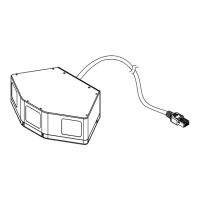
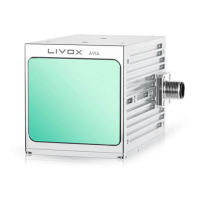
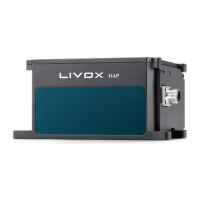
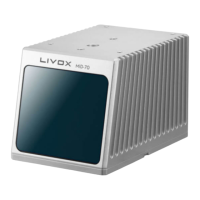
The Livox Mid-70 is a high-performance LiDAR sensor designed for a wide range of applications, including autonomous driving, industrial robots, indoor and outdoor service robots, and other specialized robotic systems. It can be integrated into automated guided vehicles (AGV), autonomous mobile robots (AMR), automated trucks, medical logistics robots, cleaning robots, terminal delivery robots, and intelligent security robots. The sensor is capable of detecting objects as close as 0.05 meters and has a maximum detection range of up to 260 meters.
Function Description:
The Livox Mid-70 utilizes a unique non-repetitive scanning technology, which ensures a high-density point cloud and precise detection of details within its field of view (FOV). This technology allows the coverage ratio within the FOV to increase significantly over time, revealing more detailed information about the surroundings. The sensor's optoelectronic system design is cutting-edge, operating normally without rotating internal electronic devices, which contributes to its high reliability. It has undergone rigorous reliability testing for the automotive industry and boasts an IP67 waterproof and dustproof rating under GB 4208-2008 and IEC 60529 standards (note that included cables and mounting brackets do not meet the same standards).
The Mid-70 outputs point cloud data, which includes timestamp, status codes, target reflectivity, coordinates, and tag information. Target reflectivity ranges from 0 to 255, with 0-150 corresponding to 0-100% reflectivity in the Lambertian reflection model, and 151-255 for retroflection properties. Coordinates can be expressed in Cartesian (x, y, z) or Spherical (r, θ, φ). The device supports a Dual Return mode, generating up to two returns per laser pulse, resulting in a point rate of 200,000 points per second.
Important Technical Specifications:
- Laser Wavelength: 905 nm
- Laser Safety: Class 1 (IEC 60825-1:2014) (safe for eyes)
- Detection Range (@ 100 klx): 90 m @ 10% reflectivity; 130 m @ 20% reflectivity; 260 m @ 80% reflectivity. Note that the detection range varies based on object reflectivity and position within the FOV.
- Close Proximity Blind Zone: 0.05 m
- FOV: 70.4° (circular)
- Distance Random Error: 1σ (@ 20 m) ≤ 2 cm; 1σ (@ 0.2~1 m) ≤ 3 cm
- Angular Random Error: 1σ < 0.1°
- Beam Divergence: 0.28° (Vertical) × 0.03° (Horizontal)
- Point Rate: 100,000 points/s (first or strongest return); 200,000 points/s (dual return)
- Data Latency: < 2 ms
- Data Synchronization: IEEE 1588-2008 (PTP v2), PPS (Pulse Per Second), GPS (PPS+UTC)
- False Alarm Ratio (@ 100 klx): < 0.01%
- IP Rating: IP67
- Power: 8 W (average), 35 W (peak)
- Power Supply Voltage Range: Livox Mid-70: 10-15 V DC; Livox Converter 2.0: 9-30 V DC
- Operating Temperature Range: -20° to 65° C (-4° to 149° F)
- Operating Temperature Range of Shell: -20° to 80° C (-4° to 176° F)
- Dimensions: 97×64×62.7 mm
- Weight (with cable): Approx. 580 g
- Livox Converter 2.0 Dimensions: 74×52×23 mm, Weight: Approx. 88 g
- Mounting Bracket Dimensions: 100×97×5.7 mm, Weight: Approx. 76 g
Usage Features:
- Wide FOV: The Mid-70 offers a 70.4° circular FOV, enhancing its ability to detect both near and distant objects compared to the Mid-40.
- Small Blind Zone: With a 5 cm blind zone and detection precision of 3 cm from 0.2 to 1 m, the Mid-70's angle can be adjusted to eliminate the blind zone completely. Embedding the Mid-70 in an automotive device before angle adjustment is recommended.
- Connectivity: The Mid-70 uses an M12 aviation connector for power, control signals, and data transmission. It is recommended to use the Livox Converter 2.0 and a conversion cable for optimal performance. The Livox Converter 2.0 features a LiDAR port, sync port, power port, and an Ethernet port.
- IP Address Configuration: Supports both static and dynamic IP addresses. By default, all Mid-70 sensors are set to static IP with an address of 192.168.1.1XX (XX being the last two digits of the serial number). Dynamic IP mode can be set via Livox Viewer or Livox SDK.
- Livox Viewer: A user-friendly software for Livox LiDAR sensors, allowing real-time point cloud data display and recording, point cloud video replay, 3D point cloud data analysis, parameter setting, and extrinsic calibration.
- Livox SDK: An open-source software development kit (SDK) is provided for developing customizable applications using point cloud data. It supports Windows/Linux/Mac OS/ROS and includes a communication protocol for configuring LiDAR parameters, querying status information, and handling point cloud data.
- Working States and Modes: The Mid-70 has several working states: Initializing, Normal, Standby, Power Saving, and Error. Users can set three working modes (Normal, Standby, and Power Saving) via Livox Viewer or Livox SDK.
- Data Synchronization: Supports IEEE 1588-2008 (PTP v2), Pulse Per Second (PPS), and GPS (PPS+UTC) for precise time synchronization.
- Mounting: The Mid-70 can be mounted using four M3 mounting holes on its bottom surface or with a mounting bracket. The mounting bracket includes an M6 mounting hole and a 1/4 inch mounting hole for flexible integration. There are no restrictions on the installation direction, but the mounting surface should be parallel to the ground.
Maintenance Features:
- Optical Window Cleaning: Regular cleaning of the optical window is crucial for performance. First, use compressed or canned air to remove dust. If stains remain, wipe slowly with lens tissue provided with isopropyl alcohol. For persistent dirt, a mild soap solution can be used, followed by wiping to remove residue. Avoid dry wiping to prevent scratches.
- Storage: Store Mid-70 sensors in a dry, dust-free environment within a temperature range of -20° to 65° C (-4° to 149° F). Avoid exposure to poisonous or corrosive gases/materials. Do not drop the sensors. For long-term storage (over three months), regularly check sensors and connectors for abnormalities.
- Transportation: When transporting, place Mid-70 sensors in a suitable, clean, dry box with foam to ensure security. Handle with care to prevent dropping.
- Troubleshooting: The manual provides guidance for common issues such as inability to detect the LiDAR sensor, connection problems, or no data reception, including checking wiring, power supply, software conflicts, and network settings. If issues persist, contact Livox support.


 To Next Page

 General