EasyManua.ls Logo

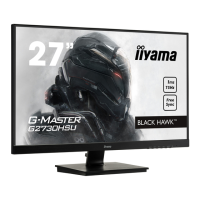
Liyama G-MASTER G2730HSU - User Manual

Liyama G-MASTER G2730HSU
35 pages
Print Icon
To Next Page IconTo Next Page
Loading...
ENGLISH
USER MANUAL
Thank you very much for choosing the iiyama
LCD monitor.
We recommend that you take a few minutes
to read this comprehensive manual carefully
before installing and switching on the monitor.
Please keep this manual in a safe place for
your future reference.
Question and Answer IconNeed help?

Do you have a question about the Liyama G-MASTER G2730HSU and is the answer not in the manual?

Summary

Things to check before you call the iiyama information line

Before reporting the screen defect, please prepare the following information;evidence

FOR YOUR SAFETY

SAFETY PRECAUTIONS

Essential safety measures and warnings for operating the monitor.

CUSTOMER SERVICE

BEFORE YOU OPERATE THE MONITOR

FEATURES

Overview of the monitor's key technical features and capabilities.

FITTING AND REMOVAL OF BASE: G-MASTER GB2730 HSU

FITTING AND REMOVAL OF BASE: G-MASTER G2730 HSU

CONTROLS AND CONNECTORS: G-MASTER GB2730 HSU

CONNECTING YOUR MONITOR: G-MASTER GB2730 HSU

ADJUSTING THE VIEWING ANGLE: G-MASTER G2730 HSU

ADJUSTING THE HEIGHT AND THE VIEWING ANGLE: G-MASTER GB2730 HSU

PANEL ROTATION: G-MASTER GB2730 HSU

OPERATING THE MONITOR

ADJUSTMENT MENU CONTENTS

Input Select

Image Adjust

SCREEN ADJUSTMENTS

POWER MANAGEMENT FEATURE

TROUBLE SHOOTING

Liyama G-MASTER G2730HSU Specifications

General IconGeneral
BrandLiyama
ModelG-MASTER G2730HSU
CategoryMonitor
LanguageEnglish

Related product manuals