Need help?
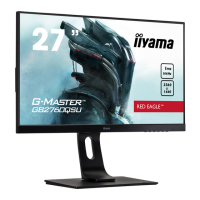
Do you have a question about the Liyama GB2760QSU-B1 and is the answer not in the manual?
Lists required information for reporting screen defects to support.
Monitor compliance with EU directives and standards.
Comprehensive warnings and cautions for safe monitor installation and operation.
Explains normal LCD behavior and potential screen phenomena.
Guidance on contacting customer service for repairs or advice.
Instructions on how to clean the monitor's cabinet and LCD screen safely.
Lists the key technical features and capabilities of the monitor.
Verifies that all included accessories are present in the package.
Instructions and warnings for securely mounting the monitor on a wall.
Step-by-step guide for attaching and detaching the monitor stand.
Identifies all buttons, indicators, and input/output ports on the monitor.
Guide on connecting the monitor to a computer and audio equipment.
Adjustments for signal timing to optimize display performance.
Instructions for ergonomic adjustment of monitor height and tilt.
Steps to rotate the monitor screen for portrait display.
Step-by-step guide to using the On-Screen Display (OSD) menus for adjustments.
Details on picture settings like contrast, brightness, color, and overdrive.
How to choose between different video input sources (DVI, HDMI, DisplayPort).
Instructions for volume, mute, and digital audio input selection.
How to save and recall custom monitor settings.
Guide to adjusting color temperature and RGB levels for accurate color display.
Explains i-Style Color, Sharpness, RGB Range, and Video Mode adjustments.
Instructions for changing the OSD menu language.
Details OSD position, timeout, opening logo, and FreeSync settings.
Shows current input signal details like resolution and refresh rate.
How to restore the monitor to its factory default settings.
Instructions for locking and unlocking the OSD menu and power switch.
Explains how the monitor reduces power consumption when idle.
Common problems and their solutions, including indicator lights and synchronization issues.
Guidance on environmentally responsible disposal and recycling options.
Detailed technical specifications of the monitor, including dimensions and performance.
Visual representation and measurements of the monitor's physical size.
Table listing supported video modes and their timing specifications.
 General
| Screen Size | 27 inches |
|---|---|
| Resolution | 2560 x 1440 |
| Panel Type | IPS |
| Refresh Rate | 144 Hz |
| Response Time | 1 ms |
| Brightness | 350 cd/m² |
| Contrast Ratio | 1000:1 |
| Adaptive Sync | FreeSync |
| VESA Mount | 100 x 100 mm |
| Ports | HDMI, DisplayPort |
| Viewing Angle | 178° (H) / 178° (V) |
| Color Gamut | sRGB 100% |


 To Next Page