2-4
LOADRITE™ LP930 Printer User Manual
2.3. CABLE CONNECTION
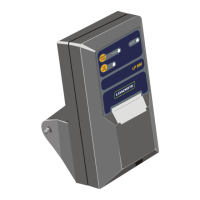
NOTE: All power supply and signal connections to the printer are contained within the cable and connector assembly. No other
connections are required.
Connect the printer cable to the PRINTER/DATA LOGGER socket at the rear of the LOADRITE™ Indicator.
The power supply to the printer is switched On or Off using the main power to the LOADRITE™ Indicator.
Ensure that the printer and cable are securely fastened and the cable routed to avoid accidental physical damage. Special care
is needed when routing cable to avoid physical damage.
NOTE: A 3 metre extension cable (20938) is available separately.
2.4. CONFIGURATION
Ensure that the following settings are applied to the applicable LOADRITE™ Weighing System Indicator or Integrator that the
printer is connected to:
C-Series Integrator
¾ User Menu > Setup > Configure > Comms
Menu Option Value
Prt Port LP930
¾ User Menu > Setup > Configure > Comms > Prt Menu
Menu Option Value
Baud 9600
L-Series Indicator
¾ Install Menu > Setup > Configure > Print
Menu Option Value
Printer LP950
Baud 9600
X-Series Indicator
¾ Install Menu > Setup > Configure > Print
Menu Option Value
Printer LP950
Baud 9600


 To Next Page