LP950 OPERATORS MANUAL
4
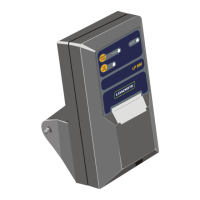
3 Printer Controls and Indicators
The LP950 printer has two control buttons and three associated indicator
lights on the operator control panel.
Function Of Buttons
Paper Feed
This button is used to fast feed the paper out of the printer. It may be used
when required during paper loading.
On Line
The printer can be switched 'ON LINE' and 'OFF LINE' (i.e. print data or
don't print data) by successively pressing the ON LINE button. When the
printer is 'ON LINE' the associated indicator light will be on.
Test
If the PAPER FEED button is momentarily depressed while holding the ON
LINE button, the printer will print a test print. After printing, the printer will
be left in the OFF LINE state and the ON LINE button must be pressed
before the printer will operate.
Function Of Indicators
On Line
Indicates when the printer is 'ON LINE' and able to accept data for printing.
Ready
Indicates that the printer is ready to accept data for printing.
This indicator goes off when:
The printer is out of paper
The printer is 'OFF LINE'
The printer is busy printing and is unable temporarily to accept any
more data.


 To Next Page