LP950 OPERATORS MANUAL
3
Electrical Connection
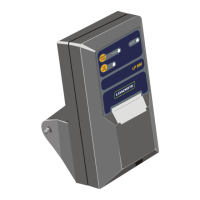
All power supply and signal connections to the printer are contained within
the cable and connector assembly. No other connections are required.
Connection is made by plugging the cable between the socket located at
the rear of the LP950 and the PRINTER/EDP socket located at the rear of
the Loadrite Weigh Indicator. The power supply to the printer is switched
ON and OFF by the main power ON/OFF switch on the side of the Loadrite
indicator.
Ensure that the printer and cable are securely fastened and the cable
routed to avoid accidental physical damage. Special care is needed when
routing cable to avoid physical damage.
Use with Data Capture System
The Loadrite weighing system may be operated with both an LP950 Printer
and a Data Capture System.
Please consult your local LOADRITE dealer for the supply of the Data
Capture System.


 To Next Page