LOCATING – FIND A MISLAID ITEM
LOST
Press and hold down the ON button until the Loc8tor •
beeps and lights ash.
Press the button that your item / Tag is allocated to.•
Loc8tor will beep and status light will ash rapidly as it’s •
searching for the Tag.
When a Tag is detected the locating •
lights will light up and the audio will
start.
With the Loc8tor in your hand turn •
around slowly completing a full circle.
As you point in the right direction and •
then move nearer to the item, the
audio pitch and frequency of beeps
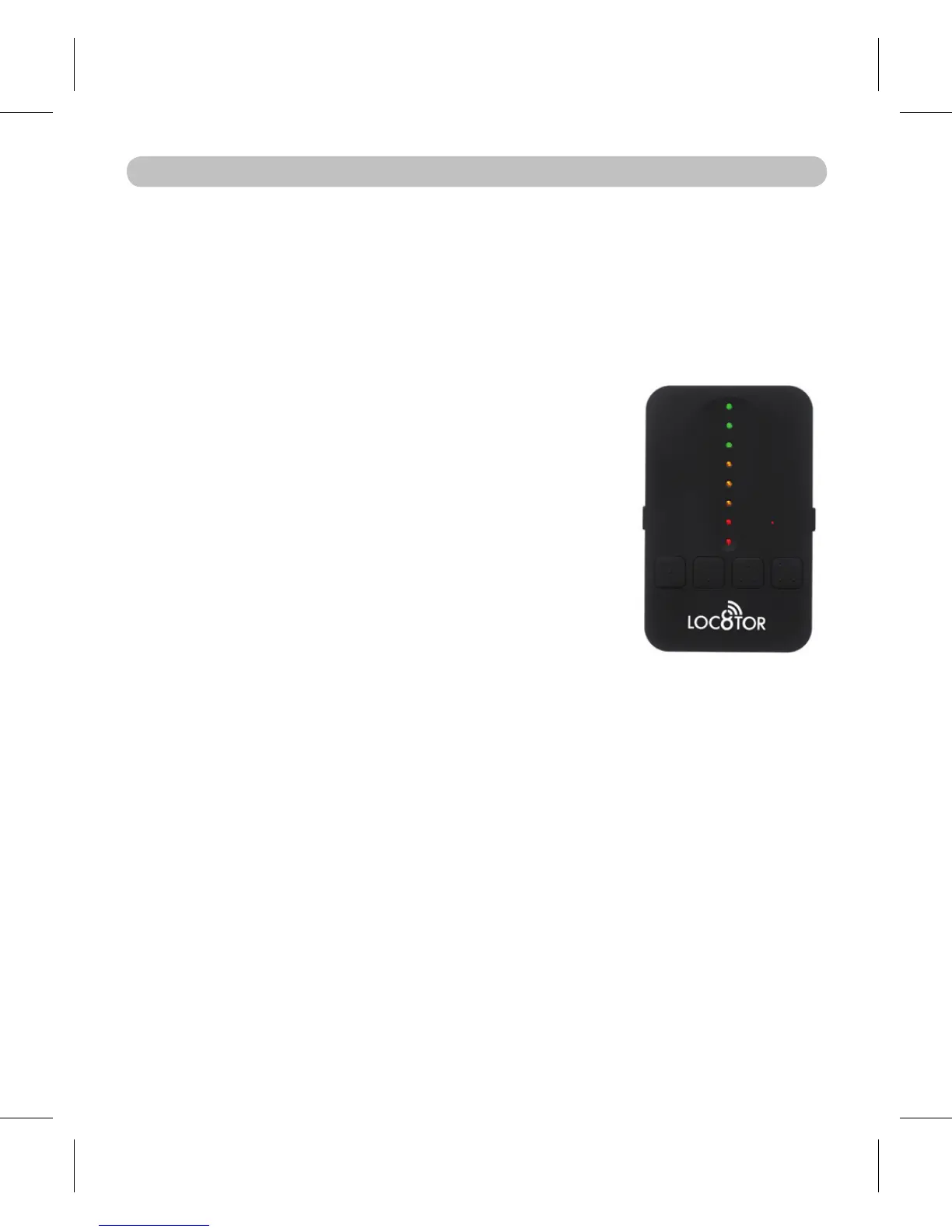
will increase, and lights on the Loc8tor
change from red to amber to green.
Once a circle has been completed, face the direction of •
the strongest audio and visual signal and walk in this
direction.
When you see three green lights the Tag is very close •
by.
To guide you right in, the Loc8tor now changes to •
‘zooming in’ mode (pictured). As you get closer
amber then red lights illuminate and the audio pitch
increases.
FOUND
7
To stop a search press ON/OFF button or the locate
button your Tag is allocated to.


 To Next Page