4
GETTING STARTED
Your Loc8tor could not be easier to setup or use. Follow
these steps and you’ll be tracking down your tagged
valuables in no time at all.
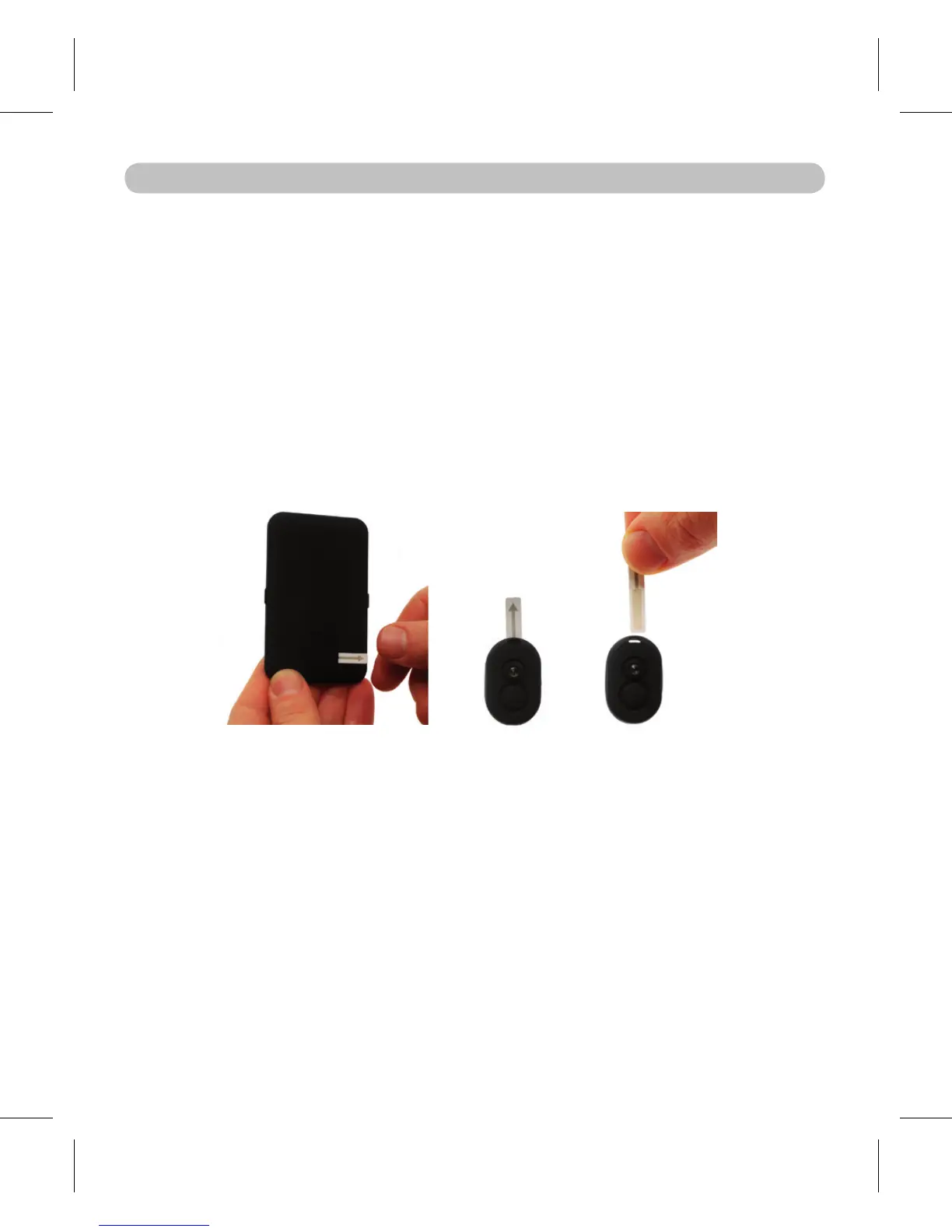
1. ACTIVATE BATTERIES
Pull out the strip on the back of the Loc8tor to activate
battery.
It will beep and all the lights will ash – It is now ON. *
* After approx. 45 seconds left idle your Loc8tor will turn
itself off.
2. REGISTER A TAG
Pull out the strip on the Tag to activate batteries.•
Tag beeps twice and the red light ashes twice .•
Place Tag you wish to register next to Loc8tor making •
sure all other Tags have been moved more than an
arms length away.
Make sure the Loc8tor Lite is switched on (red status •
light will ash when ON).
Select one of the buttons on the front of the Loc8tor to •
assign the Tag to. Hold the button down for 3 seconds.
The Loc8tor will beep.


 To Next Page