10
Pairing of G30 Wi-Fi Bridge
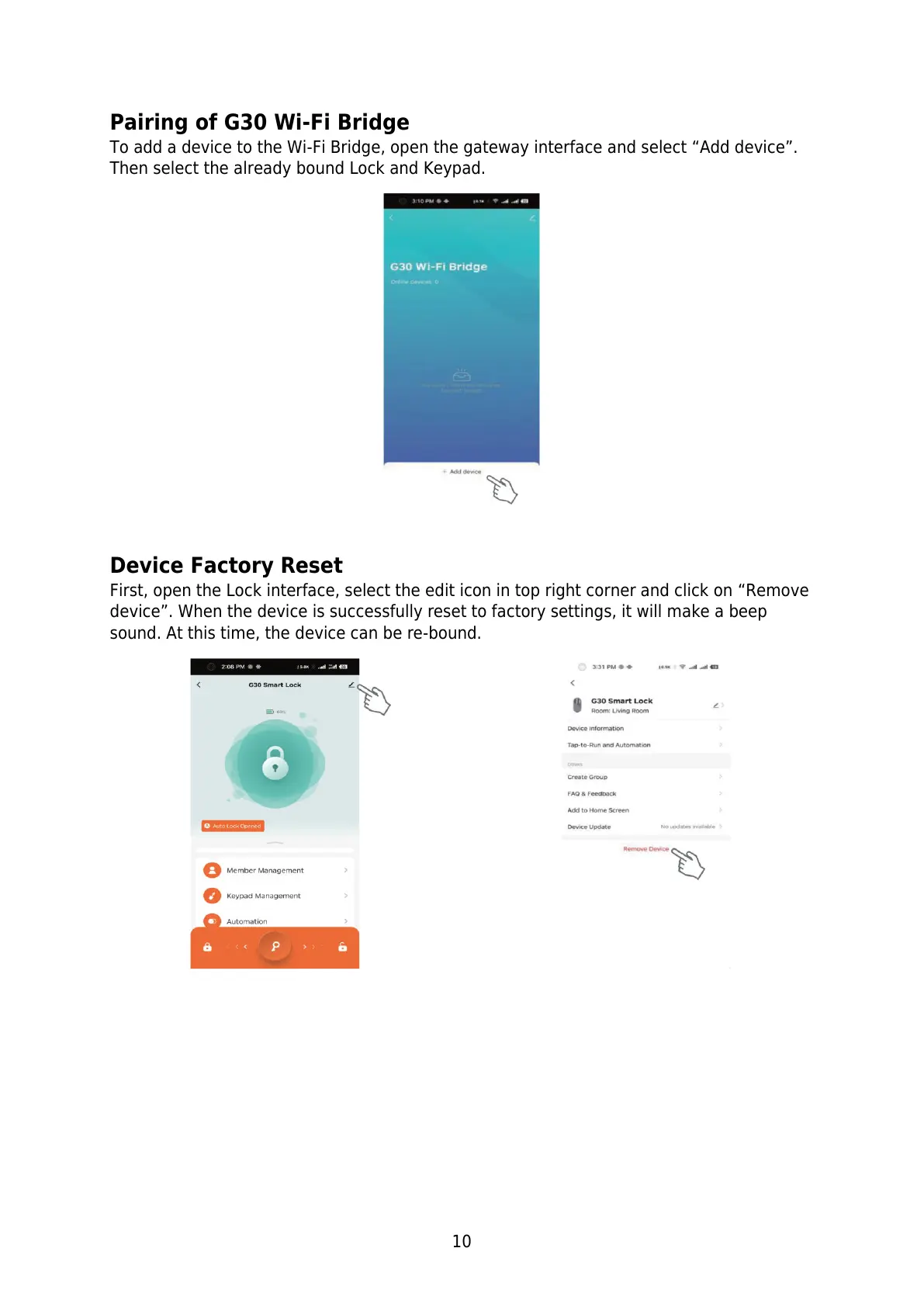
To add a device to the Wi-Fi Bridge, open the gateway interface and select “Add device”.
Then select the already bound Lock and Keypad.
Device Factory Reset
First, open the Lock interface, select the edit icon in top right corner and click on “Remove
device”. When the device is successfully reset to factory settings, it will make a beep
sound. At this time, the device can be re-bound.


 To Next Page