11
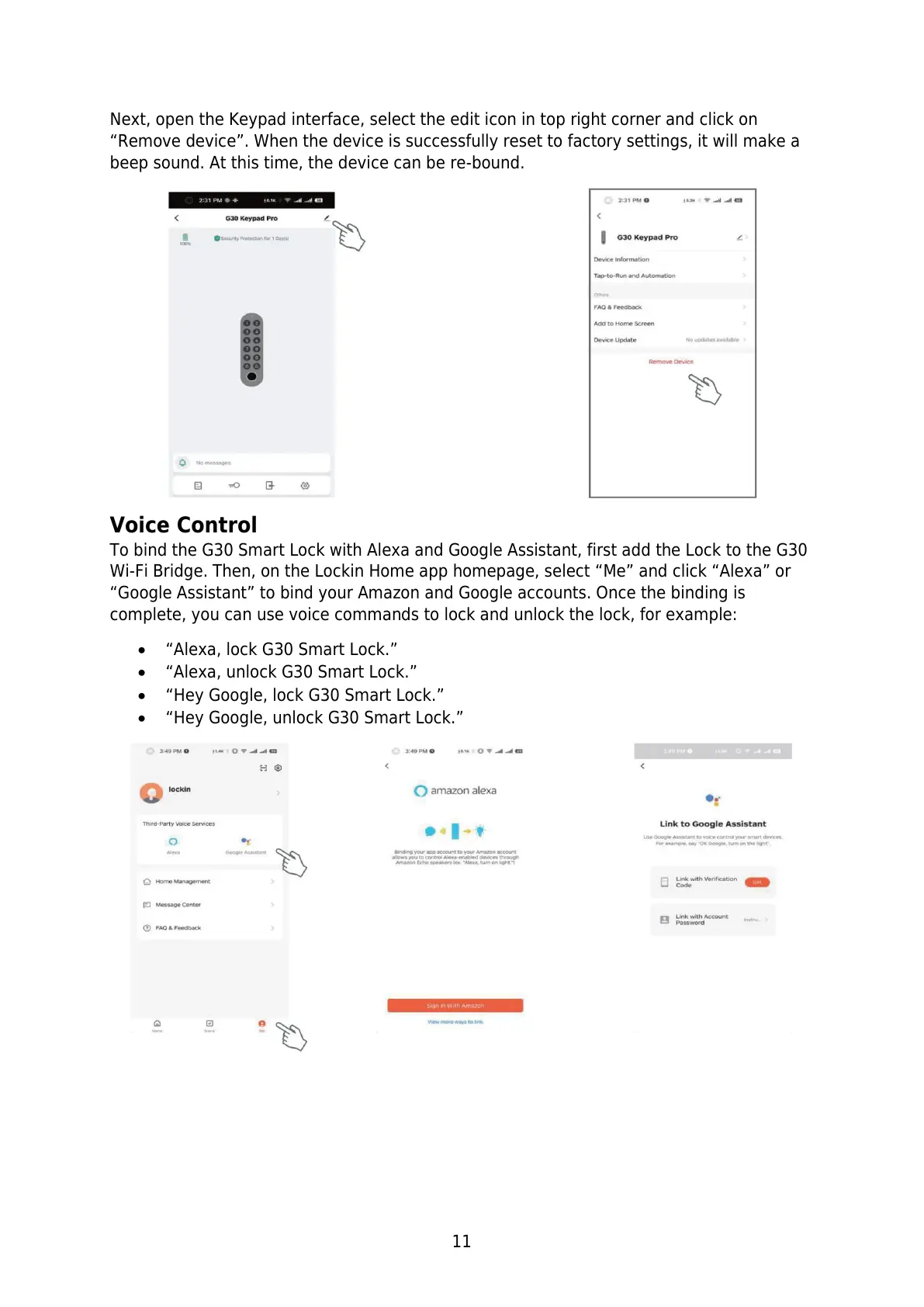
Next, open the Keypad interface, select the edit icon in top right corner and click on
“Remove device”. When the device is successfully reset to factory settings, it will make a
beep sound. At this time, the device can be re-bound.
Voice Control
To bind the G30 Smart Lock with Alexa and Google Assistant, first add the Lock to the G30
Wi-Fi Bridge. Then, on the Lockin Home app homepage, select “Me” and click “Alexa” or
“Google Assistant” to bind your Amazon and Google accounts. Once the binding is
complete, you can use voice commands to lock and unlock the lock, for example:
“Alexa, lock G30 Smart Lock.”
“Alexa, unlock G30 Smart Lock.”
“Hey Google, lock G30 Smart Lock.”
“Hey Google, unlock G30 Smart Lock.”


 To Next Page