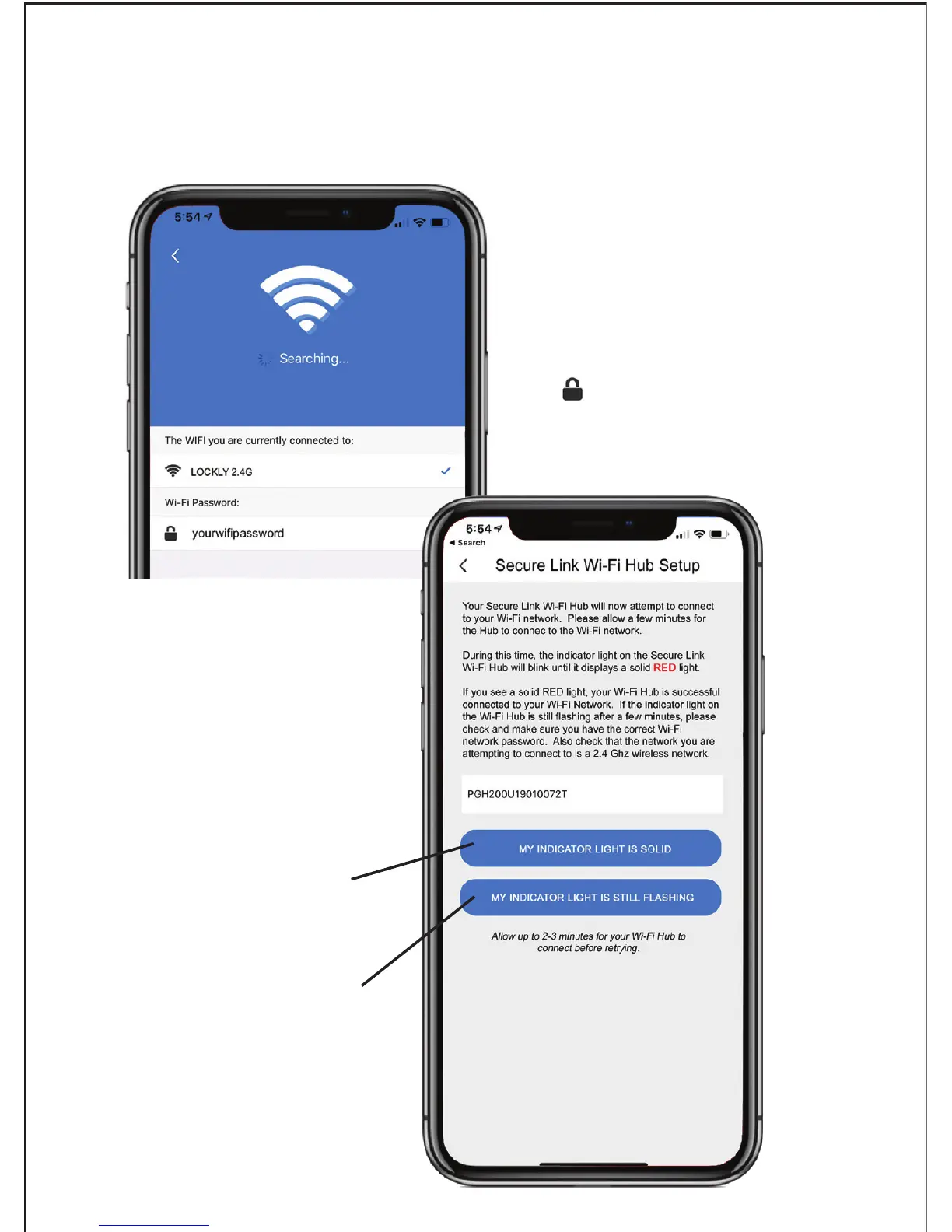
Enter your Wi-Fi password
in the next line next to the
icon, then click “Next
Step” to continue.
If you are already connected to a 2.4 Ghz compatible Wi-Fi network, it
should display the network name. (See example below)
Select if your Wi-Fi Hub LED
Indicator light is ON and solid.
Select if your Wi-Fi Hub LED
Indicator light is ON and still
flashing after 2-3 minutes.


 To Next Page