SECTION 4.4~4.516
4.4 Entering Programming Mode
4.5 Restore Factory Settings
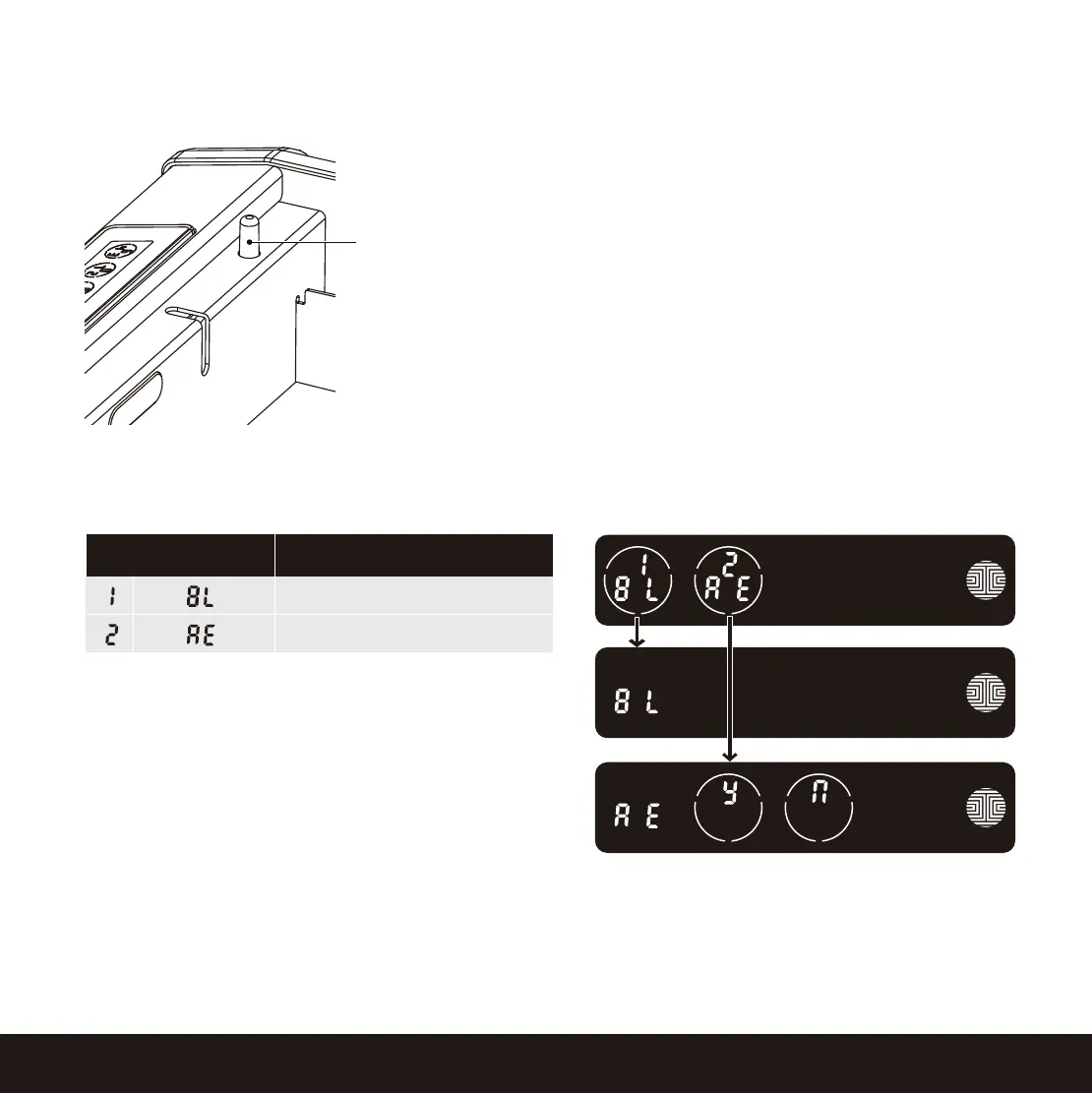
ModeNumber
Bluetooth Pairing
Restore Factory Settings
Program Button
To enter Programming Mode, open the Smart
Safe. The programming button is located on
the rear left interior.
Quickly press the Program Button twice to
enter programming mode.
To end Programming Mode, press the Program
button anytime. Programming Mode will auto-
matically exit if the keypad is inactive for more
than thirty (30) seconds.
If you need to restore to factor settings, you must
have your Activation Code available. The Activa-
tion Code can be found on the Activation Code
Card that came with your Lockly Smart Safe.
See below which Reset procedure applies for you:
Never Connected to App
Enter Programming Mode, press RE (Restore Factory Settings) and select Y to perform factory reset.
Once the Lockly Smart Safe has been reset, all the data previously stored will be deleted.
Connected to App
In the App, go to Settings > Reset and Pairing > Perform Factory Reset. The smart safe will restart
and reset. After reset, you’ll need the Activation Code to reconnect the App.


 To Next Page
 Loading...