13
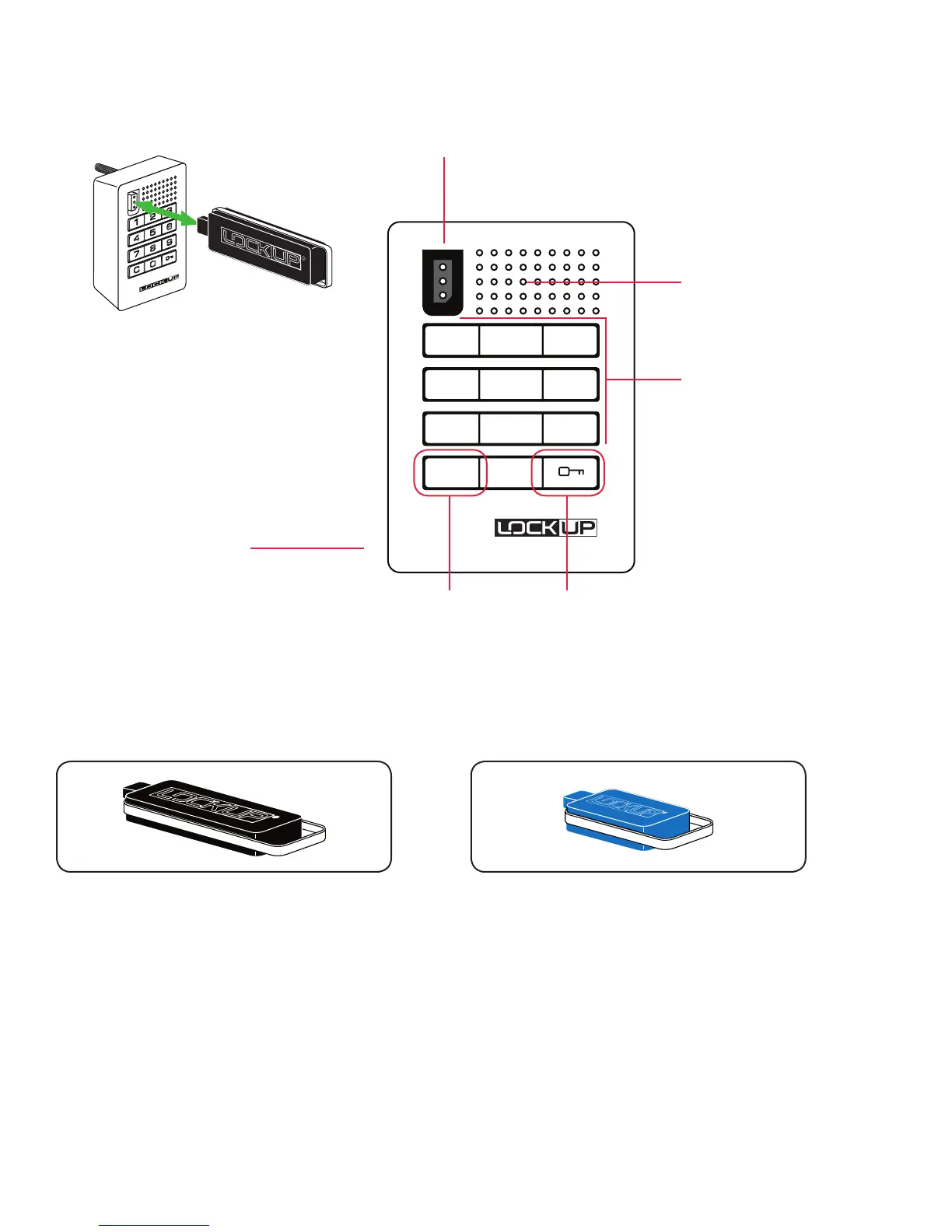
Key Insertion
LockUp Logo must be
upright and facing to the left
1 2 3
4 5 6
7 8 9
C 0
C Button Key Symbol Button
Key Insert
LED Usage Indicator
Numeric Keypad
Pull Handle
Lock Interface Overview
Key Guide:
• Provides management access
• Provides external power
• Each lock accepts up to (25) Manager Flex Key(s)
• Minimum of (1) required per location
Manager Flex Key (black)
• ADA Compliant User Key
• Optional
ADA User Key (Blue)


 To Next Page