22
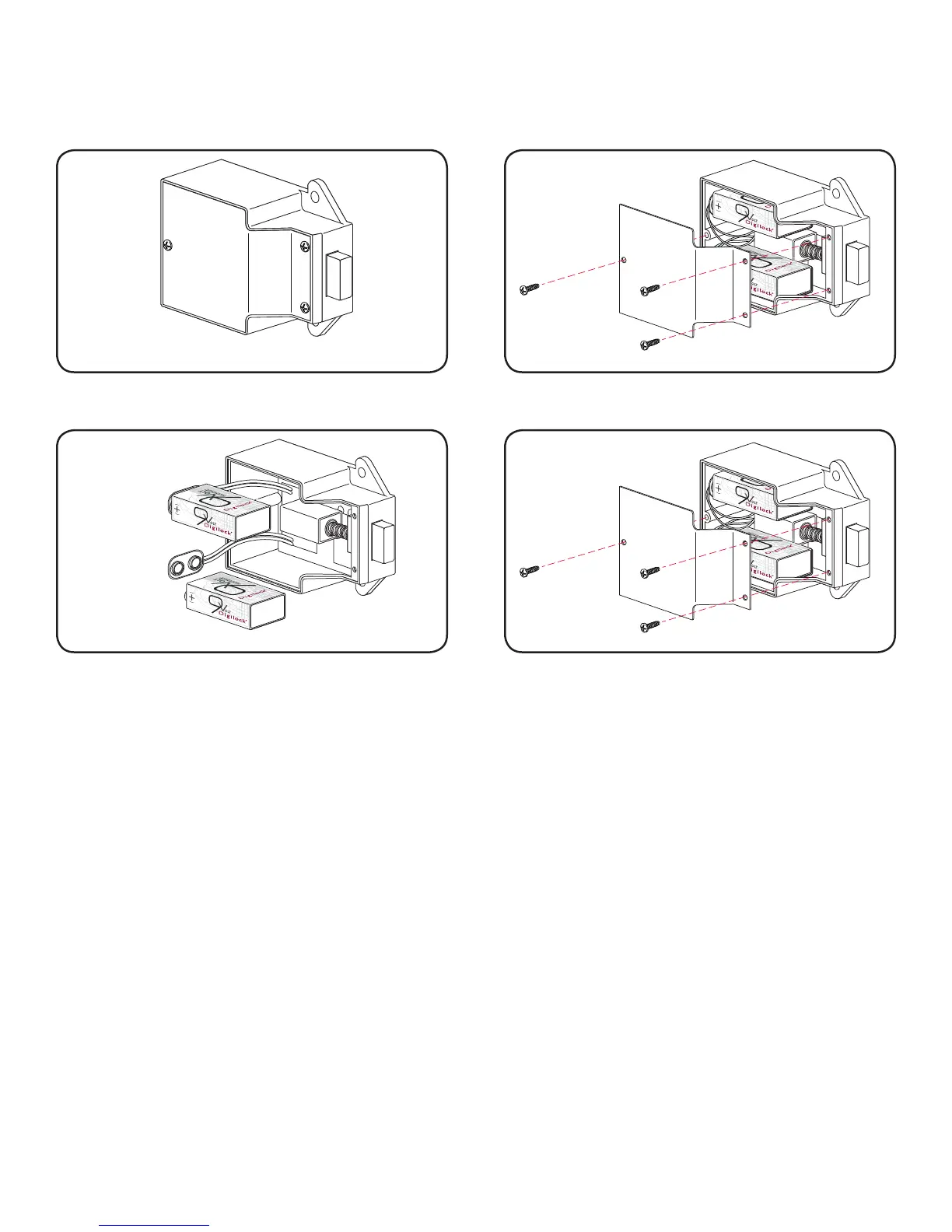
The batteries are located in the rear unit of the lock.
Battery Replacement
Note: It is not necessary to remove the mounting hardware or remove the lock from door to change the batteries.
Remove the three screws as indicated above.
1
Remove the cover plate.
2
Pull the batteries from the rear housing and gently pull
from the snap connectors.
Replace the 2 batteries with 9V high alkaline batteries
for optimal performance.
3
Reinstall the batteries and screw cover plate in place.
4


 To Next Page