7
8.Other instructions
◆If you enter an incorrect password for more than 5 consecutive times within 5 minutes, the keyboard is locked and the system does not respond to
any operations in 90seconds. You can press the setting key on the rear panel to enter the administrator and unlock the password.
◆Password anti-prying function: Enter the password as follows when opening the password :XXX password XXX: you can add some irrelevant codes
before and after the password, and then press # to confirm. The password must be included in the input.
◆If no operation is performed for more than 20 seconds, the system will automatically exit.
◆When the voltage is lower than 6.9V, it will automatically alarm every time the lock is opened. After the alarm, the door lock can be unlocked 200
times. If the number of times exceeds the alarm, the lock will be prohibited.
◆Human body induction, everytime after unlocking the lock will delay 10 seconds to restart, to prevent the wrong start.
◆Human body induction automatically triggered 5 times, 5 times out of time no face detected or unlocked, the system will temporarily shutdown the
induction for 2 hours, 2 hours later or after the next operation can be restored, to prevent people from walking around in the frequency of the occasion
of false wake up anti power consumption.
◆Press "00#" to play the current system version number," XXX-XXX ". The first three digits are the mainboard version number and the last three digits
are the rear board version number.
◆Press 99# to display the current time of the voice broadcast.
◆In the initial state, press "888#" to quickly enter the installation and setting menu, compatible with the operation mode of the old version,
convenient to adjust the motor direction.
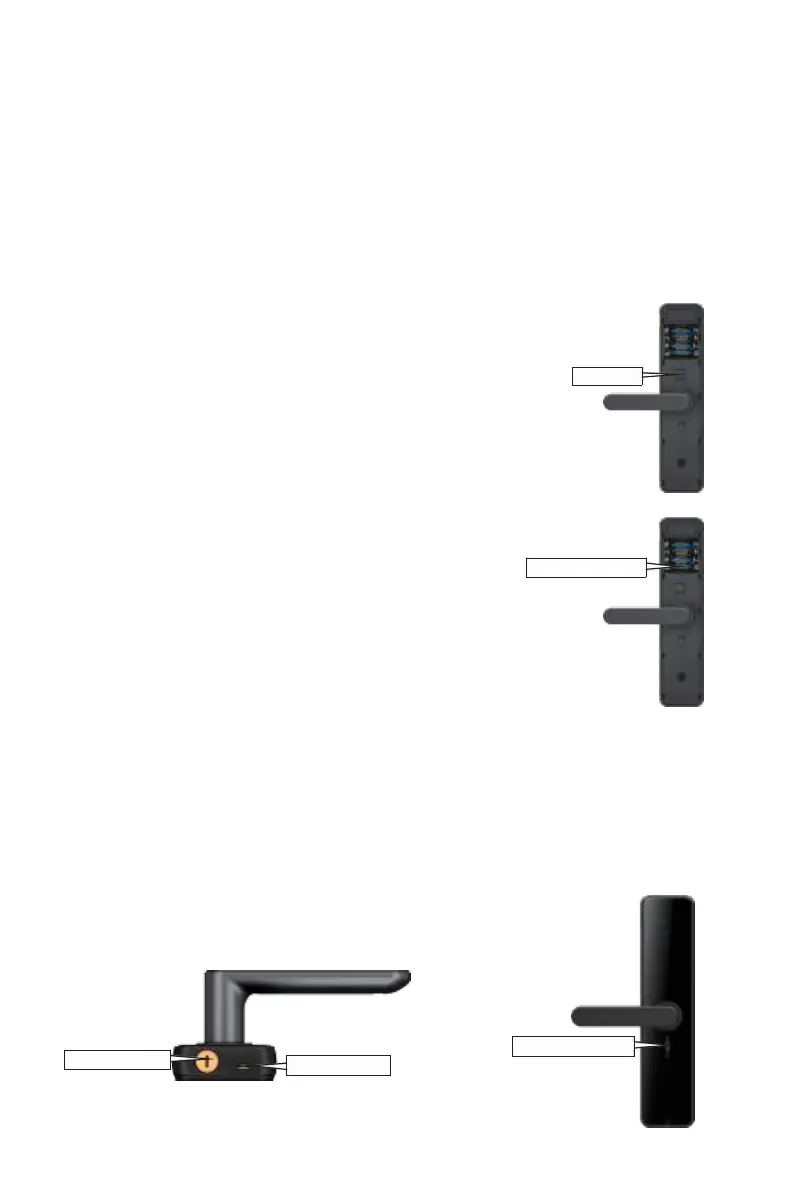
3.7 Restore factory settings
3. 6.1 . Press and hold the reset and clear button on the 10s rear
panel, the door lock will return to the factory default, and the voice
and light will be restored successfully.
3.6.2.The factory default password is 123456, all fingerprint pass-
word card registration are cleared, and the operation record
remains unchanged.
3.8 Low voltage alarm and battery replacement method
3.8.1 Battery Low voltage alarm
When the battery is low-voltage, when unlock by fingerprint
/ password / card, and the door lock voice prompts "the
voltage is too low, please replace the battery".
3.8.2 Battery replacement method
Take out the old battery, put the new battery into the battery
box according to the positive and negative pole alignment,
and install the battery cover into the bacl panel after the
power is normal.
3.9 USB emergency power supply
and mechanical key unlock
When the battery has no power, use 5V power bank
+micro USB cable and connect the micro USB port of
the external emergency power supply to unlock
normally, or use the mechanical key to unlock.
3.10 Electronicanti lockfunction
When the electronic anti lock key is
pushed upward, it is locked, and when
it is pushed downward, it is unlocked.


 To Next Page
 Loading...