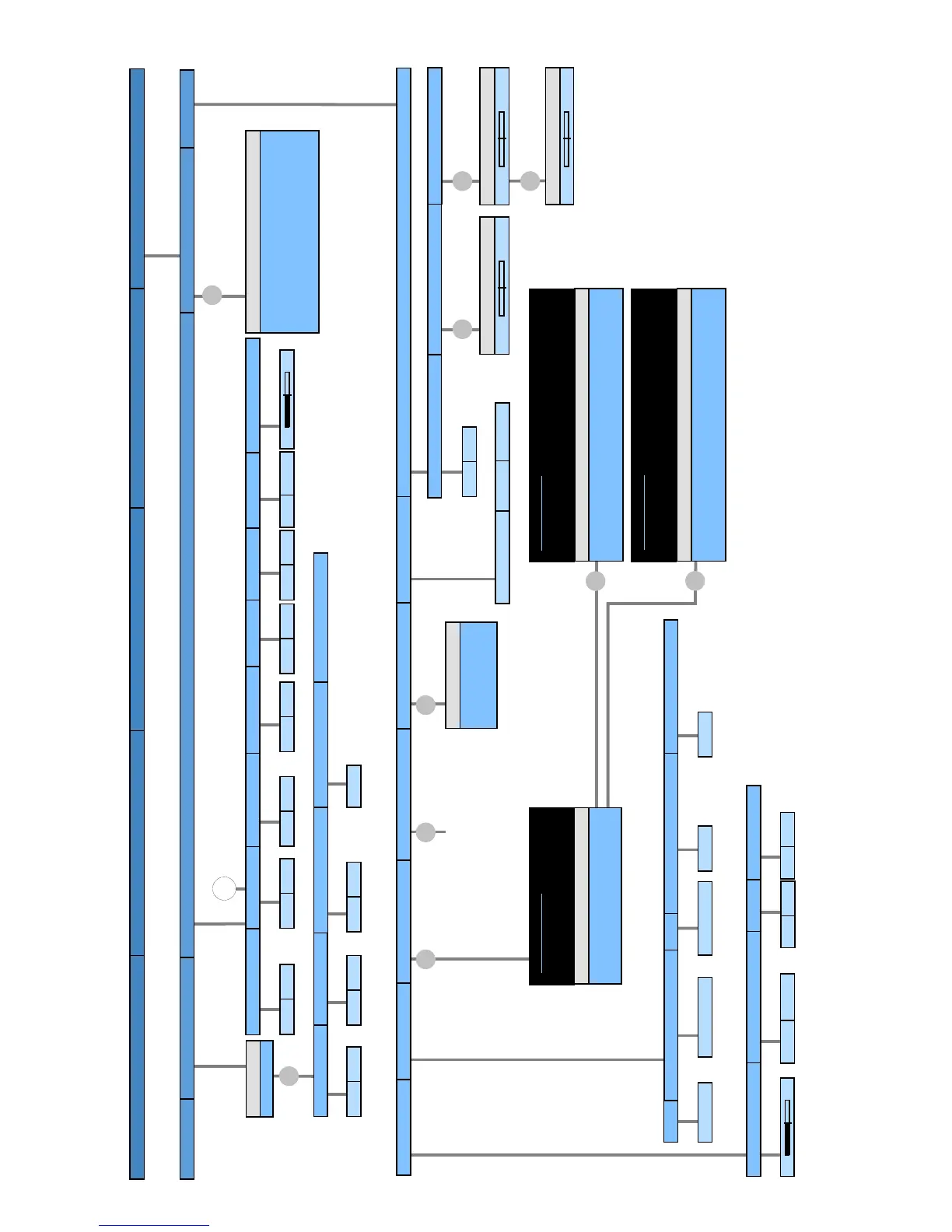
Switch off today only
Switch off daily
One-time reminder
Wake up Mon-Fri
Activate switch-off position
Set switch-off position
Lock immediately
Lock daily
Age-related lock
Change access code
0000
TV Menu Page 5
Stations
Parental lock
Language
Miscellaneous
Timer functions
Picture
Sound
Recording
Connections
Settings
Sprache D Kieli FIN
Language GB Jezik SLO
Langue F Jazyk SK
- -
- -
Language
Wake up Sat
Wake up Sun
Wake up with
Wake up signal volume
30
TV
Radio
no
yes
no
yes
no
yes
no
yes
no
yes
????
Access code
Delete access code
no
yes
no
yes
no
yes
On-screen displays
Time and date
Software Update
DVB subtitles
DVB character set
Rotate TV
Basic adjustment
0
Basic adjustment (right)
0
Basic adjustment (left)
0
Set switch-off position
no
yes
Western European
Polish
Standard
Subtitles off
for impaired hearing
for translation
DVB subtitles
TV base software
DVB software
Software type
Software update wizzard
Current TV base software:
Current DVB software:
Current DVB bootloader software:
Vx.xx.x
Vx.xx.x
Vx.x.x
Load new software now
Load new software after switch off to standby
Keep current software
Update options
Software update wizard
A new software is available
TV base software: curent Vx.xx.x new Vx.xx.x
Load new software now
Load new software after switch off to standby
Keep current software
Update options
Software update wizard
A new software is available
DVB software: current Vx.xx.x new Vx.xx.x
DVB bootloader software: current Vx.x.x
Time
Deviation from Universal Time
Date
Beginning of daylight-saving time
End of daylight-saving time
dd.mm
dd.mm
dd.mm.yyyy
+xx hour(s)
hh:mm:ss
On-screen display time
7 s
On-screen display position
bottom
top
Volume
yes
no
Automatic info
yes
no
D
CA-Modul: -----------------
Menu from CA-Module
dependent on the integrated features of TV set and on the selected station menu points can be cancelled or be changed
no
yes
OK
OK
OK
OK
OK
OK
OK
OK
OK
OK








 To Next Page