Loewe bild
User handbook
46
TV
Teletext
Teletext
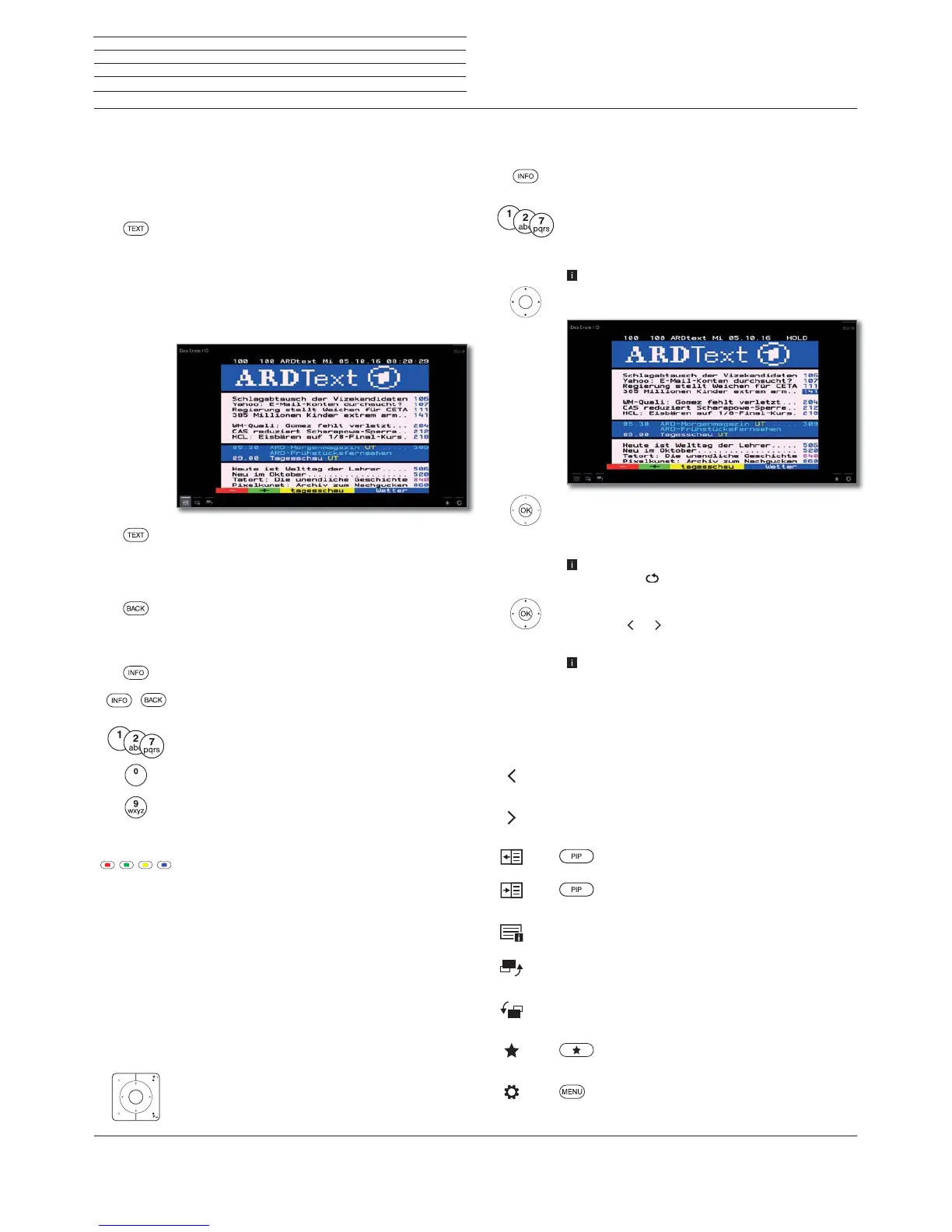
Your TV set supports the two operating systems TOP text and FLOF.
Up to 2000 pages are stored in order to get quick access.
Starting and ending Teletext
TEXT: Call teletext.
The function of the TEXT key can be set under
System settings ט Control טmore ...טHbbTVט
Function of the TEXT key.
The factory default is Standard teletext first (see
also chapter System settings, section Control –
HbbTV).
TEXT: Switching between Standard Teletext and
MediaText.
If no MediaText is available Teletext off.
Otherwise:
Pressing the BACK key ends Teletext.
Key functions for Standard Teletext operation
INFO press longer: Show Explanation of keys.
IINFO or BACK: Hide Explanation of keys.
0-9: Directly enter the page number.
0: Stop self changing pages.
9: Zoom in the page (press several times).
Page selection with the coloured keys
Red key: One page back or back to previous page
(depending on Teletext provider).
Green key: Advance one page.
Yellow key: To next topic.
Blue key: To next range of topics.
The coloured bars (with TOP text) or the coloured
writing (with FLOF text) in the last to bottom line show
you which colour button you need to use to select which
topic areas and topics.
Page selection with P+/P–
P+ call next Teletext page.
P– call previous Teletext page.
Additional page selection possibilities
First possibility:
INFO: Call overview page 100.
Second possibility:
Directly enter the page number.
Third possibility:
The page includes 3-digit page numbers.
Mark desired page number.
OK Call page.
Fourth possibility:
The page consists of several sub-pages, indicated by
the symbol
and the arrows in the bottom line.
Go to bottom line.
Mark
or ,
OK select previous / next sub-page.
The number of the current sub-page is shown
between the arrows.
Explanation of the symbols in the Teletext bottom line
Symbol
(icon)
Remote
control key
Description
– For Teletext pages with sub-pages:
Show previous sub-page.
– For Teletext pages with sub-pages:
Show next sub-page.
Hide TV picture (Teletext as full screen).
Insert TV picture (Split screen Teletext/
TV Picture).
– Activate Newsflash mode.
– Show hidden information on the Teletext
page.
– Hide information on the Teletext
page again.
Add current Teletext page to the favourites
in Home view.
Call menu options with Teletext settings.



 To Next Page