

EasyManua.ls Logo

Loewe Concept L 42 - User Manual

Loewe Concept L 42
24 pages
Print Icon
To Next Page IconTo Next Page
Loading...
233–32241.020
TV
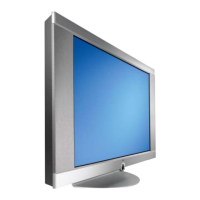
Concept L 42
Operating instructions
32241 Concept L42_Buch_GB.indd 132241 Concept L42_Buch_GB.indd 1 11.02.2005 14:09:02 Uhr11.02.2005 14:09:02 Uhr

Table of Contents

Other manuals for Loewe Concept L 42

Question and Answer IconNeed help?

Do you have a question about the Loewe Concept L 42 and is the answer not in the manual?

Summary

Remote control RC4 - TV operation

Operating Concept L 42

Connections Concept L 42 Rearpanel

Welcome

Thank you

Expresses gratitude for choosing a Loewe product.

Scope of delivery

Lists the items included in the product package.

Unpacking

Instructions on how to safely unpack the TV set.

Set up

Provides guidance on placing and positioning the TV set.

Please note!

Important notes regarding screen quality and burn-in.

Welcome

Cleaning

Instructions for cleaning the TV components.

Disposal

Guidance on environmentally friendly disposal of packaging and the unit.

For your safety

Initial installation

Installation possibilities

Describes options for installing the TV set (desktop or wall).

Initial Remote Control Setup

Instructions for inserting batteries into the remote control.

Connection

Details how to connect the TV to power and antenna.

Initial installation

Switch-on

Step-by-step guide on how to switch on the TV.

Set menu Language

How to select the desired language for menus and dialogs.

Navigation in the menu

Explains how to navigate and select options within the TV menus.

Initial installation

Automatic station search

How to perform an automatic search for TV channels.

Initial installation

Manual station adjust

How to manually adjust and fine-tune TV stations.

Sort stations

How to change the order of stored TV stations.

Delete stations

How to remove unwanted TV stations from the list.

Initial installation

Sound Menu

How to adjust sound settings like listening mode and balance.

Picture Menu

How to adjust picture settings like contrast, brightness, and colour.

Call up factory settings

How to reset the TV to its original factory settings.

Personal settings

Making personal settings

Guide to making and saving personal settings for zoom, tint, and sound.

Call up personal settings

How to activate previously saved personal settings.

Daily handling

Change channels

Explains various methods for changing TV channels.

The Station List

How to view and select stations from the station list.

Setting volume

Instructions for adjusting the TV volume.

Sound off;on

How to mute and unmute the TV sound.

Setting picture format

How to change the aspect ratio of the displayed picture.

Freeze picture

How to pause the current TV image.

Switch back and forth between two channels

How to quickly switch between the last two viewed channels.

Call up audio;video programmes

How to switch between TV and external AV inputs.

Daily handling

Automatic switch-off

How to set the TV to automatically switch to standby.

Picture in picture (PIP)

Explains the Picture-in-Picture feature, including standard and split screen modes.

Daily handling

Teletext mode

How to activate and use the Teletext service.

Page selection with the numeric buttons

How to enter Teletext page numbers using the remote.

Page selection with the coloured buttons

How to navigate Teletext pages using coloured buttons.

Scroll pages

How to scroll Teletext pages forward or backward.

Select sub-pages

How to select and view Teletext sub-pages.

Other functions

Other Teletext functions like quitting, listing, and splitting the view.

Displaying PC images (DVI;VGA)

Connecting the PC

Instructions for connecting a PC to the TV via DVI or VGA.

DVI mode

Specific connection and setup for DVI mode.

Analogue RGB mode (VGA)

Specific connection and setup for VGA (RGB) mode.

AV6 - PC RGB settings

Settings for the AV6 PC RGB input, including auto-adjust.

AV7 - PC DVI settings

Settings for the AV7 PC DVI input.

Operation of additional equipment

Connecting video recorders via antenna cable

How to connect VCRs using an antenna cable (with disadvantages).

Connecting hi-fi amplifier;system

How to connect a hi-fi system to the TV.

Setting the TV set to the video recorder

How to store the VCR signal in a TV station slot.

Operation of additional equipment

Connecting a DVD player; VCR via AV cable

How to connect DVD players/VCRs using AV cables for better quality.

Settings at the AV sockets AV1 - 5

How to adjust settings for AV inputs AV1 through AV5.

Selection options for AV sockets

Details various options available for AV socket configurations.

Operation of additional equipment

Connecting a decoder

How to connect a decoder for digital TV.

Select decoder stations

How to select stations for viewing through a decoder.

Operating Loewe DVDs; VCRs with the RC4 remote control

Select the device to be operated:

How to switch the remote control to operate VCR or DVD.

Functions for Loewe video recorders

Lists functions available for Loewe VCRs via the remote.

Functions for Loewe DVD players

Lists functions available for Loewe DVD players via the remote.

Technical Specifications

General

General technical specifications of the TV set.

Screen

Technical specifications related to the screen technology and display.

TV functions

Technical specifications for TV reception and features.

PC-Modes

Technical specifications for PC connectivity and modes.

Sound

Technical specifications for audio output and standards.

Connections

Detailed list of all input and output connections.
What to do when...

Service Addresses

Summary

Remote control RC4 - TV operation

Operating Concept L 42

Connections Concept L 42 Rearpanel

Welcome

Thank you

Expresses gratitude for choosing a Loewe product.

Scope of delivery

Lists the items included in the product package.

Unpacking

Instructions on how to safely unpack the TV set.

Set up

Provides guidance on placing and positioning the TV set.

Please note!

Important notes regarding screen quality and burn-in.

Welcome

Cleaning

Instructions for cleaning the TV components.

Disposal

Guidance on environmentally friendly disposal of packaging and the unit.

For your safety

Initial installation

Installation possibilities

Describes options for installing the TV set (desktop or wall).

Initial Remote Control Setup

Instructions for inserting batteries into the remote control.

Connection

Details how to connect the TV to power and antenna.

Initial installation

Switch-on

Step-by-step guide on how to switch on the TV.

Set menu Language

How to select the desired language for menus and dialogs.

Navigation in the menu

Explains how to navigate and select options within the TV menus.

Initial installation

Automatic station search

How to perform an automatic search for TV channels.

Initial installation

Manual station adjust

How to manually adjust and fine-tune TV stations.

Sort stations

How to change the order of stored TV stations.

Delete stations

How to remove unwanted TV stations from the list.

Initial installation

Sound Menu

How to adjust sound settings like listening mode and balance.

Picture Menu

How to adjust picture settings like contrast, brightness, and colour.

Call up factory settings

How to reset the TV to its original factory settings.

Personal settings

Making personal settings

Guide to making and saving personal settings for zoom, tint, and sound.

Call up personal settings

How to activate previously saved personal settings.

Daily handling

Change channels

Explains various methods for changing TV channels.

The Station List

How to view and select stations from the station list.

Setting volume

Instructions for adjusting the TV volume.

Sound off;on

How to mute and unmute the TV sound.

Setting picture format

How to change the aspect ratio of the displayed picture.

Freeze picture

How to pause the current TV image.

Switch back and forth between two channels

How to quickly switch between the last two viewed channels.

Call up audio;video programmes

How to switch between TV and external AV inputs.

Daily handling

Automatic switch-off

How to set the TV to automatically switch to standby.

Picture in picture (PIP)

Explains the Picture-in-Picture feature, including standard and split screen modes.

Daily handling

Teletext mode

How to activate and use the Teletext service.

Page selection with the numeric buttons

How to enter Teletext page numbers using the remote.

Page selection with the coloured buttons

How to navigate Teletext pages using coloured buttons.

Scroll pages

How to scroll Teletext pages forward or backward.

Select sub-pages

How to select and view Teletext sub-pages.

Other functions

Other Teletext functions like quitting, listing, and splitting the view.

Displaying PC images (DVI;VGA)

Connecting the PC

Instructions for connecting a PC to the TV via DVI or VGA.

DVI mode

Specific connection and setup for DVI mode.

Analogue RGB mode (VGA)

Specific connection and setup for VGA (RGB) mode.

AV6 - PC RGB settings

Settings for the AV6 PC RGB input, including auto-adjust.

AV7 - PC DVI settings

Settings for the AV7 PC DVI input.

Operation of additional equipment

Connecting video recorders via antenna cable

How to connect VCRs using an antenna cable (with disadvantages).

Connecting hi-fi amplifier;system

How to connect a hi-fi system to the TV.

Setting the TV set to the video recorder

How to store the VCR signal in a TV station slot.

Operation of additional equipment

Connecting a DVD player; VCR via AV cable

How to connect DVD players/VCRs using AV cables for better quality.

Settings at the AV sockets AV1 - 5

How to adjust settings for AV inputs AV1 through AV5.

Selection options for AV sockets

Details various options available for AV socket configurations.

Operation of additional equipment

Connecting a decoder

How to connect a decoder for digital TV.

Select decoder stations

How to select stations for viewing through a decoder.

Operating Loewe DVDs; VCRs with the RC4 remote control

Select the device to be operated:

How to switch the remote control to operate VCR or DVD.

Functions for Loewe video recorders

Lists functions available for Loewe VCRs via the remote.

Functions for Loewe DVD players

Lists functions available for Loewe DVD players via the remote.

Technical Specifications

General

General technical specifications of the TV set.

Screen

Technical specifications related to the screen technology and display.

TV functions

Technical specifications for TV reception and features.

PC-Modes

Technical specifications for PC connectivity and modes.

Sound

Technical specifications for audio output and standards.

Connections

Detailed list of all input and output connections.

What to do when...

Service Addresses

Loewe Concept L 42 Specifications

General IconGeneral
BrandLoewe
ModelConcept L 42
CategoryPlasma TV
LanguageEnglish