56
english
Loewe bild | Extended operating instructions
Programming various audio devices
The TV set can be paired with various audio devices by programming the remote control.
To do this, simply press and hold the TV key
3
or the audio key
17
and one of the number keys for at least three seconds,
The LED above the TV or audio key then flashes twice to confirm successful programming.
To activate the control pad (keys
,
,
,
,
) for controlling external players with their own play/pause button, press and hold the play/
pause button
6
for at least three seconds. The control pad is illuminated for confirmation.
Note: Permanent recording by the built-in microphone does not take place. The microphone is only activated to use the voice control and does
not remain permanently on reception.
Remote control
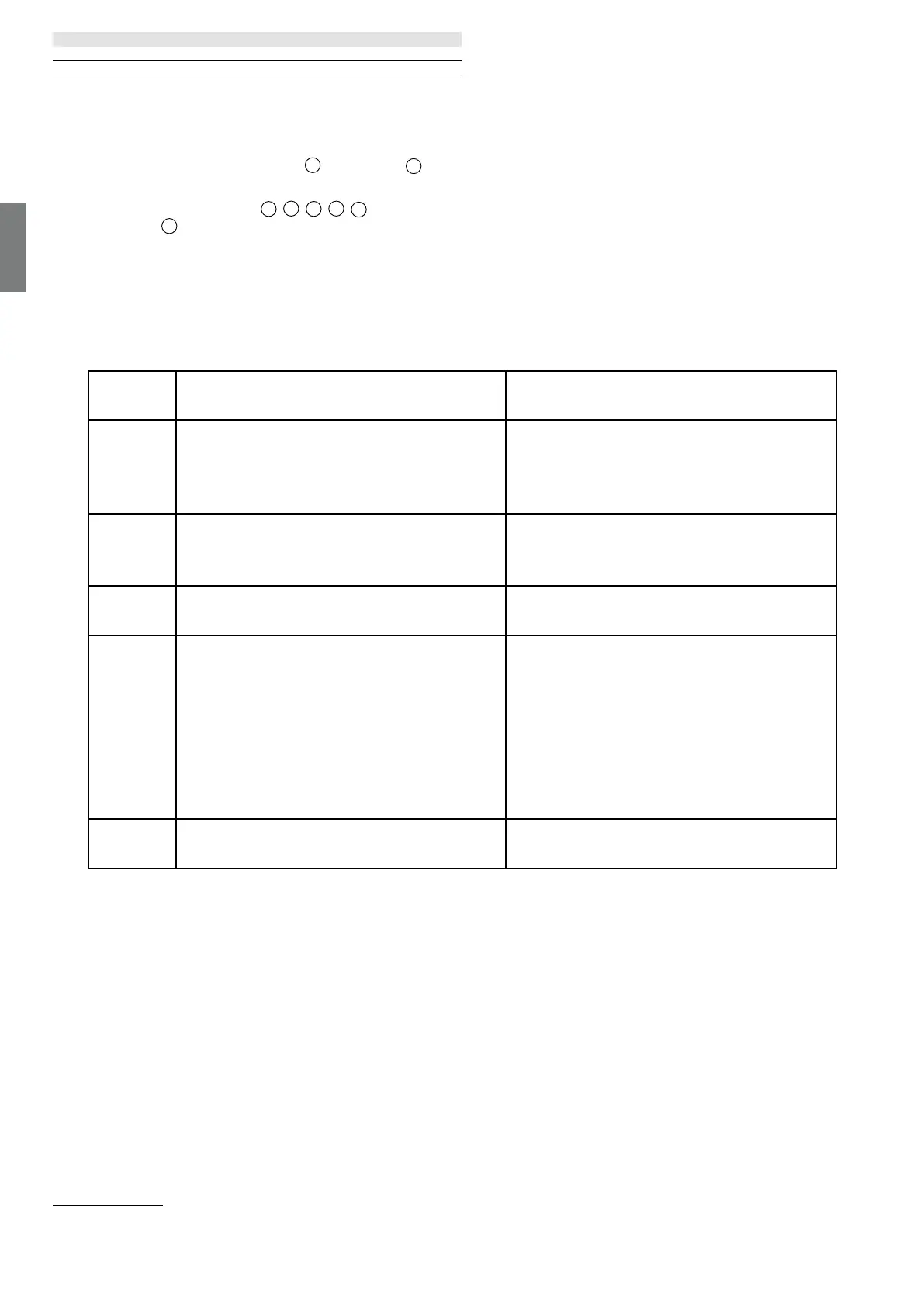
TV and Audio device are programmable. This is done by pressing the TV key + <number key> or Audio key + <number key> for more than 3
seconds. the LED light above TV or Audio key will ash 2 times for conrmation.
Device
number
Device name Key combination and reference
1
2
SL7 TV
SL1/2/3/4/5 TV
TV + 0
TV + 6
3 Audio device (sound bar) AUDIO + 0
(default device at AUDIO key)
4 Loewe Blu-Ray player AUDIO + 1
5
6
7
8
Audio device (klang s1 - s3)
Audio device (klang mr - RC5)
Audio device (RC5)
Audio device (gaming RCU - NEC)
AUDIO + 2
AUDIO + 3
AUDIO + 4
AUDIO + 5
9 Audio device (NEC) AUDIO + 6


 To Next Page
 Loading...