Preparation
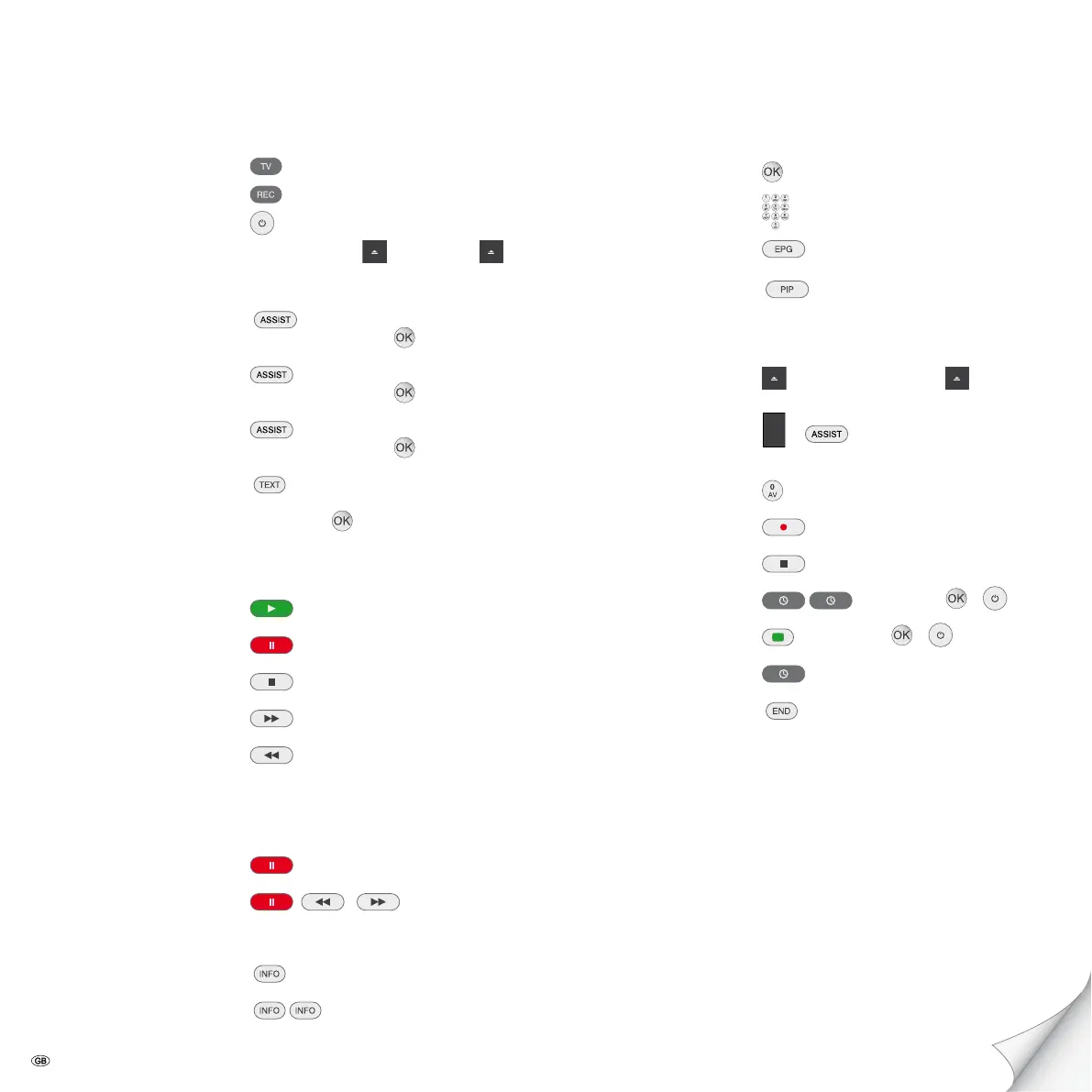
Remote control TV mode
Remote control recorder mode
Switch unit on/off
Insert disk Button on the unit – Insert disk –
Operating modes
MOVIE – 34MOVIE –
56HDD/DISC/USB –
MUSIC – 34MUSIC –
56HDD/DISC/USB –
PHOTO – 34PHOTO –
56HDD/DISC/USB –
Disk menu
Select title 3456–
Playback
Playback
Pause
Stop
Forwards (press several times)
Backwards (press several times)
Next/previous section P+/-
Volume V+/-
Individual frame 3/4
Slow motion /
(press several times)
Jump forwards/backwards 5 mins. 3/4 (only hard disk drive HDD)
Detailed information
Title menu
Recorder/TV operation
Channel overview 3456
Select channel or P+/-
Programme magazine
Picture-in-picture during playback
Recording
Insert disk – Insert recordable disk –
Select recording medium
or – 34TV –
56TV HDD/TV DVD
Select signal source or P+/-
Start recording manually
Stop recording manually
Programme timed recording
– Enter data – –
ShowView
– Enter data – –
Timer overview
Terminate menu
Recording of Loewe SAT-TV See operating instructions for Loewe TV
Brief instructions for ViewVision DR+DVB-T
Please fold out this page.
- 2


 To Next Page