33 -
Disc Menu
Disc Format
A new disc is initialised by the recorder (on request) when inserted.
DVD-R The recorder initializes the disc in “video mode”.
DVD-RW The recorder initializes the disc in “video mode”.
DVD+R The recorder initializes the disc in “video mode”.
DVD+RW The recorder initializes the disc in “video mode”.
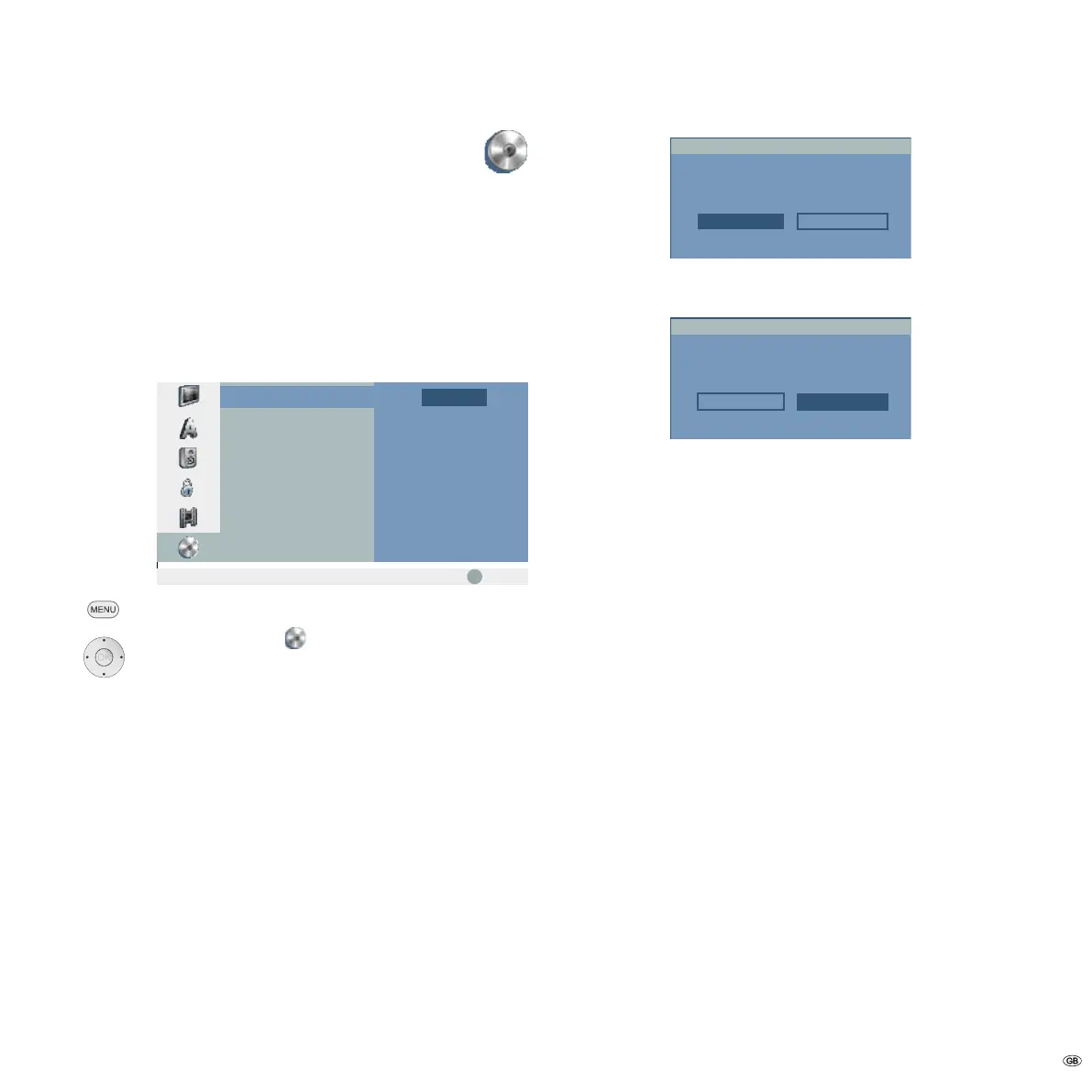
➠ A DVD+RW or DVD-RW disc can also be initialised later by menu:
OK
Start
Disc Format
Finalize
Disc Label
Disc Protect
PBC
Prev.
Select
Call menu.
5 6 Select symbol Disc.
4 Call second level.
5 6 Select Disc Format.
4 Call third level.
OK call Start menu.
3 4 Select a desired format for DVD-RW (Video mode or VR
mode).
Confirm with OK.
VR Mode Video Mode
Select a mode.
Disc Format
The following prompt appears:
OK Cancel
All data on the disc will be deleted.
Proceed?
Disc Format
34 Select OK button.
Confirm with OK.
➠ When you start formatting all recordings on the disc are
deleted.
After pressing OK disc formatting begins. It can take a few
minutes.
Initial Installation


 To Next Page