463-0620-01 Rev A. June-20157
General Operation
Turning the panel key switch to the run position energizes the ECU and displays a splash screen while
the display performs a self-test.
Note: A self-test fault is indicated by the display beeping for longer than1 second or any screen
other than the gauge display. Restore Defaults in the Configuration Menu to clear the fault.
Contact LOFA Industries for assistance if the problem persists.
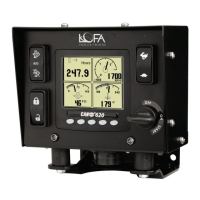
After the splash screen disappears, the display shows readings on its virtual gauges. Initially the analog
gauges are displayed but the display uses the screen last displayed on subsequent startups (see Last
Screen Store for details).
If the ECU is preheating when the key switch is turned to the run position, the preheat popup window is
displayed. Preheat time varies with atmospheric and engine conditions. The preheat popup window is
closed when preheat is complete and the engine can be cranked.
Note: The ECU will not preheat unless conditions warrant. It may be possible to start the engine
before preheat completes.
Turning the key switch to the start position cranks the engine and the switch returns to the run position
when released. The key switch is also equipped with a mechanical start locking device to prevent
cranking an already running engine. The key switch must be turned to the off position to reset the start
locking before the engine can be cranked again.
620 Operation and Troubleshooting Guide
plus
CAN
®
Throttle Control
The throttle operators installed along with the configured engine speed parameters determines the
requested engine speed. The actual engine speed is controlled by the ECU and is generally less than the
request when the ECU is configured with the typical droop governor. Exact engine speed is possible if
the ECU is configured with an isochronous governor.
Ramp Throttle
The standard Ramp Throttle uses a momentary rocker switch to adjust the requested engine speed.
When first started, the requested engine speed is Idle RPM. Pressing and releasing the rabbit icon
increases the requested speed by the preset interval. Pressing and holding the rabbit icon causes
the speed to accelerate to maximum speed within a few seconds. Similarly, pressing the turtle icon
decreases the requested speed.
Two-State Throttle
With the optional Two-State Throttle, a two position rocker switch selects the desired engine speed.
Pressing the rabbit icon requests the engine to immediately go to Run RPM. Pressing the turtle icon
requests the engine to immediately go to Idle RPM.
Three-State Throttle
The optional Three-State Throttle uses a three position rocker switch to add Intermediate Speed to
the Run RPM and Idle RPM of the Two-State Throttle.


 To Next Page
 Loading...