10
CAUTION: WHEN USING THE PRODUCT ON A THRUSTER OR A WINDLASS,
INTERLOCKING MODE MUST BE AVOIDED IN ORDER TO AVOID DAMAGING YOUR
EQUIPMENT OR CAUSING INJURY.
10 – WIRING EXAMPLES
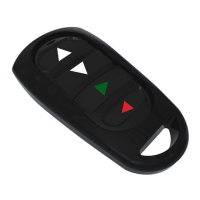
9 – ADDING EXTRA TRANSMITERS
To add an extra transmitter, follow the instructions of step 2 (Chapter 7 Set-up instructions)
and congure the additional remote control.
In case of error or doubt concerning the conguration, clear the receiver’s memory (Chapter
8) and start from the beginning. This will require the reconguration of all remote controls.
* Receivers and transmitters are available as individual spare parts. Please contact Lofrans’
customer support at www.lofrans.com for any assistance.
8 – RESETTING
In order to reset all the previous setups, press the learning key button on the receiver board
(g.A)eighttimesinarow.Atthistime,theLEDindicatoronreceiverboardwillash8times.
It means that the existing remote controls are deleted successfully and the reset has now
completed. Turn the receiver’s power supply OFF, wait 5 seconds and then return to step 2
(Chapter 7 Set-up instructions).
•”NO”terminalsstandforNormallyOpen.
In the corresponding terminal, connect a load that needs to be turned on when the button
is pressed.
•”NC”terminalsstandforNormallyClose.
In the corresponding terminal, connect a load that needs to be turned o when the button
is pressed.


 To Next Page