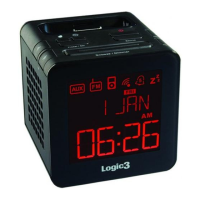
i-Station TimeCube (WIS191) - User Manual
Thank you for purchasing the Logic3 i-Station TimeCube. As with all Logic3 products it has been built
to the highest manufacturing standards and tested throughout its development, to ensure you get the
best possible product. Please read through and familiarize yourself with this manual before you use the
i-Station TimeCube.
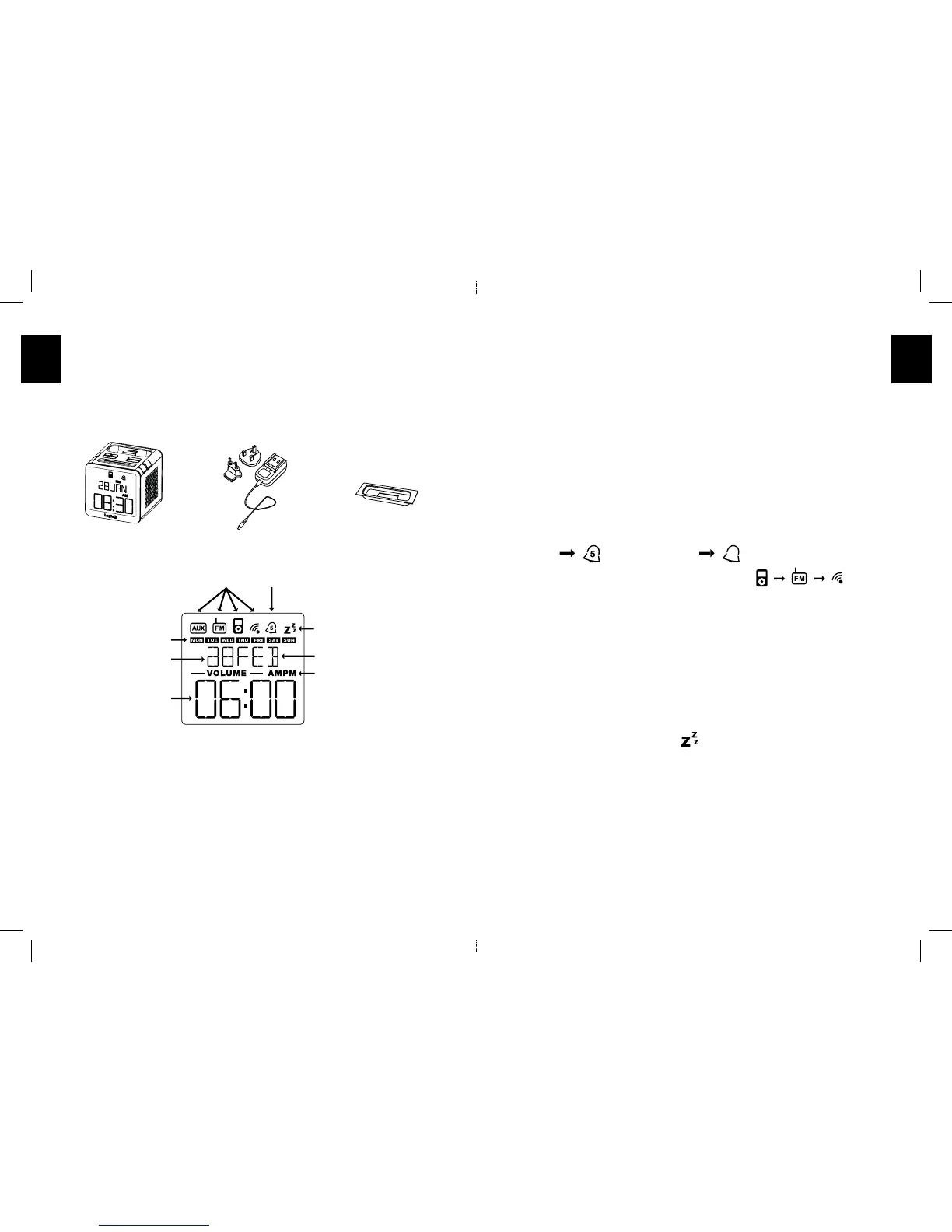
Product Overview
Set up of i-Station TimeCube
1. Connect the mains AC Adapter to the TimeCube (DC in).
2. Plug the adapter to your mains supply and turn ON the power.
3. Insert the appropriate cradle (supplied with your iPod) into the universal dock on the TimeCube
base; if you are using an iPhone3G/3Gs an iPhone3G/3Gs cradle is supplied.
Setting of Time/Date
1. Press and hold the ‘Time’’ button (Time will ash)
2. Using the ‘Volume button’ set the time format (24hr/12hr).
3. Press the ‘Preset/Set’ button (Hour Unit will Flash)
4. Using the ‘Tuning’ or ‘Volume’ buttons set the Hour.
5. Press the ‘Preset/Set’ button (Minutes Unit will Flash)
6. Using the ‘Tuning’ or ‘Volume’ buttons set the Minutes.
7. Press the ‘Preset/Set’ button (Year will ash)
8. Using the ‘Tuning’ or ‘Volume’ buttons set the Year.
9. Press the ‘Preset/Set’ button (Month will ash)
10. Using the ‘Tuning’ or ‘Volume ‘buttons set the Month.
11. Press the ‘Preset/Set’ button (Date will ash)
12. Using the ‘Tuning’ or ‘Volume’ buttons set the Date.
13. Press the ‘Preset/Set’ button (Day will ash)
14. Using the ‘Tuning’ or ‘Volume’ buttons set the Day.
15. Press the ‘Preset/Set’ button to save the settings.
Setting of Alarm
1. Press ‘Alarm’ button once, Volume and Source will ash on the display (if no buttons are pressed for
10seconds the display will return to the current time display).
2. Using the ‘Volume’ buttons set the volume level of the Alarm.
3. Press ‘Alarm’ button to set the Reccurence of the Alarm
4. Press ‘Source’ button to set the source you wish to wake up to
5. Press the ‘Preset/Set’ button (Hour Unit will Flash)
6. Using the ‘Tuning’ or ‘Volume’ buttons set the Hour.
7. Press the ‘Preset/Set’ button (Minutes Unit will Flash)
8. Using the ‘Tuning’ or ‘Volume’ buttons set the Minutes
9. Press the ‘Preset/Set’ button to save the settings.
Setting of Sleep mode
The Sleep time can be adjusted to the user’s preference.
1. In any source mode Press and hold the ‘Alarm’ button for 1second.
2. Sleep time will be displayed on the screen.
3. Using the ‘Tuning’ or ‘Volume’ buttons set the duration of the Sleep mode (OFF, 15, 30, 45, 60)
4. Once you have selected your Sleep time an icon will be displayed on the top right of the display.
5. Display will automatically return to the current time display after 10 seconds.
6. The Sleep time will be counted down, to show the remaining Sleep time press and hold the ‘Alarm’
button.
Setting the Radio
Only 6 Preset can be saved at any one time.
1. Un- tie the antenna cable and position the antenna as high up as possible.
2. Turn on the Radio by pressing the ‘On/Off’ button.
3. Select Radio by pressing the ‘Source’ Button.
4. Using the ‘Tuning’ buttons set the required radio frequency (Pressing the ‘Tuning’ button once will
manually Tune the radio, Press and Hold the ‘Tuning’ button will Auto search the radio)Press and
hold the ‘Preset/Set’ button (Program number will then ash)


 To Next Page