9
ADJUSTMENT
To avoid SERIOUS personal INJURY or DEATH from
electrocution, disconnect electric power BEFORE manually
moving limit nuts.
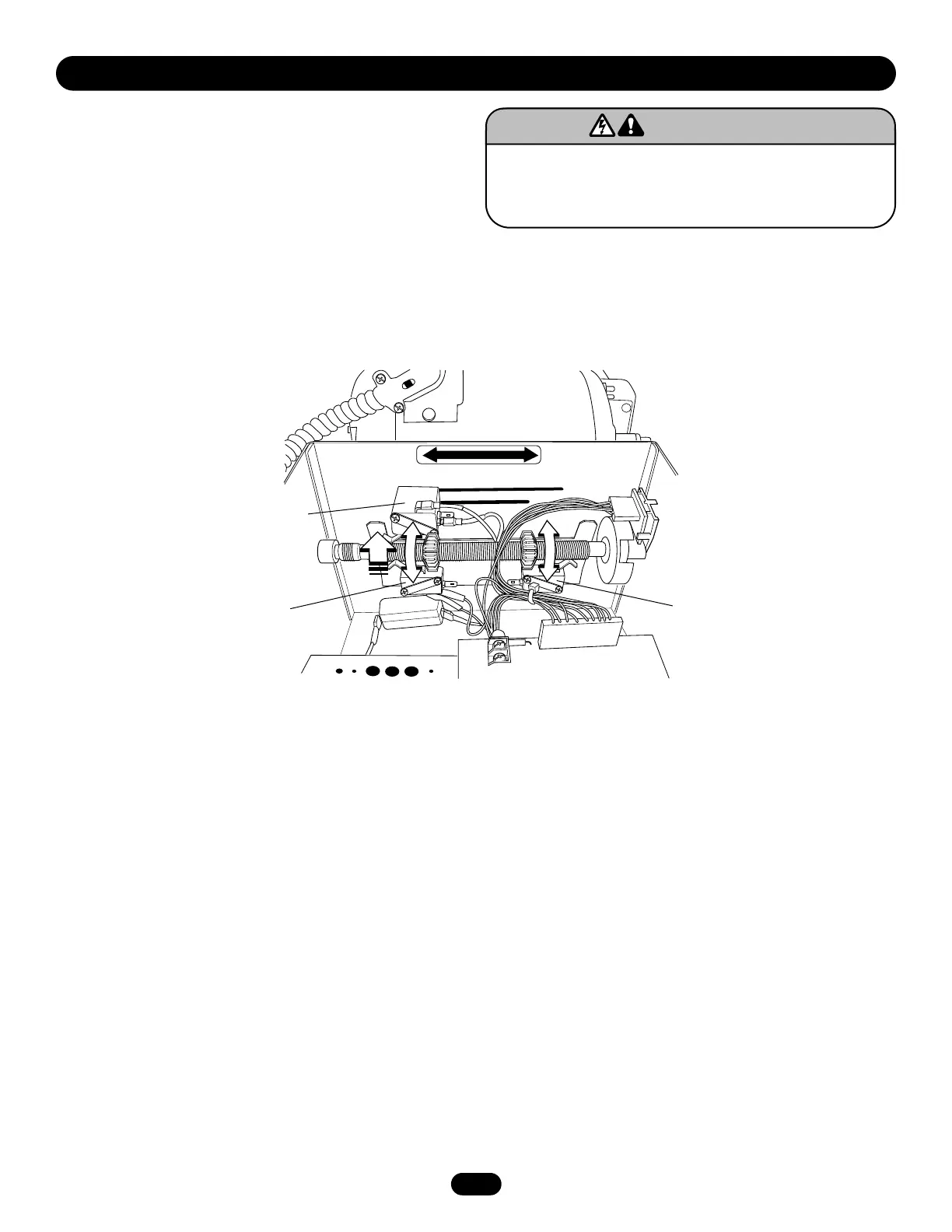
LIMIT SWITCH ADJUSTMENT
NOTE: Make sure the limit nuts are positioned between the limit
switches before proceeding with adjustments.
1. Depress retaining plate to allow nut to spin freely. After
adjustment, release plate and move nut back and forth to
ensure it is fully seated in slot.
2. To increase door travel, spin nut away from limit switch. To
decrease door travel, spin limit nut toward limit switch.
3. Adjust open limit nut so that door will stop in open position
with the bottom of the door even with top of door opening.
4. Repeat steps 1 and 2 for close cycle. Adjust close limit nut so
that the limit switch is engaged as door fully seats at the floor.


 To Next Page