GB-11
PreparationConnectionsInitial SetupUsing the FeaturesDVR (Digital
Video Recorder)
Using the Features
via USB port
Using the DVD
Features
Hints and Tips, Specification
and Safety Warnings
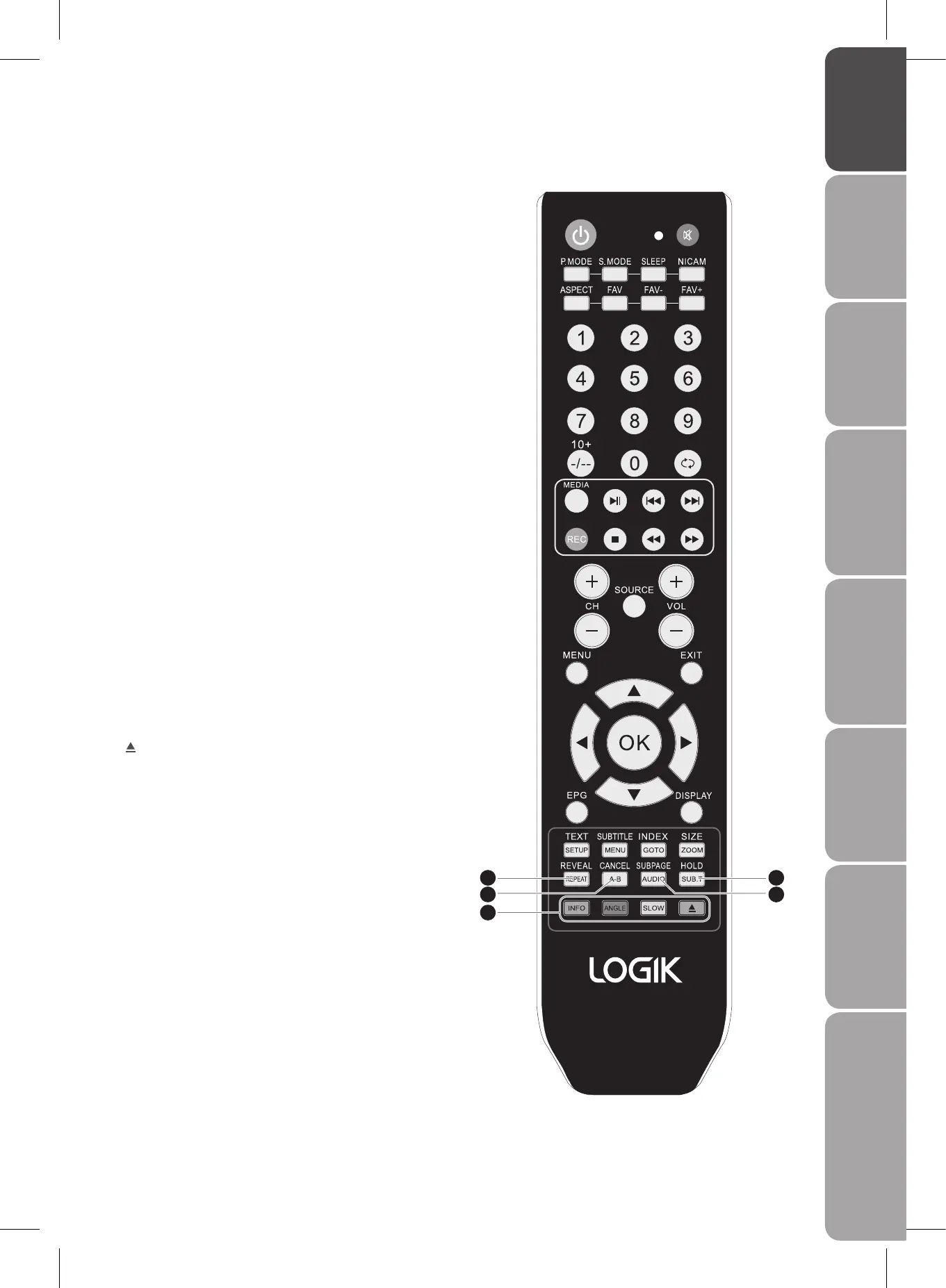
26 REVEAL
Reveal hidden information such as the answer to a quiz
in Teletext. (TV mode)
REPEAT
Repeat a title, chapter, track or whole disc. (DVD mode)
27 CANCEL
To cancel the teletext mode completely. (TV mode)
A-B
Repeat a segment between A and B. (DVD mode)
28 SUBPAGE
Display the subpage on the teletext screen. (TV mode)
AUDIO
Change the audio language or audio channel. (DVD
mode)
29 HOLD
Freeze a multi-page passage on screen in Teletext. (TV
mode)
SUB.T
Display subtitle in the DVD. (DVD mode)
30 Coloured buttons
Access the TELETEXT items or programme edit when
using Digital / Freeview TV Channels. (TV / DTV / DVD
mode)
INFO (red)
Display information. (DVD mode)
ANGLE (green)
Select different angles for the video. (DVD mode)
SLOW (yellow)
Select slow speed playing and resume normal play.
(DVD mode)
(blue)
To insert and eject disc. (DVD mode)
26
27
30
29
28


 To Next Page