English - 15 -
Inserting Batteries in the
Remote Control Handset
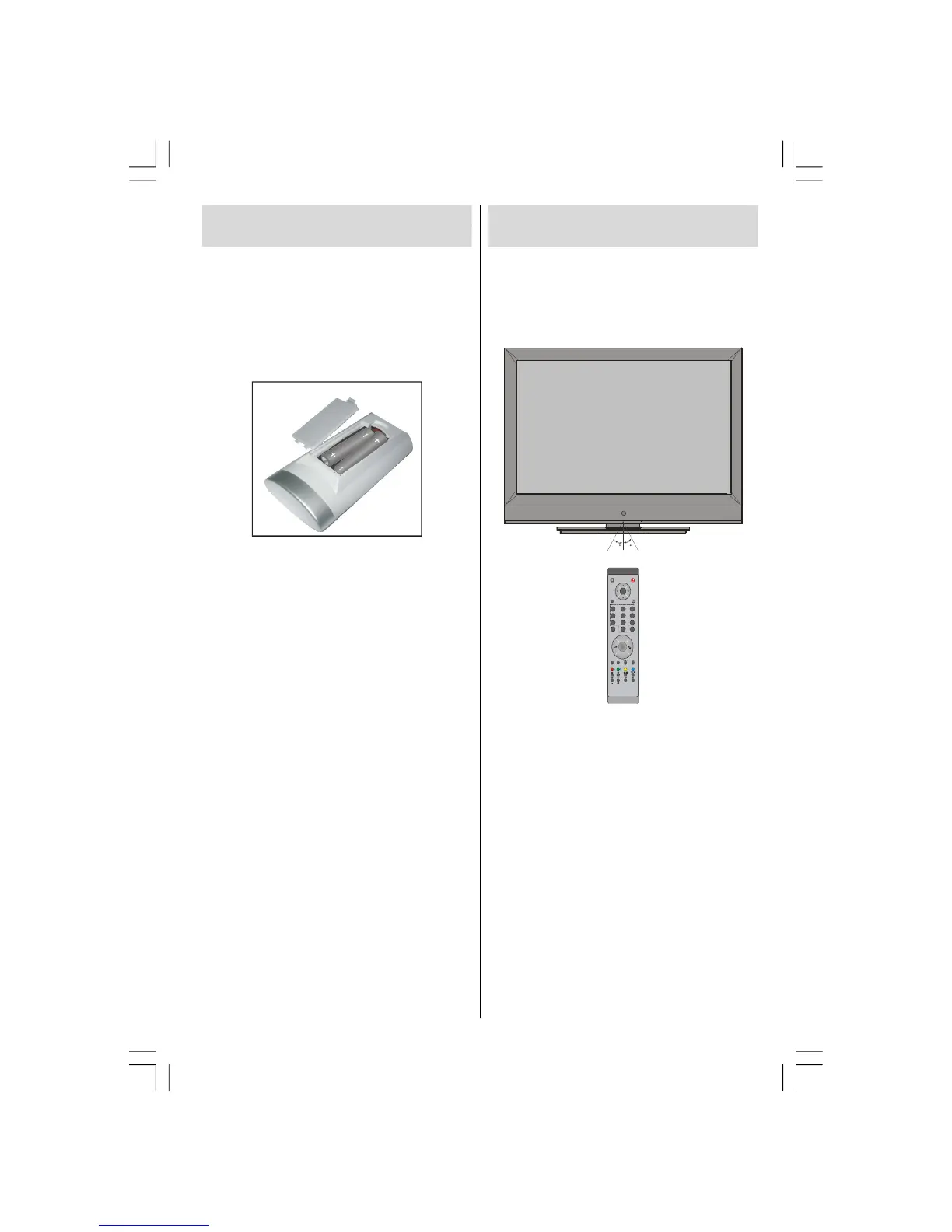
• Remove the battery cover located on the back
of the handset by gently pulling backwards
from the indicated part.
• Insert two
AAA/R3 or equivalent type batteries
inside. Place the batteries in the right
directions and replace the battery cover.
Note: Remove the battery from remote control
handset when it is not to be used for a
long period. Otherwise it can be
damaged due to any leakage of
batteries.
Operating Range for the
Remote Control
• Point the top of the remote control toward
the LCD TV's remote sensor LED while
pressing a button.
P -
M
Remote range is approximately 7m/23ft.
ENG-32782W-1050 UK-32INCH-17MB12 UK IDTV-(2 HDMI-3D PAN-WO SVHS-BASIC PIP-WO VGA)-C2-50117669.p6508.10.2007, 11:0215



 To Next Page