- 6 -
3.3 How to Change COM Port
3.3.1 Under Windows 98SE –
You can change the COM Port via setcom.exe
software
3.3.2 Under Windows Me/2000XP –
Kindly following the steps as below.
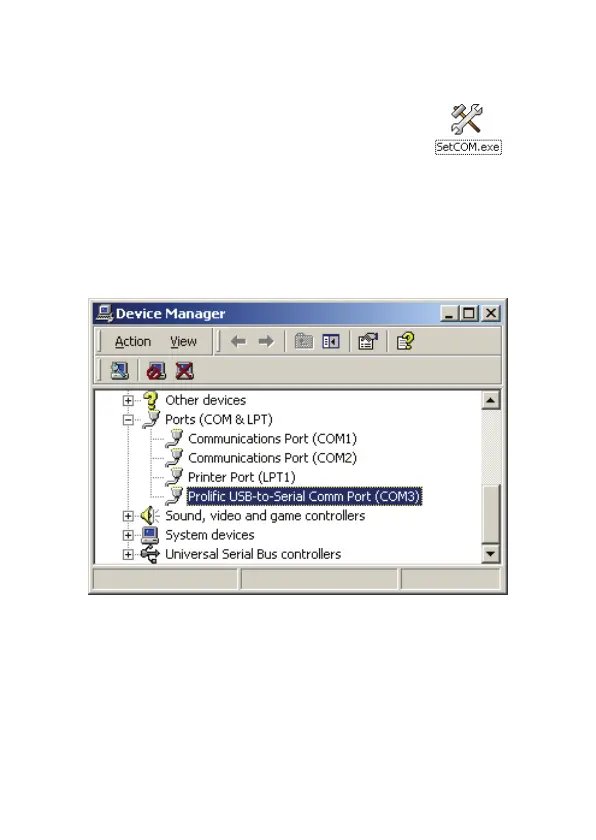
1. Please click on the Device Manager\ Devices by
connection \ ports (COM & LPT). (See Images 1)
(Images 1)
2. Double click on “Prolific USB-to- serial Comm port
(COM3)” and it will go to ‘ properties'. (see Images 2)



 To Next Page