
 Need help?
Do you have a question about the Logitech GROUP and is the answer not in the manual?
 General
| Brand | Logitech |
|---|---|
| Model | GROUP |
| Category | Conference System |
| Language | English |
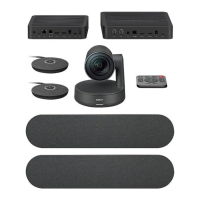
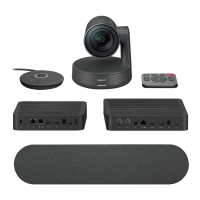
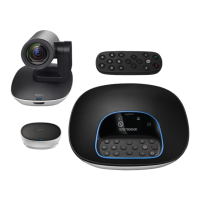
Identifies and illustrates the main components: camera, hub, speakerphone, and accessories.
Instructions for placing the camera on a table or mounting it on a wall.
Guidance on placing the hub on a table or mounting it underneath using hook and loop pads.
Details connecting the speakerphone and camera to the hub using color-coded cables.
Instructions for connecting optional expansion microphones to the speakerphone.
Guides on inserting cables into the speakerphone slots and connecting power to the hub.
Explains connecting the hub to a computer's USB port for operation.
Instructions on how to attach the cable lock to secure the camera cable.
Guidance for connecting the system to an external display like a TV or monitor.
Details pairing GROUP to a mobile device using NFC or the Bluetooth button.
Explains how to use GROUP for audio calls with a paired mobile device via Bluetooth.
Describes the functions of each button on the remote control for managing calls and camera.
Mentions the purpose and connection of optional expansion microphones.
Explains the functions of the speakerphone buttons for call handling, volume, and camera adjustments.
Describes the meaning of the various LED light indications on the speakerphone.
Guides users to Product Central for FAQs, tutorials, and firmware upgrades.
Provides links and information for troubleshooting issues and using diagnostic tools.


 To Next Page