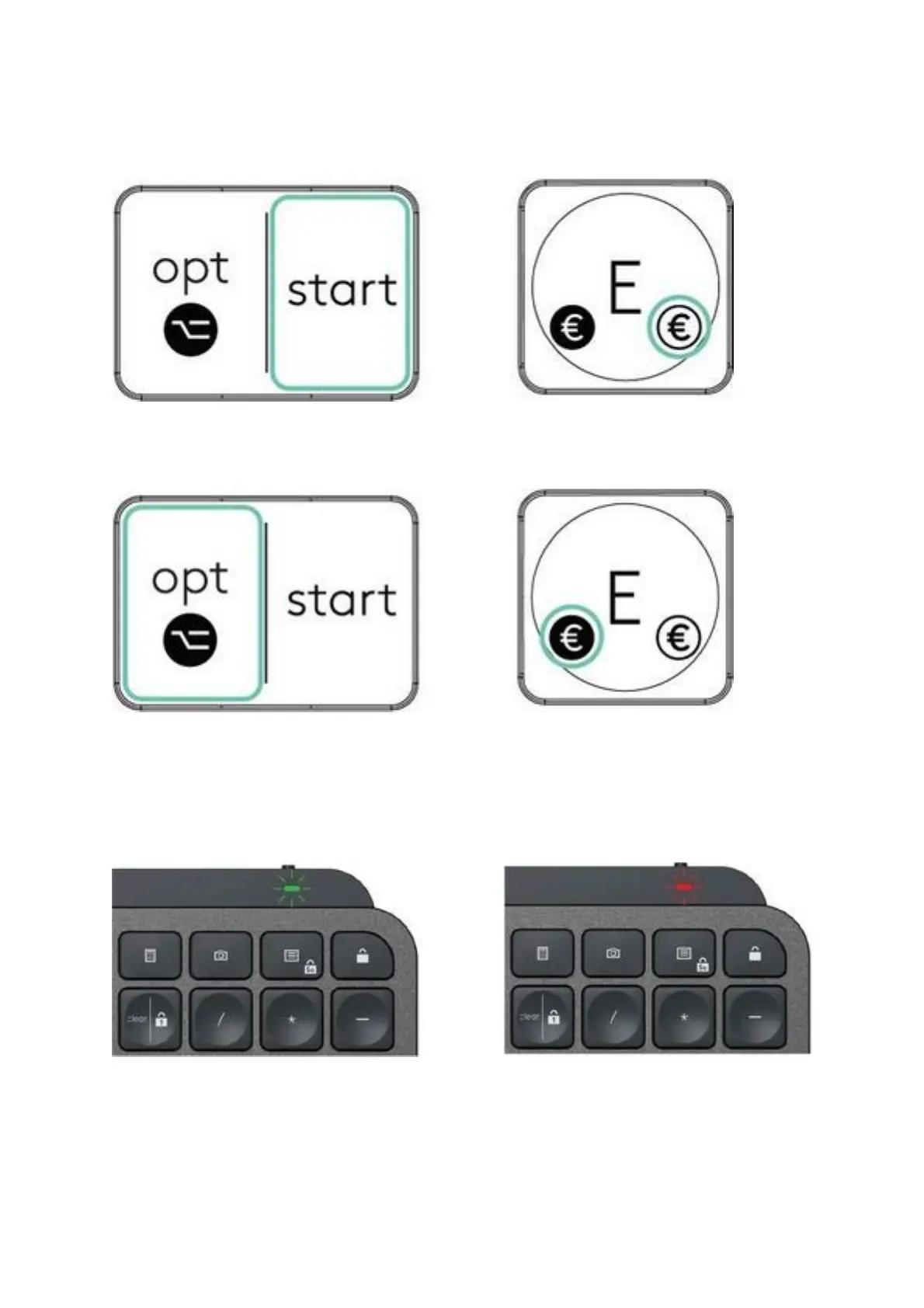
If you are a Windows, Linux and Android user, the special characters will be on the
right side of the key:
If you are a macOS or iOS user, the special characters and keys will be on the left
side of the keys:
Battery Status Notification
Your keyboard will let you know when it is running low. From 100% to 11% your LED
will be green. From 10% and below, the LED will be red. You can continue typing for
more than 500 hours without backlighting when the battery is low.
Plug the USB-C cable at the top right corner of your keyboard. You can continue typing
while it is charging.




 To Next Page