Français 1312 Français
1
6 7 8 9 10
15 16
13
14
17
20
21
19
18
5
1112
4
2
3
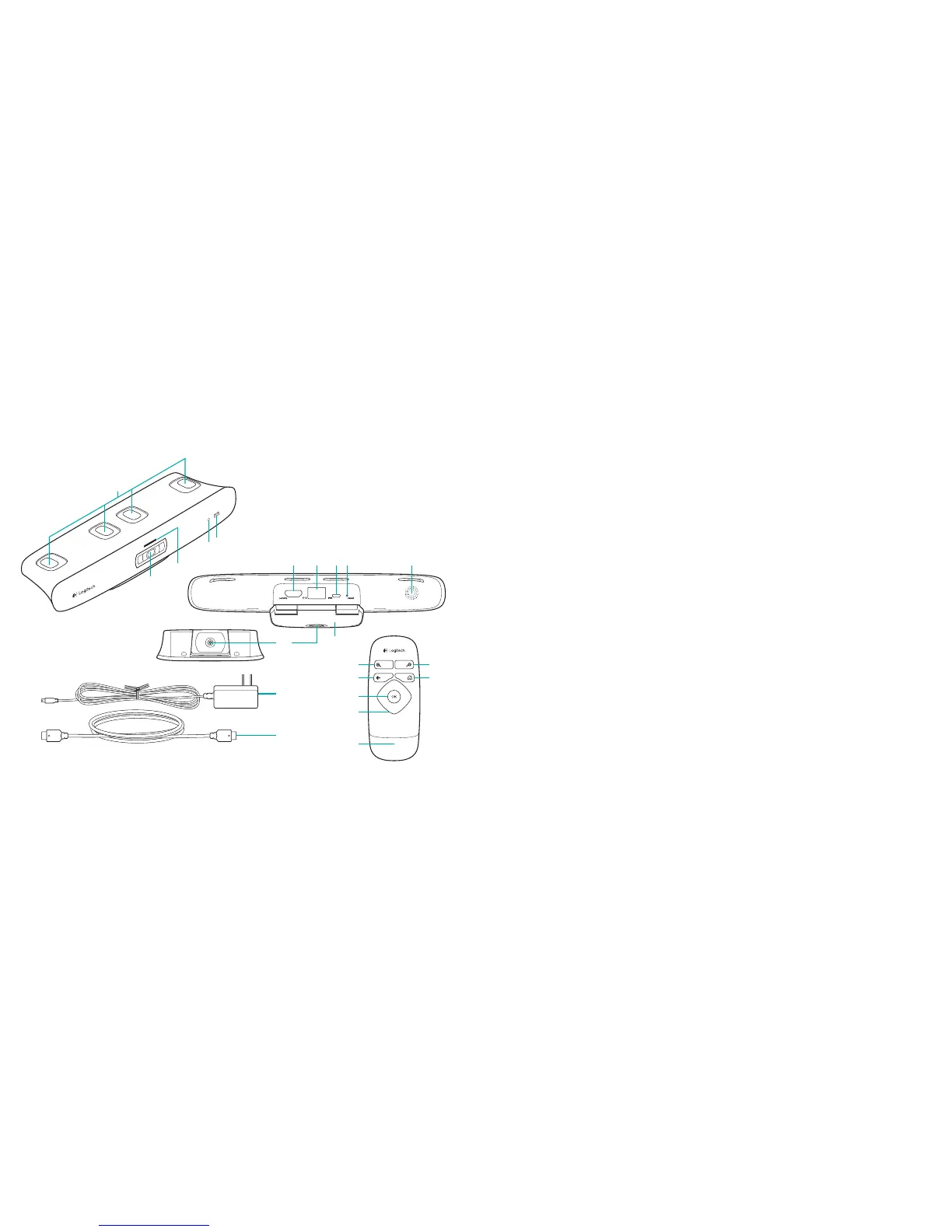
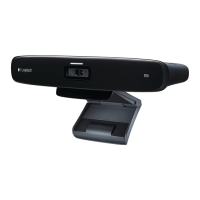
Présentation du produit
Caméra TV Cam et accessoires
1. Microphones (4)
2. Témoin d'indication de nouveaux
messages
3. Capteur IR
4. Témoin d'activité
5. Objectif
6. Port HDMI®
7. Port Ethernet
8. Port d'alimentation micro-USB
9. Réinitialisation
10. Sonnerie d'appel
11. Fixation TV
12. Fixation avec trépied
13. Adaptateur secteur
14. Câble HDMI
Télécommande
1. Zoom avant
2. Zoom arrière
3. Retour Retourner à l'écran précédent.
4. Accueil Accéder à la page de contacts.
5. OK Sélectionner l'option en surbrillance.
6. Pavé directionnel Naviguer vers le haut, le bas,
la gauche ou la droite.
7. Compartiment de la batterie La batterie
est préinstallée.




 To Next Page