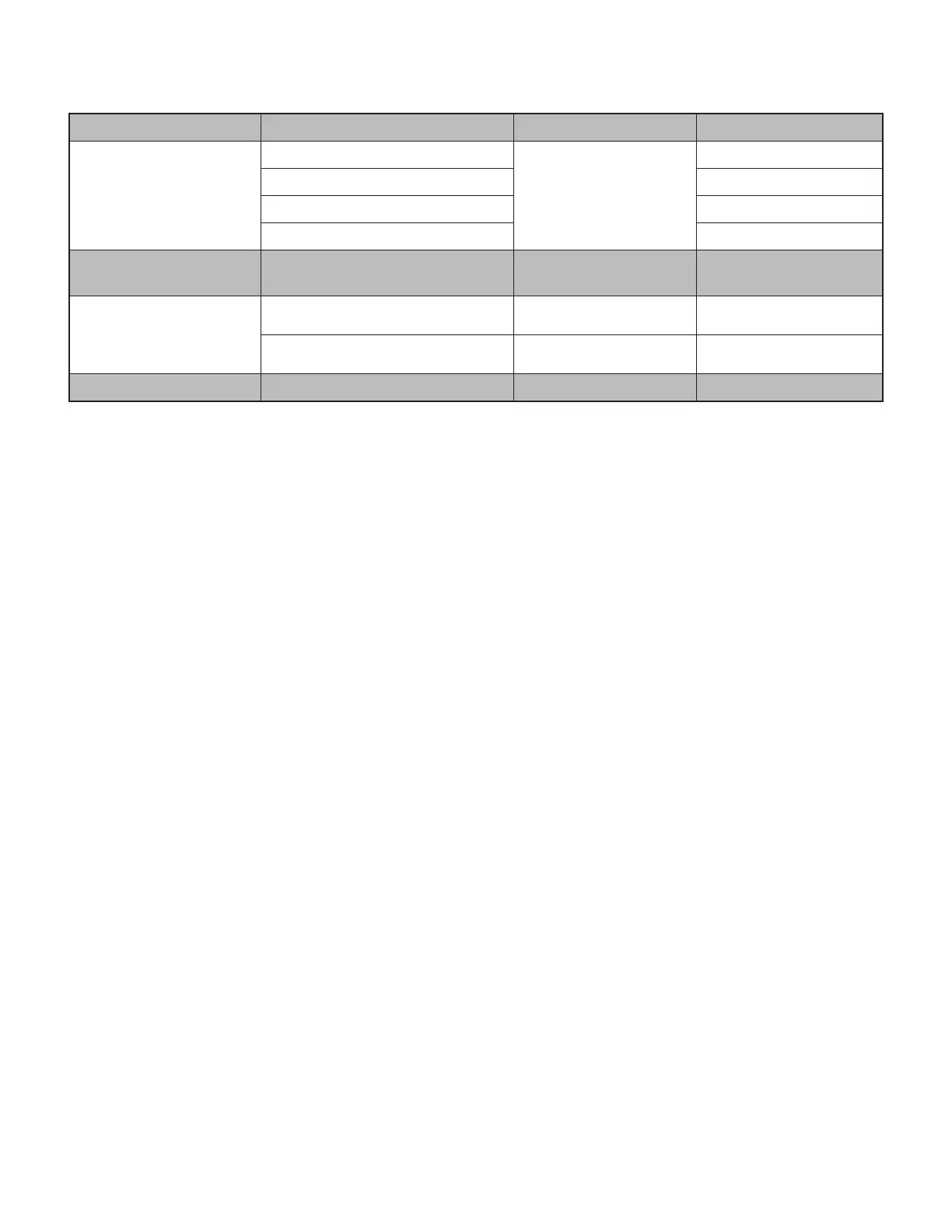
CONTROLS
Usage Button Action
Call controls
Answer / End call
Call button
Short press
Reject call 1.5 sec. press
Resume call Short press
Transfer active call to other device Short press
Teams activities
(For Teams version only)
Teams activities Teams button 1.5 sec. press
Volume
Volume up
Short press
Volume down
Short press
Connectivity Bluetooth
®
pairing Power button 2 sec. press
Note:
- Teams activities are only functional when Teams is running on an unlocked computer
- Multipoint connection priorities
- Call activities are always the rst priority over media streaming.
- When two devices are connected, the Bluetooth
®
connection will be prioritized over the receiver.
- When two Bluetooth
®
devices are connected, the last active device will take a priority over the other.
- The priority between two Bluetooth
®
devices can be customized on Logi Tune app under Connected devices.
11English








 To Next Page