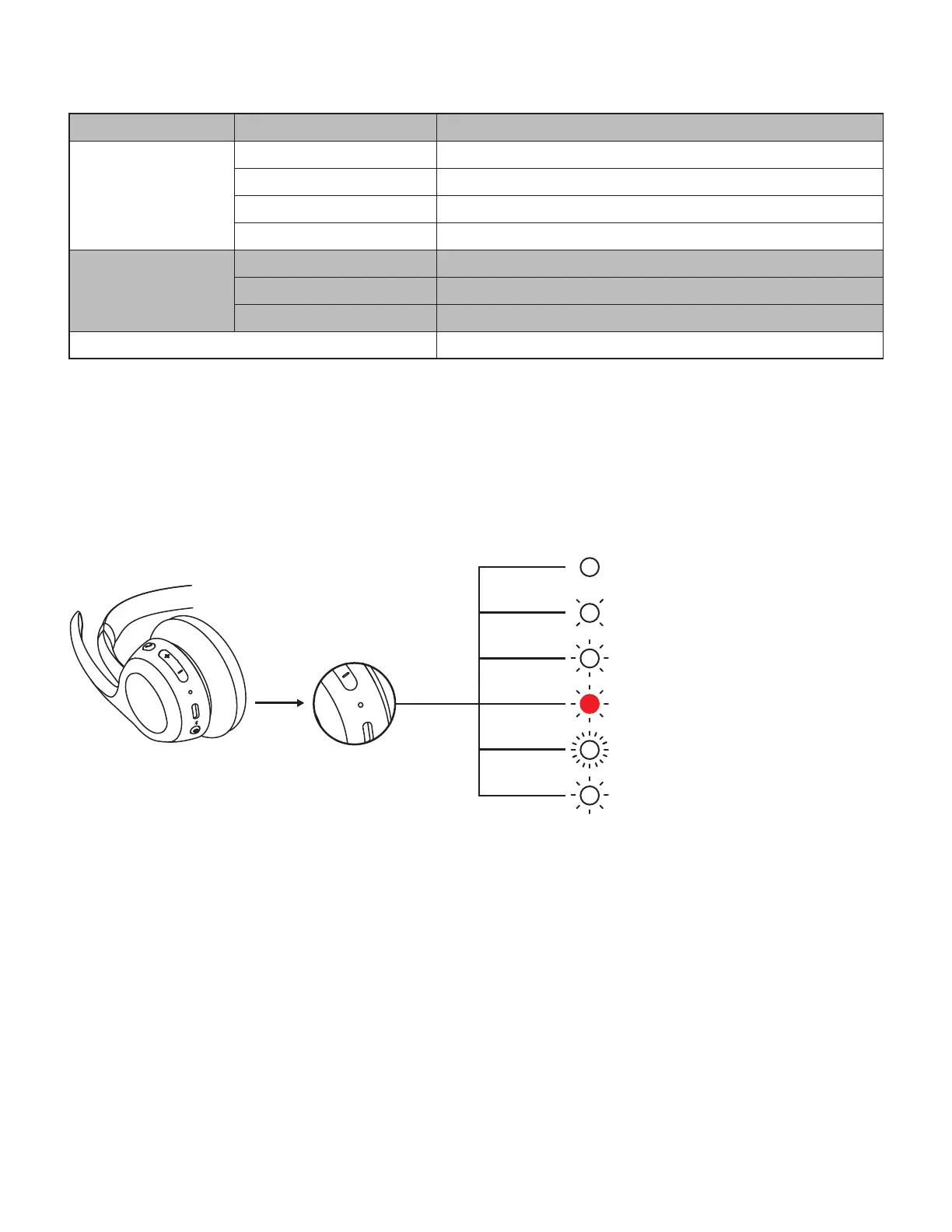
HEADSET LIGHT INDICATOR
Category Status LED Light
Power
Power on Solid
Battery charging Breathing
Battery fully charged Solid
Low battery (<10%) Red
Connectivity
Bluetooth
®
pairing Blinking
Bluetooth
®
connected Solid
Connection lost Slow blinking
Factory reset Fast blink from red to white for three times then turns o
Note:
User-triggered behaviors, such as Bluetooth
®
pairing, will be prioritized; The light indicator will then revert back
toits previous status once the behavior is completed.
Power on / Connected to a device /
Battery fully charged
Battery charging
Incoming call
Low battery
Bluetooth
®
pairing mode
Headset rmware updating
12English








 To Next Page