Bluetooth
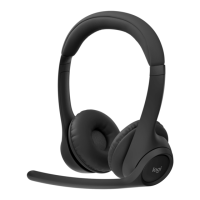
ZONE 305
2b. For macOS and other operating systems
In your computer or mobile device’s
Bluetooth
®
settings, select “Zone 305”
indiscoverable devices.
3. Repeat steps 1 and 2 if you want to pair
withanother device. You can pair with
amaximum of 8 devices and connect
to2devices simultaneously.
ADJUSTING FIT
1. It may be easier to adjust the headsets
onyour head. Slide the earcups up and down
theheadband until they sit comfortably
onyourears.
2. Move the microphone boom up or down until it is
leveled with your mouth for better voice capture.
6English








 To Next Page