30
0
1
1
0
1
1
HOLD PRESS
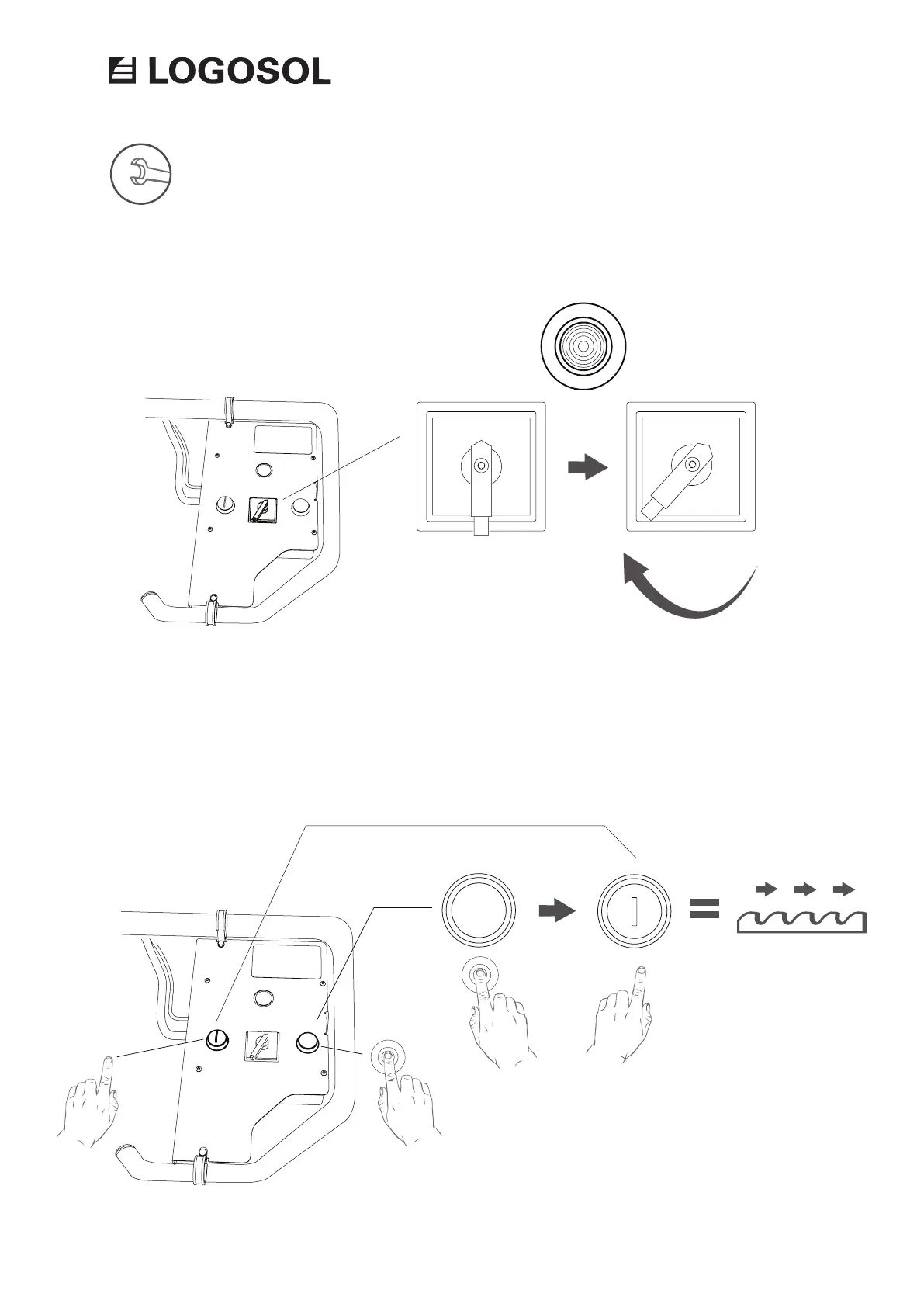
On the control panel, turn the switch to
the position (1) to turn on the power to the
machine.
To start the motor, press and hold the enabling
switch (right button). Then, press the start
button (left button). When the motor has started
you can release the start button. The motor will
run until you release the enabling switch.
STARTING THE MOTOR
CONTROL PANEL: SWITCH ON/OFF
ELECTRIC MOTOR 12 KW


 To Next Page