Usage
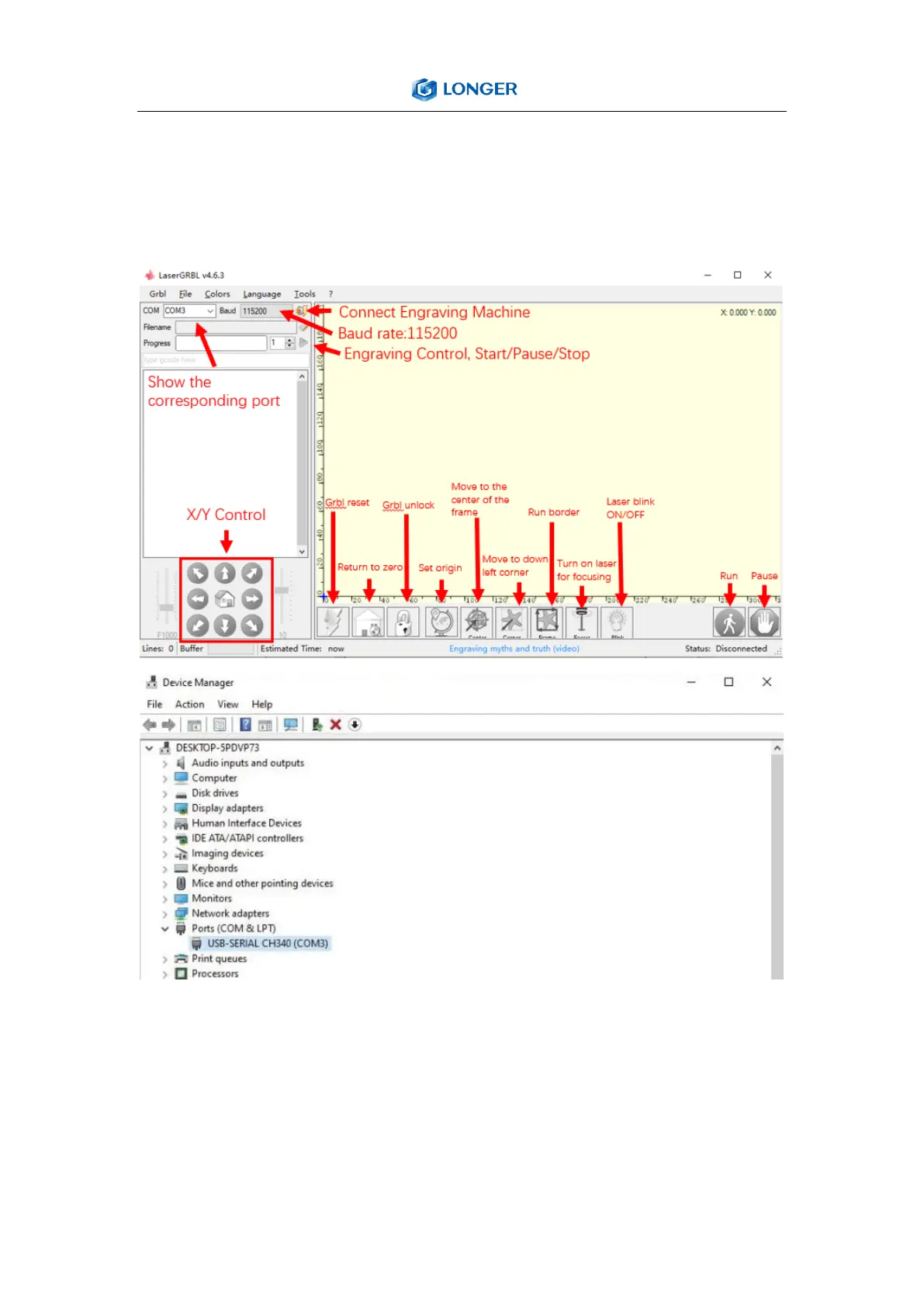
a) Open LaserGRBL, select correct port(depend on your PC), baud
rate: 115200. Then click connect button.
b) If you cannot find correct port, please install CH340 driver
manually by click Menu >> Tools >> install CH340 Driver to
install the driver, and restart the computer after installation
to connect.



 To Next Page