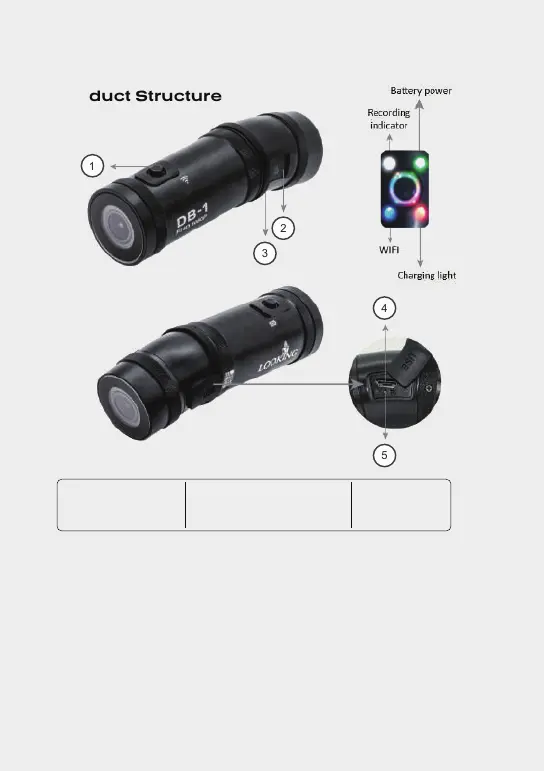
Product Structure
02
Key button
1. Key button
2. TF card slot
3. MIC
4. USB charging port
5. Reset
1. Long press 3 seconds to turn on / off the power.
2. Short press once to start / stop recording.
3. Quick short press twice to turn on/off the WIFI (stop recording first).
4. Short press 5 times to format the TF card (stop recording and turn
off the wifi first).
PS.If the machine detects there is no TF card inside or can’t read the new
card, the 3 lights will flash quickly and it’s a warning (an error) of no card.
1
2
4
5
3
Rear cam
Front cam


 To Next Page