4
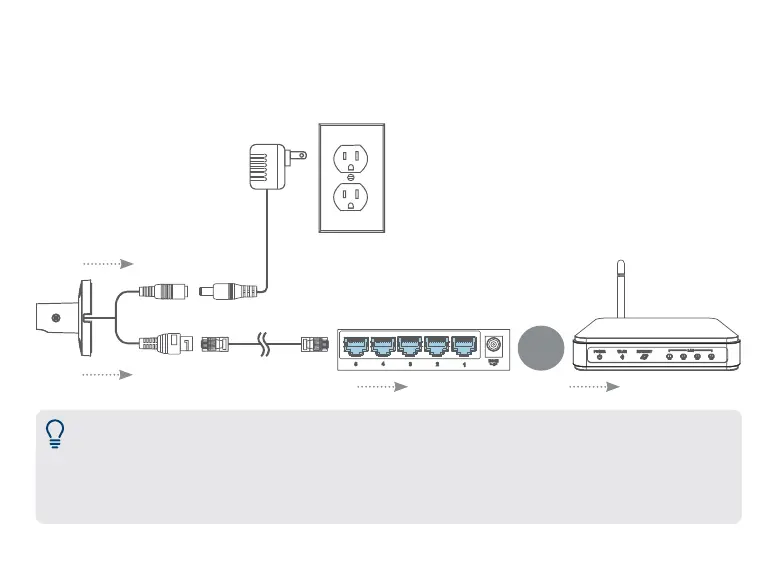
2. Connect cameras to a PoE switch or router on your network (not included).
OR
Connect the Ethernet cable to the camera and then connect the other end of the Ethernet cable
to a router or switch on your network. The camera may take a minute to power on after being
connected.
Router LAN portPoE switch
Power adapter
Camera’s Ethernet connector
NVR’s PoE ports
Notes:
• This guide covers connecting IP cameras to your security recorder only. For full instructions on installing
your cameras, please refer to your camera’s documentation at lorex.com.
• Connecting cameras to a router, or a network switch without PoE, requires a power adapter for each
camera. Refer to your camera’s documentation at lorex.com for the correct power adapter model number.


 To Next Page