5
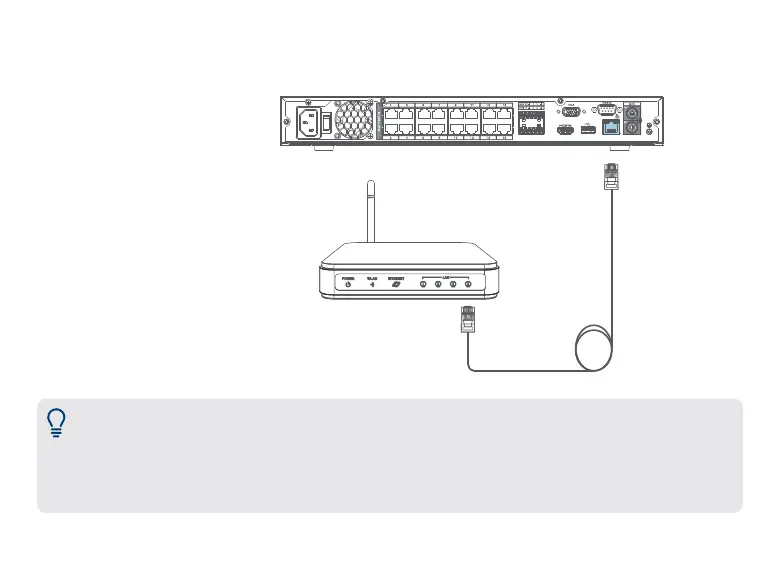
Setup step 2 — Connect router
Connect the recorder to your
router using the included
Ethernet cable.
Notes:
• If you are using a PoE switch, ensure the switch is connected to the same network as your recorder.
• To receive automatic rmware updates and enable remote viewing with mobile apps, a high speed
Internet connection is required (minimum upload speed of 5Mbps required for 4K viewing; 3.5Mbps for
lower resolutions). All other system features can be used without an Internet connection.


 To Next Page