I446 GB I 09 17 31100242
4
– Nella seguente tabella sono elencati i menu disponibili:
Cod MENU DESCRIZIONE
P01 GENERALE Dati caratteristici dell’impianto
P02 UTILITA’ Lingua, luminosità, display ecc.
P03 PASSWORD Abilitazione protezione accesso
P04 INTEGRAZIONE Tempi di integrazione misure
P05 CONTAORE Abilitazione contaore
P07 COMUNICAZIONE Porta di comunicazione
P08 SOGLIE LIMITE (LIMn) Soglie sulle misure
P09 ALLARMI (ALAn) Messaggi di allarme
P13 INGRESSO Ingresso programmabile
– The following table lists the available menus:
Cod. MENU DESCRIPTION
P01 GENERAL Specifications of the system
P02 UTILITY Language, brightness, display, etc.
P03 PASSWORD Enablement of protected access
P04 INTEGRATION Readings integration times
P05 HOUR COUNTER Enablement of hour counter
P07 COMMUNICATION Communication port
P08 LIMIT THRESHOLDS (LIMn) Measurement thresholds
P09 ALARMS (ALAn) Alarm messages
P13 INPUTS Programmable input
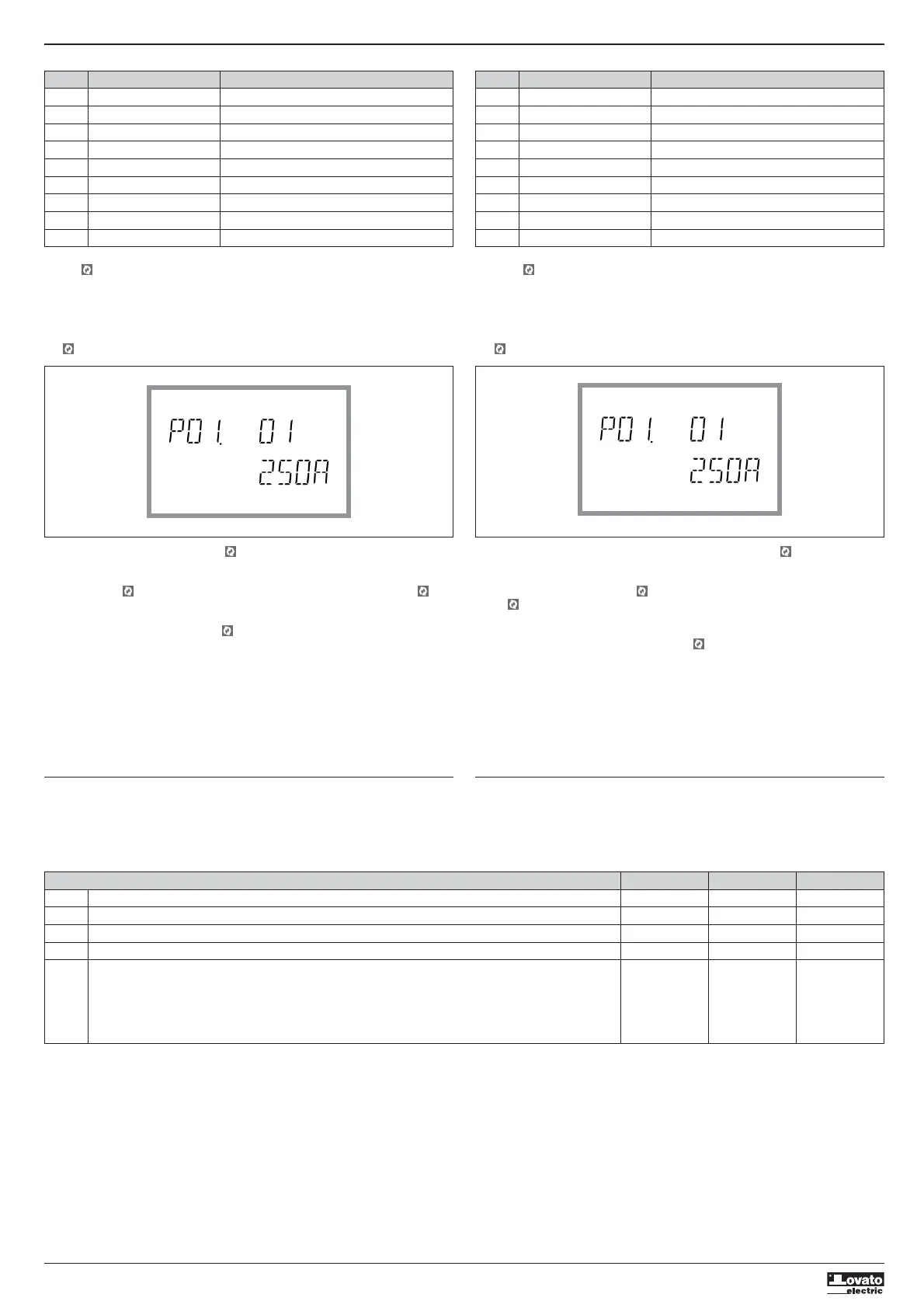
– Premere per accedere al menu selezionato.
– A questo punto è possibile selezionare il sottomenu (se presente) e poi il numero sequenziale del
parametro, sempre con la funzione dei tasti come segue:
•
L
e
M
contemporaneamente: indietro
•
M
decrementa
•
L
incrementa
• avanti
– Press to access the selected menu.
– At this point the sub-menu (if applicable) and sequential parameter number can be selected, again
using the buttons as follows:
•
L
and
M
simultaneously: back
•
M
decrease
•
L
increase
• next
– Once the desired parameter number is set, switches to parameter value edit mode, with the
parameter shown in the alphanumeric display.
– Pressing
L
or
M
changes the parameter within the permitted range.
– Pressing
M
and simultaneously sets the minimum possible value, while pressing
L
and sets
the maximum.
– Pressing
L
and
M
simultaneously restores the factory default value.
– After selecting the desired value, pressing stores the parameter and returns to the previous level,
i.e. parameter selection.
– Press
L
and
M
simultaneously several times to exit and save the parameters. The device will reboot.
– If no buttons are pressed for two minutes, the setup menu is abandoned automatically and the
system returns to the standard display without saving the parameters.
– Remember that, solely for the data that can be edited using the buttons, a backup copy can be made
in the DMED330’s EEPROM. If required, this data can be restored to the working memory. The backup
and data restore commands are in the commands menu.
PARAMETER TABLE
– All available programming parameters are indicated in the following table. For each parameter the
range of possible settings and factory default are shown, in addition to an explanation of the
parameter’s function. The description of the parameter visible on the display may in some cases vary
from that indicated in the table due to the limited number of characters available. The parameter code
is a valid reference in any case.
– Una volta impostato il numero del parametro desiderato, proseguendo con si passa alla modalità
modifica del valore del parametro, che viene visualizzato nel display alfanumerico.
– Premendo
L
o
M
il valore del parametro viene modificato all’interno del range previsto.
– Premendo contemporaneamente
M
e il valore viene impostato al minimo possibile, mentre con
L
e al massimo possibile.
– Premendo contemporaneamente
L
e
M
il valore viene riportato immediatamente al valore di default
di fabbrica.
– Una volta selezionato il valore desiderato, premendo il valore del parametro viene memorizzato e
si torna al livello precedente, cioè alla selezione parametri.
– Premere più volte
L
e
M
contemporaneamente per uscire dalla impostazione e salvare i parametri.
L’apparecchio si reinizializza.
– Se non vengono premuti tasti per 2 minuti consecutivi, il menu setup viene abbandonato
automaticamente e il sistema torna alla visualizzazione normale senza salvare i parametri.
– Rammentiamo che, per i soli dati di setup modificabili da tastiera, è possibile fare una copia di
sicurezza (backup) nella memoria eeprom del DMED330. Questi stessi dati all’occorrenza possono
essere ripristinati (restore) nella memoria di lavoro. I comandi di copia di sicurezza e ripristino dei
dati sono disponibili nel Menu comandi.
TABELLA PARAMETRI
– Di seguito vengono riportati tutti i parametri di programmazione disponibili in forma tabellare.
Per ogni parametro sono indicati il range di impostazione possibile ed il default di fabbrica, oltre ad
una spiegazione della funzionalità del parametro. La descrizione del parametro visibile sul display può
in qualche caso differire da quanto riportato in tabella a causa del ridotto numero di caratteri
disponibile. Il codice del parametro vale comunque come riferimento.
M01 - GENERAL / GENERALE UoM Default Range
P01.01 CT primary / Primario TA A 5 1-10000
P01.02 CT secondary / Secondario TA A 5 1-5
P01.03 Nominal voltage / Tensione nominale V AUT AUT / 220-415
P01.04 Nominal power / Potenza nominale kW AUT AUT / 1-10000
P01.05 Connection type / Tipo di collegamento L1-L2-L3-N L1-L2-L3-N
L1-L2-L3
L1-L2-L3-N BIL
L1-L2-L3 BIL
L1-N-L2
L1-N
P01.01 – Rated current of CT primary winding.
P01.02 – Current of CT secondary winding.
P01.03 – Rated voltage of system.
P01.04 – Rated power of system.
P01.05 – Set in accordance with the connection scheme adopted. See Wiring Diagram at the end of the
manual.
P01.01 – Corrente nominale del primario dei TA.
P01.02 – Corrente del secondario dei TA.
P01.03 – Tensione nominale dell’impianto.
P01.04 – Potenza nominale impianto.
P01.05 – Impostare concordemente allo schema di collegamento utilizzato. Vedere Schemi di
collegamento alla fine del manuale.


 To Next Page
 Loading...