21
8.6.1 ACQUISITION.
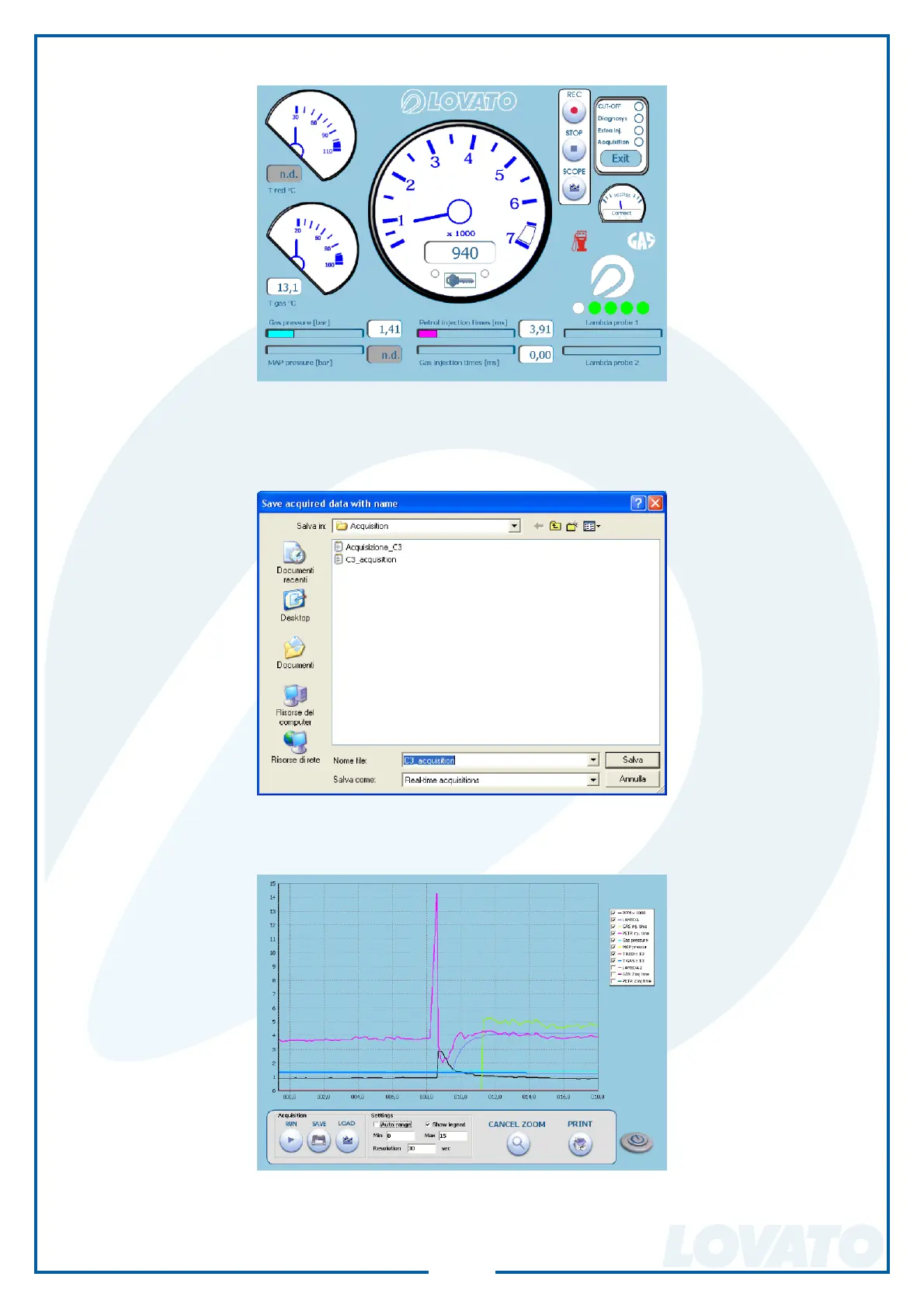
By clicking on acquire, the window “displays” opens the following window.
By clicking on “REC” the program starts to record the tracks of the various set variables.
When the push-button “STOP” is pressed, the program ends the recording and opens the window to
save the recording.
By clicking RUN the signals are showed into the SCOPE window, while clicking STOP the acquisition
is stopped. You can store the acquisition by using the SAVE button. With the LOAD button you are able
to view a chart previously saved.
It’s possible in the settings window to set the time resolution and the amplitude, while into the legend
you can enable or disable the display of individual tracks.
The program also offers the possibility to zoom a part of the graph and print it.


 To Next Page