EasyManua.ls Logo

Lovibond MD 610 - User Manual

Lovibond MD 610
360 pages
Print Icon
To Next Page IconTo Next Page
Loading...
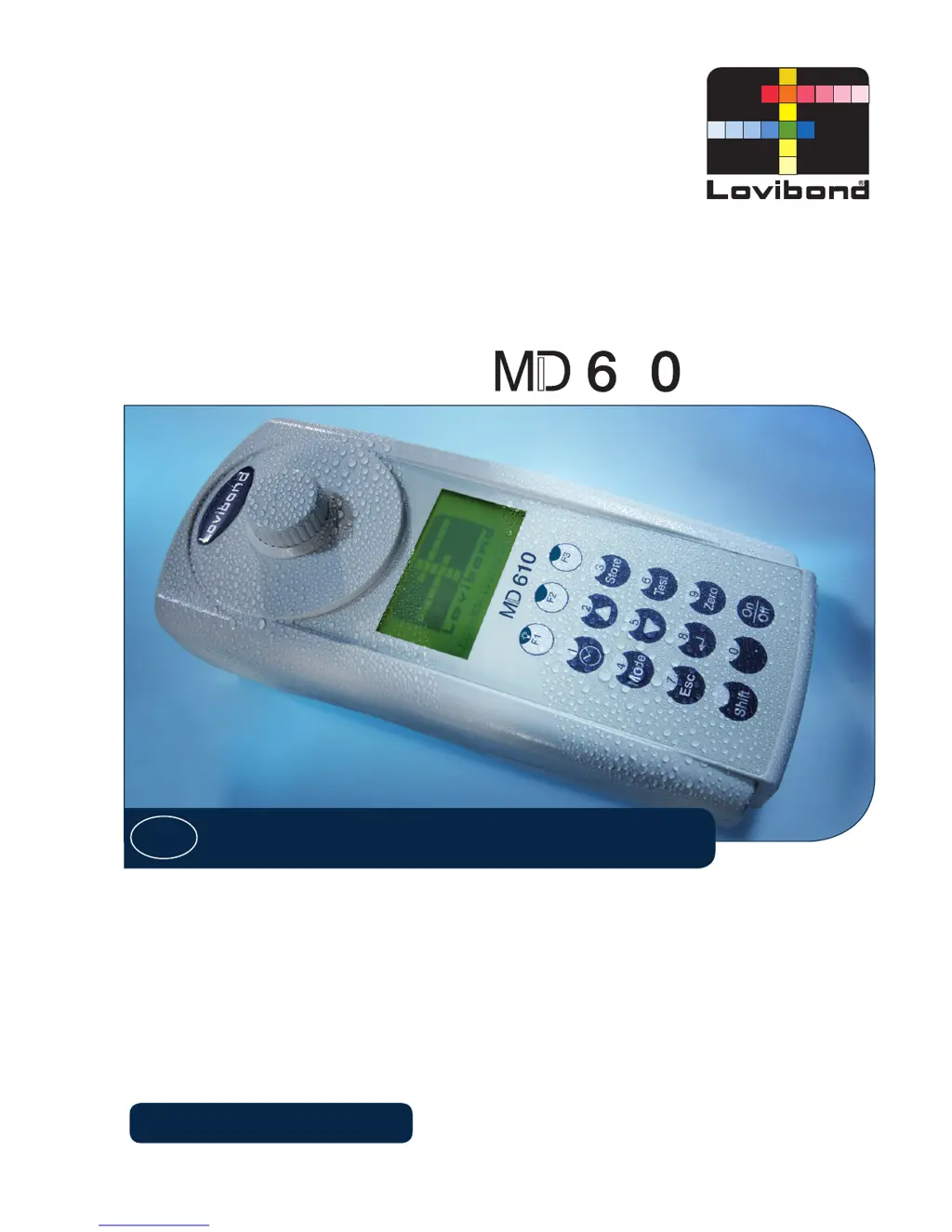
Photometer
1
Instruction manual
GB
Lovibond
®
Water Testing
Tintometer
®
Group
www.lovibond.com

Table of Contents

Questions and Answers

  • J
    Jacob ArmstrongJul 31, 2025
    Why Lovibond MD 610 Measuring Instruments displays E40 user calibration not possible?
    • R
      Richard ThomasJul 31, 2025
      If the Lovibond Measuring Instruments displays 'E40 user calibration not possible', it means a user calibration is not possible due to an Overrange/Underrange test result. Perform the test with a standard of higher/lower concentration.
  • M
    Marissa SnyderAug 4, 2025
    What to do if Lovibond MD 610 shows a battery warning?
    • D
      Daniel CastilloAug 4, 2025
      If the Lovibond Measuring Instruments displays a battery warning, it means the battery capacity is too low, or the instrument will switch off. To resolve this, replace the batteries.
  • B
    Benjamin RileyAug 9, 2025
    How to fix overrange on Lovibond Measuring Instruments?
    • M
      Mr. Michael WhiteAug 9, 2025
      If the Lovibond Measuring Instruments indicates 'Overrange', it means the reading exceeds the instrument's range due to a cloudy water sample or too much light on the photocell. If possible, dilute the sample or use a different measuring range. You can also try filtering the water sample or repeating the measurement with the vial cap sealed.
  • R
    Randall GarciaAug 12, 2025
    What to do if Lovibond MD 610 shows storagesystem error use Mode 34?
    • A
      Amanda ColeAug 13, 2025
      When the Lovibond Measuring Instruments displays 'Storagesystem error use Mode 34', it indicates that the mains power failed or is not connected. To fix this, insert or change the battery. Then, delete the data using Mode 34.
  • M
    Monica JacksonAug 17, 2025
    What to do if Lovibond Measuring Instruments shows Jus Overrange E4?
    • J
      jasonriveraAug 17, 2025
      If the Lovibond Measuring Instruments displays 'Jus Overrange E4', it means the user calibration is outside the accepted range. Check the standard, reaction time, and for any other possible faults. Then, repeat the user calibration.
  • A
    awhiteAug 22, 2025
    What to do if Lovibond MD 610 shows Overrange E1?
    • S
      Samuel HigginsAug 22, 2025
      If the Lovibond Measuring Instruments displays 'Overrange E1', it means the concentration of the standard is too high or too low, causing the range limit to be exceeded during user calibration. Perform the test using a standard with a higher or lower concentration.
  • C
    chowardAug 26, 2025
    How to resolve underrange on Lovibond MD 610?
    • J
      Jamie ReeseAug 26, 2025
      If the Lovibond Measuring Instruments indicates 'Underrange', it means the result is below the detection limit. Indicate the result with 'lower x mg/l' where x is the low end of the measuring range. If necessary, use another analytical method.

Summary

GB Instruction Manual

Important Steps Before Using the Photometer

Essential initial steps for setting up and familiarizing with the photometer before first use, including unpacking and battery installation.

Safety Precautions

Reagent Safety

Precautions for handling and using chemical reagents for analysis, including safe disposal.

Manual and MSDS Reading

Importance of reading the instruction manual and MSDS before setup and use.

Electromagnetic Disturbances

Validity of instrument accuracy depends on controlled electromagnetic environments.

Part 1: Methods

Table of Methods

List of analytical methods with reagent, range, displayed units, wavelength, and page number.

Method Precision and Standards

Discusses instrument precision, standard methods, and potential interferences.

Acid Demand to pH 4.3 with Tablet

Procedure for determining acid demand to pH 4.3 using tablets.

Alkalinity Determination Methods

Grouped procedures for various alkalinity determination methods.

Chlorine Determination Methods

Grouped procedures for various chlorine determination methods.

Phosphate Determination Methods

Grouped procedures for various phosphate determination methods.

Important Notes

Correct Use of Reagents

Guidance on the correct sequence and handling of tablet, liquid, and powder pack reagents.

Cleaning Vials and Accessories

Procedure for cleaning vials, caps, and stirring rods to prevent interferences.

Part 2: Instrument Manual

Operation

Covers basic operation, setup, data saving, and battery replacement procedures.

Overview of Function Keys

Provides a list and description of all function keys and their operations.

Operation Mode

Details instrument modes like automatic switch off, method selection, and test performance.

Bluetooth Connectivity

Explains Bluetooth® interface for data transmission, mode functions, and specifications.

Data Transfer of Stored Results

Procedures for transferring all stored results or results from a selected period/code.

Calibration

Guides for instrument calibration, including method blank calibration and user calibration.

User Operations

Covers user method list adaptation, switching methods, and user polynomial entry.

Photometer Information

Displays system information like software version, serial number, and test counts.

Part 3: Enclosure

3.1 Unpacking

Instructions for carefully inspecting all items for completeness and damage.

3.2 Delivery Contents

Lists the standard contents included with the MD 610 photometer.

3.3 Technical Data

Provides detailed technical specifications of the instrument.

3.4 Abbreviations

Glossary of abbreviations used throughout the manual.

3.5 Troubleshooting

Guides for resolving operating messages, errors, and general instrument issues.

3.6 Declaration of CE-Conformity

Formal declaration that the product meets European Union directives.

3.7 Copyright and Trademark Notice

Lists copyright information and registered trademarks.

Lovibond MD 610 Specifications

General IconGeneral
Wavelength Accuracy±1 nm
Auto - OFFYes
DisplayBacklit LCD
Dimensions210 x 95 x 45 mm
TypePhotometer
ParameterVaries (multiple parameters)
Measurement RangeVaries based on parameter
ResolutionDepends on the parameter being measured
AccuracyDepends on the parameter being measured
Photometric Accuracy±0.005 Abs + 1% of reading
Power Supply4 x AA batteries
Protection ClassIP68
Weight450 g
Operating Temperature0°C to 50°C
Storage Temperature-25 to 65 °C

Related product manuals