EasyManua.ls Logo

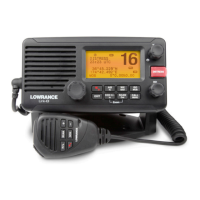
Lowrance Link-8 - User Manual

Lowrance Link-8
87 pages
Print Icon
To Next Page IconTo Next Page
Loading...
lowrance.com
ENGLISH
Link-8 VHF
User Guide

Table of Contents

Question and Answer IconNeed help?

Do you have a question about the Lowrance Link-8 and is the answer not in the manual?

Summary

Section 1 - General Information

1-1 Features

Provides an overview of the Lowrance Link-8 marine band VHF radio's features.

1-2 Customizing your Lowrance VHF Radio

Details how to customize radio settings for individual preferences.

1-3 How to Display and Navigate Menus

Explains the process of navigating through the radio's menus and options.

1-4 How to Enter Alphanumeric Data

Guides users on inputting alphanumeric data using the radio's controls.

1-5 LCD Symbols and Meanings

Explains the various symbols and their meanings displayed on the radio's LCD.

1-3 Beep tones & call alerts

Describes the different beep tones and call alerts used by the radio.

Section 2 - Basic Operation and Key Functions

Section 3 - Radio MENU SELECT Options

3-1 Manage your Waypoints List (WAYPOINT)

Instructions for managing the list of stored waypoints.

3-2 Set the Backlighting Level (BACKLIGHT)

How to adjust the brightness level of the radio's LCD and keypad.

3-3 Maintain your buddy list (BUDDY LIST)

Guide to managing contacts in the buddy list.

3-4 Local or Distance Sensitivity (LOCAL;DIST)

Adjusting receiver sensitivity for local or distant signals.

3-5 Set the Contrast Level (CONTRAST)

Adjusting the contrast of the radio's LCD screen for better visibility.

3-6 GPS Data and Time (GPS;DATA)

Information on how the radio receives and handles GPS position and time data.

3-7 GPS Simulator (GPS SIM)

Enabling and using the GPS simulator for testing purposes.

3-8 Reset to Factory Defaults (RESET)

Procedure to restore the radio's settings to factory defaults.

Section 4 - Radio Setup Menu (RADIO SETUP)

4-1 Channel (UIC)

Selecting the appropriate VHF channel bank (USA, International, Canada).

4-2 Channel Names (CH NAME)

Option to edit or delete custom channel name tags displayed on the LCD.

4-3 Ring Volume (RING VOLUME)

Adjusting the volume level for incoming DSC call alerts.

4-4 Key Beep Volume (KEY BEEP)

Setting the volume for key press feedback or disabling key beeps.

4-5 Select Units (UNITS)

Choosing measurement units for distance and cross track error.

4-6 Internal Speaker Connections (INT SPEAKER)

Switching the internal speaker on or off.

4-7 Set the Priority Channel (WATCH MODE)

Setting the priority channel for US models, similar to Tri Watch.

4-8 Weather Alerts (WX ALERT)

Configuration options for weather alert notifications.

4-9 NMEA Protocol (COM PORT)

Configuring the COM port for NMEA communication and data transfer.

4-10 Select the GPS Source (GPS SOURCE)

Selecting the NMEA source (0183 or 2000) for GPS data input.

4-11 Favourite Channel Setup - Wx Key (FAV CH SETU)

Programming a weather channel for quick access via the Wx key (EU/AUS).

Section 5 - DSC Setup Menu (DSC SETUP)

5-1 Enter or View Your USER MMSI (USER MMSI)

Procedure for entering or viewing the mandatory 9-digit User MMSI.

5-2 Maintain Your Groups

Guide to creating, editing, or deleting groups of contacts.

5-3 Enter or check your ATIS MMSI (ATIS MMSI)

Entering or checking the ATIS MMSI for inland waterway operations (EU).

5-4 Enable ATIS functionality (ATIS SELECT)

Enabling or disabling ATIS functionality, requiring DSC to be off.

5-5 Response to Individual Calls (INDIV REPLY)

Setting automatic or manual responses to incoming individual DSC calls.

5-6 Enable DSC functionality (DSC FUNC)

Enabling or disabling the DSC function, requiring a valid User MMSI.

5-7 Response Type to LL Polling Calls (LL REPLY)

Configuring manual, automatic, or no response to LL polling requests.

5-8 Automatic Channel switching (AUTO SWITCH)

Enabling or disabling automatic channel switching after a DSC call.

5-9 DSC Test Reply (TEST REPLY)

Setting automatic or manual responses to incoming DSC test calls.

5-10 Set the inactivity timer (TIMEOUT)

Configuring the inactivity timer for automatic timeout of procedures.

Section 6 - AIS Setup Menu (AIS SETUP)

6-1 Enable AIS functionality (AIS FUNC)

Turning the AIS receiver function on or off.

6-2 AIS data display format (AIS DISPLAY)

Choosing to display vessel name or MMSI on the AIS plotter.

6-3 AIS Baud Rate (BAUD RATE)

Setting the NMEA port baud rate for AIS data output.

6-4 GPS Redirection (GPS REDIR)

Redirecting GPS data (RMC, GLL) to the chart plotter via the AIS port.

6-5 Closest Point of Approach alarm (CPA ALARM)

Enabling or disabling the Closest Point of Approach (CPA) alarm.

6-6 Closest Point of Approach settings (CPA)

Setting the minimum distance for CPA alarms (1NM to 30NM).

6-7 Time to Closest Point of Approach (TCPA)

Setting the minimum time for TCPA alarms (5Min to 30Min).

Section 7 - Sending and Receiving DSC Calls

7-1 What is DSC?

Explains Digital Selective Calling (DSC) as an international standard.

7-2 Sending DSC Calls

Overview of how to initiate DSC calls to other equipped radios.

7-3 Send an Individual Call (INDIVIDUAL)

Procedure for making individual DSC calls to buddies or other stations.

7-4 Acknowledgement of an Individual Incoming Call (INDIV)

How to acknowledge and respond to an incoming individual DSC call.

7-5 Reply to the Last Call (LAST CALL)

Facility to quickly call back the last incoming DSC call.

7-6 Send a Group Call (GROUP)

Procedure for sending DSC calls to pre-programmed groups.

7-7 Send an All Ships Call (ALL SHIPS)

How to send DSC calls to all ships with Safety or Urgency priority.

7-8 Send Using the Call Log (CALL LOG)

Accessing and redialing previous incoming calls from the call log.

7-9 Send Using the Distress Log (DIST LOG)

Viewing and redialing received Distress Calls from the distress log.

7-10 View Sent Call Log (SENT CALL)

Reviewing details of previously sent DSC calls.

7-11 Request the LL Position of a Buddy (LL REQUEST)

Requesting the Latitude/Longitude position of a buddy.

7-12 Track your Buddy (TRACK BUDDY)

Managing and tracking the positions of selected buddies.

7-13 Make a DSC test call (DSC TEST)

Procedure for sending a DSC test call to verify radio operation.

7-14 View User MMSI and GPS information

Displaying the radio's MMSI and current GPS position.

7-15 Receiving DSC Calls

Overview of different types of DSC calls that can be received.

7-16 Receiving an All Ships Call (ALL SHIPS)

Handling and responding to incoming All Ships DSC calls.

7-17 Receiving an Individual Call (INDIV)

How to handle and respond to incoming individual DSC calls.

7-18 Receiving a Group Call (GROUP)

Procedure for receiving and responding to group DSC calls.

7-19 Receiving a Geographic Area Call (GEOGRAPH)

Handling incoming DSC calls for a specific geographic area.

7-20 Receiving a Polled Position Call (POSITION)

Receiving GPS position data in response to a buddy's LL request.

Section 8 - DISTRESS Calls

8-1 Sending a Distress Call

Step-by-step guide to initiating a DSC distress call.

8-2 Receiving a Distress Call (DISTRESS!)

How to handle and respond to an incoming distress call.

8-4 Distress Relay Individual (INDIV DISTR RELAY)

Responding to incoming individual distress relay calls.

Section 9 - AIS Functionality

9-1 About AIS

Introduction to the Automatic Identification System (AIS).

9-2 AIS - Static and Dynamic information

Details on static and dynamic information broadcast by AIS devices.

9-3 Using the AIS receiver

How to view vessel details on the AIS plotter and compatible devices.

9-4 AIS Information and display

Overview of AIS data display on the radio's screen.

9-4-1 T;CPA Approach screen

Displays target details and geographical position, plus time/CPA data.

9-4-2 Plotter symbols and meanings

Explanation of symbols used on the AIS plotter screen.

Section 10 - General Functionality

10-1 Using the PA (Public Address) Hailer

How to use the PA system for announcements via the hailer.

10-2 Using the Fog Horn

Instructions for operating the fog horn feature with various sounds.

Appendix A - Technical Specifications

Appendix B - Troubleshooting

Appendix C - US & ROW VHF Marine Channel Charts

C-1 International Channel Chart

Reference chart for VHF marine channels in International regions.

C-2 USA Channel Chart

Reference chart for VHF marine channels in the USA.

C-3 CANADA Channel Chart

Reference chart for VHF marine channels in Canada.

C-4 US & Canada WEATHER Channels

List of VHF channels for NOAA and Canadian Weather broadcasts.

C-5 EAS (Emergency Alert Systems) Alerts

Codes and messages for the Emergency Alert System (EAS).

Appendix D - EU VHF Marine Channel Charts

D-1 EU International Channel Chart

Reference chart for VHF marine channels in EU International regions.

D-2 Inland Waterways Country Specific table - ATIS ON

Channel table for Inland Waterways with ATIS ON, country-specific.

D-3 Special Channels

List of special channels and their primary usage by country.

Appendix E - MMSI and License Information

Summary

Section 1 - General Information

1-1 Features

Provides an overview of the Lowrance Link-8 marine band VHF radio's features.

1-2 Customizing your Lowrance VHF Radio

Details how to customize radio settings for individual preferences.

1-3 How to Display and Navigate Menus

Explains the process of navigating through the radio's menus and options.

1-4 How to Enter Alphanumeric Data

Guides users on inputting alphanumeric data using the radio's controls.

1-5 LCD Symbols and Meanings

Explains the various symbols and their meanings displayed on the radio's LCD.

1-3 Beep tones & call alerts

Describes the different beep tones and call alerts used by the radio.

Section 2 - Basic Operation and Key Functions

Section 3 - Radio MENU SELECT Options

3-1 Manage your Waypoints List (WAYPOINT)

Instructions for managing the list of stored waypoints.

3-2 Set the Backlighting Level (BACKLIGHT)

How to adjust the brightness level of the radio's LCD and keypad.

3-3 Maintain your buddy list (BUDDY LIST)

Guide to managing contacts in the buddy list.

3-4 Local or Distance Sensitivity (LOCAL;DIST)

Adjusting receiver sensitivity for local or distant signals.

3-5 Set the Contrast Level (CONTRAST)

Adjusting the contrast of the radio's LCD screen for better visibility.

3-6 GPS Data and Time (GPS;DATA)

Information on how the radio receives and handles GPS position and time data.

3-7 GPS Simulator (GPS SIM)

Enabling and using the GPS simulator for testing purposes.

3-8 Reset to Factory Defaults (RESET)

Procedure to restore the radio's settings to factory defaults.

Section 4 - Radio Setup Menu (RADIO SETUP)

4-1 Channel (UIC)

Selecting the appropriate VHF channel bank (USA, International, Canada).

4-2 Channel Names (CH NAME)

Option to edit or delete custom channel name tags displayed on the LCD.

4-3 Ring Volume (RING VOLUME)

Adjusting the volume level for incoming DSC call alerts.

4-4 Key Beep Volume (KEY BEEP)

Setting the volume for key press feedback or disabling key beeps.

4-5 Select Units (UNITS)

Choosing measurement units for distance and cross track error.

4-6 Internal Speaker Connections (INT SPEAKER)

Switching the internal speaker on or off.

4-7 Set the Priority Channel (WATCH MODE)

Setting the priority channel for US models, similar to Tri Watch.

4-8 Weather Alerts (WX ALERT)

Configuration options for weather alert notifications.

4-9 NMEA Protocol (COM PORT)

Configuring the COM port for NMEA communication and data transfer.

4-10 Select the GPS Source (GPS SOURCE)

Selecting the NMEA source (0183 or 2000) for GPS data input.

4-11 Favourite Channel Setup - Wx Key (FAV CH SETU)

Programming a weather channel for quick access via the Wx key (EU/AUS).

Section 5 - DSC Setup Menu (DSC SETUP)

5-1 Enter or View Your USER MMSI (USER MMSI)

Procedure for entering or viewing the mandatory 9-digit User MMSI.

5-2 Maintain Your Groups

Guide to creating, editing, or deleting groups of contacts.

5-3 Enter or check your ATIS MMSI (ATIS MMSI)

Entering or checking the ATIS MMSI for inland waterway operations (EU).

5-4 Enable ATIS functionality (ATIS SELECT)

Enabling or disabling ATIS functionality, requiring DSC to be off.

5-5 Response to Individual Calls (INDIV REPLY)

Setting automatic or manual responses to incoming individual DSC calls.

5-6 Enable DSC functionality (DSC FUNC)

Enabling or disabling the DSC function, requiring a valid User MMSI.

5-7 Response Type to LL Polling Calls (LL REPLY)

Configuring manual, automatic, or no response to LL polling requests.

5-8 Automatic Channel switching (AUTO SWITCH)

Enabling or disabling automatic channel switching after a DSC call.

5-9 DSC Test Reply (TEST REPLY)

Setting automatic or manual responses to incoming DSC test calls.

5-10 Set the inactivity timer (TIMEOUT)

Configuring the inactivity timer for automatic timeout of procedures.

Section 6 - AIS Setup Menu (AIS SETUP)

6-1 Enable AIS functionality (AIS FUNC)

Turning the AIS receiver function on or off.

6-2 AIS data display format (AIS DISPLAY)

Choosing to display vessel name or MMSI on the AIS plotter.

6-3 AIS Baud Rate (BAUD RATE)

Setting the NMEA port baud rate for AIS data output.

6-4 GPS Redirection (GPS REDIR)

Redirecting GPS data (RMC, GLL) to the chart plotter via the AIS port.

6-5 Closest Point of Approach alarm (CPA ALARM)

Enabling or disabling the Closest Point of Approach (CPA) alarm.

6-6 Closest Point of Approach settings (CPA)

Setting the minimum distance for CPA alarms (1NM to 30NM).

6-7 Time to Closest Point of Approach (TCPA)

Setting the minimum time for TCPA alarms (5Min to 30Min).

Section 7 - Sending and Receiving DSC Calls

7-1 What is DSC?

Explains Digital Selective Calling (DSC) as an international standard.

7-2 Sending DSC Calls

Overview of how to initiate DSC calls to other equipped radios.

7-3 Send an Individual Call (INDIVIDUAL)

Procedure for making individual DSC calls to buddies or other stations.

7-4 Acknowledgement of an Individual Incoming Call (INDIV)

How to acknowledge and respond to an incoming individual DSC call.

7-5 Reply to the Last Call (LAST CALL)

Facility to quickly call back the last incoming DSC call.

7-6 Send a Group Call (GROUP)

Procedure for sending DSC calls to pre-programmed groups.

7-7 Send an All Ships Call (ALL SHIPS)

How to send DSC calls to all ships with Safety or Urgency priority.

7-8 Send Using the Call Log (CALL LOG)

Accessing and redialing previous incoming calls from the call log.

7-9 Send Using the Distress Log (DIST LOG)

Viewing and redialing received Distress Calls from the distress log.

7-10 View Sent Call Log (SENT CALL)

Reviewing details of previously sent DSC calls.

7-11 Request the LL Position of a Buddy (LL REQUEST)

Requesting the Latitude/Longitude position of a buddy.

7-12 Track your Buddy (TRACK BUDDY)

Managing and tracking the positions of selected buddies.

7-13 Make a DSC test call (DSC TEST)

Procedure for sending a DSC test call to verify radio operation.

7-14 View User MMSI and GPS information

Displaying the radio's MMSI and current GPS position.

7-15 Receiving DSC Calls

Overview of different types of DSC calls that can be received.

7-16 Receiving an All Ships Call (ALL SHIPS)

Handling and responding to incoming All Ships DSC calls.

7-17 Receiving an Individual Call (INDIV)

How to handle and respond to incoming individual DSC calls.

7-18 Receiving a Group Call (GROUP)

Procedure for receiving and responding to group DSC calls.

7-19 Receiving a Geographic Area Call (GEOGRAPH)

Handling incoming DSC calls for a specific geographic area.

7-20 Receiving a Polled Position Call (POSITION)

Receiving GPS position data in response to a buddy's LL request.

Section 8 - DISTRESS Calls

8-1 Sending a Distress Call

Step-by-step guide to initiating a DSC distress call.

8-2 Receiving a Distress Call (DISTRESS!)

How to handle and respond to an incoming distress call.

8-4 Distress Relay Individual (INDIV DISTR RELAY)

Responding to incoming individual distress relay calls.

Section 9 - AIS Functionality

9-1 About AIS

Introduction to the Automatic Identification System (AIS).

9-2 AIS - Static and Dynamic information

Details on static and dynamic information broadcast by AIS devices.

9-3 Using the AIS receiver

How to view vessel details on the AIS plotter and compatible devices.

9-4 AIS Information and display

Overview of AIS data display on the radio's screen.

9-4-1 T;CPA Approach screen

Displays target details and geographical position, plus time/CPA data.

9-4-2 Plotter symbols and meanings

Explanation of symbols used on the AIS plotter screen.

Section 10 - General Functionality

10-1 Using the PA (Public Address) Hailer

How to use the PA system for announcements via the hailer.

10-2 Using the Fog Horn

Instructions for operating the fog horn feature with various sounds.

Appendix A - Technical Specifications

Appendix B - Troubleshooting

Appendix C - US & ROW VHF Marine Channel Charts

C-1 International Channel Chart

Reference chart for VHF marine channels in International regions.

C-2 USA Channel Chart

Reference chart for VHF marine channels in the USA.

C-3 CANADA Channel Chart

Reference chart for VHF marine channels in Canada.

C-4 US & Canada WEATHER Channels

List of VHF channels for NOAA and Canadian Weather broadcasts.

C-5 EAS (Emergency Alert Systems) Alerts

Codes and messages for the Emergency Alert System (EAS).

Appendix D - EU VHF Marine Channel Charts

D-1 EU International Channel Chart

Reference chart for VHF marine channels in EU International regions.

D-2 Inland Waterways Country Specific table - ATIS ON

Channel table for Inland Waterways with ATIS ON, country-specific.

D-3 Special Channels

List of special channels and their primary usage by country.

Appendix E - MMSI and License Information

Lowrance Link-8 Specifications

General IconGeneral
BrandLowrance
ModelLink-8
CategoryMarine Radio
LanguageEnglish

Related product manuals