PICTURE
ASPECT
SOUND
SLEEP
SUBTITLE
CH.LIST
REC.LIST
REC
1
2
3
4
5
6
7
8
9
0
VOL CH
INPUT
DISPLAY
EPG
TV/RADIO
FAV
MENU
TV/TXT
D.PRO
D.REP
D.ZOOM
D.SET
D.MENU
D.SUB
D.LAN
D.TITLE
D.GOTO
D.SLOW
CANCEL
REVEAL
NICAM/A2
INDEX
HOLD SIZE
SUBPAGE
EXIT
PVR/DVD
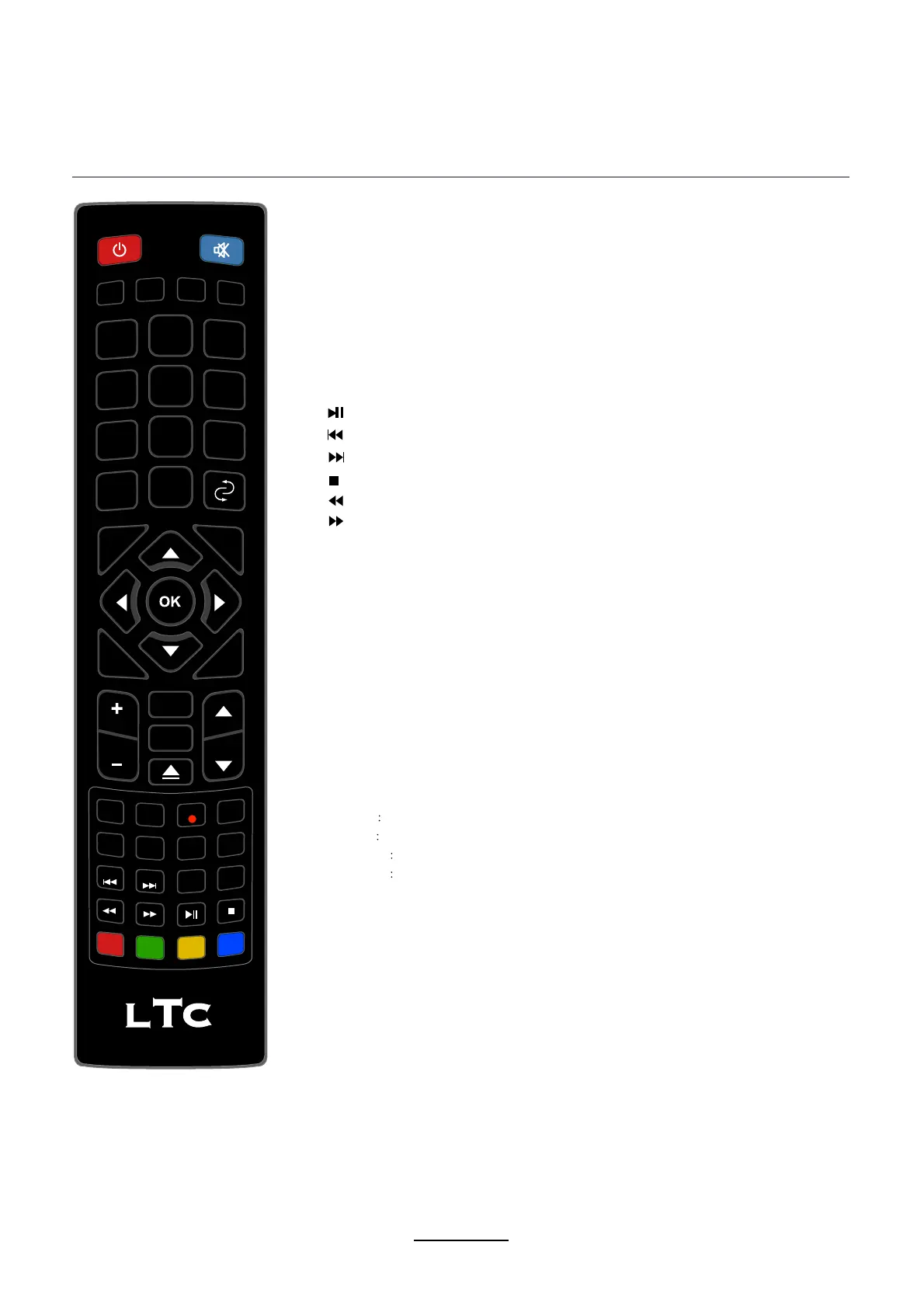
REC : Press to start record the program in DTV mode.
: Previous chapter.
: Next chapter.
: Fast reverse.
: Fast forward.
: Stop program.
SUBTITLE: Turn on/off the subtitle display in DTV mode.
CH.LIST: Display the channel list.
REC.LIST:
Record List.
TV.TXT:
Turn off/on the Teletext display.
CANCEL:
Cancel the Teletext display.
REVEAL:
Reveal any hidden text.
NICAM/A2: TV Nicam/A2 select.
INDEX: Go to index.
HOLD:
Hold or carry on the current subpage.
SIZE: Press to see top half of page double size,
Press again to see the bottom half of page
double size. Press again for normal size.
SUBPAGE: Press to enter subpages, pressagain to cancel.
D.SET: DVD system setup.
D.MENU: DVD play list/Disc menu.
D.SUB: Turn on/off the subtitle display in DVD mode.
D.LAN: Select DVD disc language.
:
Play/Pause program.
D.PRO Edit the program and play.
D.REP
Repeat playing the title or chapter.
D.GOTO
Play your favorite title/chapter/track.
D.SLOW
Play DVD programs at slow speed.
D.ZOOM: Adjust picture size in DVD mode.
D.TITLE:DVD title.
Remote Control
7


 To Next Page