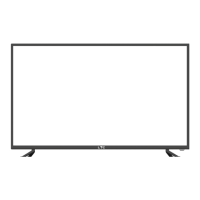
Press GREEN button to sign(lock) or cancel(unlock) the channel. And you have to enter the
password to view the program.
User must set the “Lock enable”(Feature-Lock- Lock enable) at ON to active this function.
Press Delete:
Lock:
RED button to sign the channels you want to delete, it will hint you when you exit.
Press Skip: YELLOW button to skip the channel or cancel the setting, and the program will not be
programed by CH+/- button.
Press
Swap:
BLUE button to sign the channel, press / button to move, and press OK button to
swap the position.
OSD Menu
11
3. Channel menu(In ATV/DTV mode)
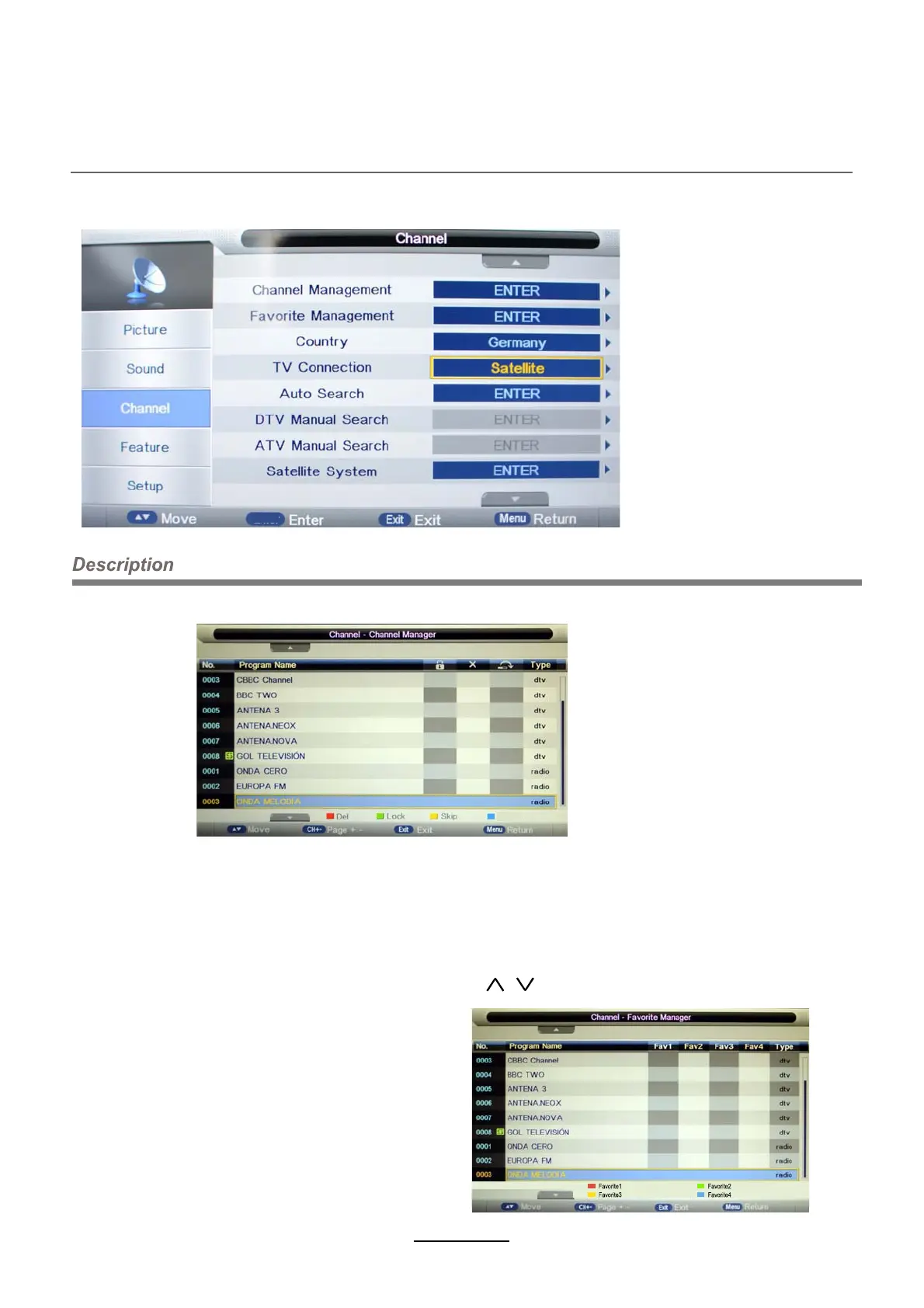
Channel Management: Enter the Channel management menu to edit the channels.
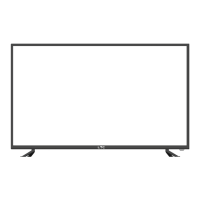
Favorite Management: Add or remove
favourite channels by the colour buttons.
Up to 4 favourite lists are available,
RED-Fav1, GREEN-Fav2, YELLOW-Fav3,
BLUE-Fav4.
OK
Move


 To Next Page