TECHNICAL
DETAILS
INTENDED USE
FACTORY
SETTINGS
TOOL USE
EXPLODED AND
PARTS LIST
OPERATION
TROUBLE
SHOOTING GUIDE
E8
C-6. Auto Reset Setting
The function described in this paragraph concerns
only those who want to obtain the
maximum dispensing stop precision in AUTO mode.
If a slight excess of the pre-set value (a few hundredths of a quart) does not cause any
problem,
the following paragraphs can be ignored.
The Meter in AUTO mode allows the user to obtain a highly precise stop, thus dispensing
exactly the pre-set amount without exceeding the PRESET value.
To guarantee this high stop precision, especially
when the unit operates at the maximum
allowed flow rates, dispensing does not stop when the PRESET value is reached, but
instead when the PRESET value reaches a few Unit hundredths.
To guarantee the stop precision,
this pre-stop value must not be fixed
, but is dependent on
the flow rate used. To allow the operator to obtain the highest stop precision, the unit is
equipped with a Stop Precision factor, called PS factor.
The operator can customize the Meter to
select a PS factor between ZERO and FOUR.
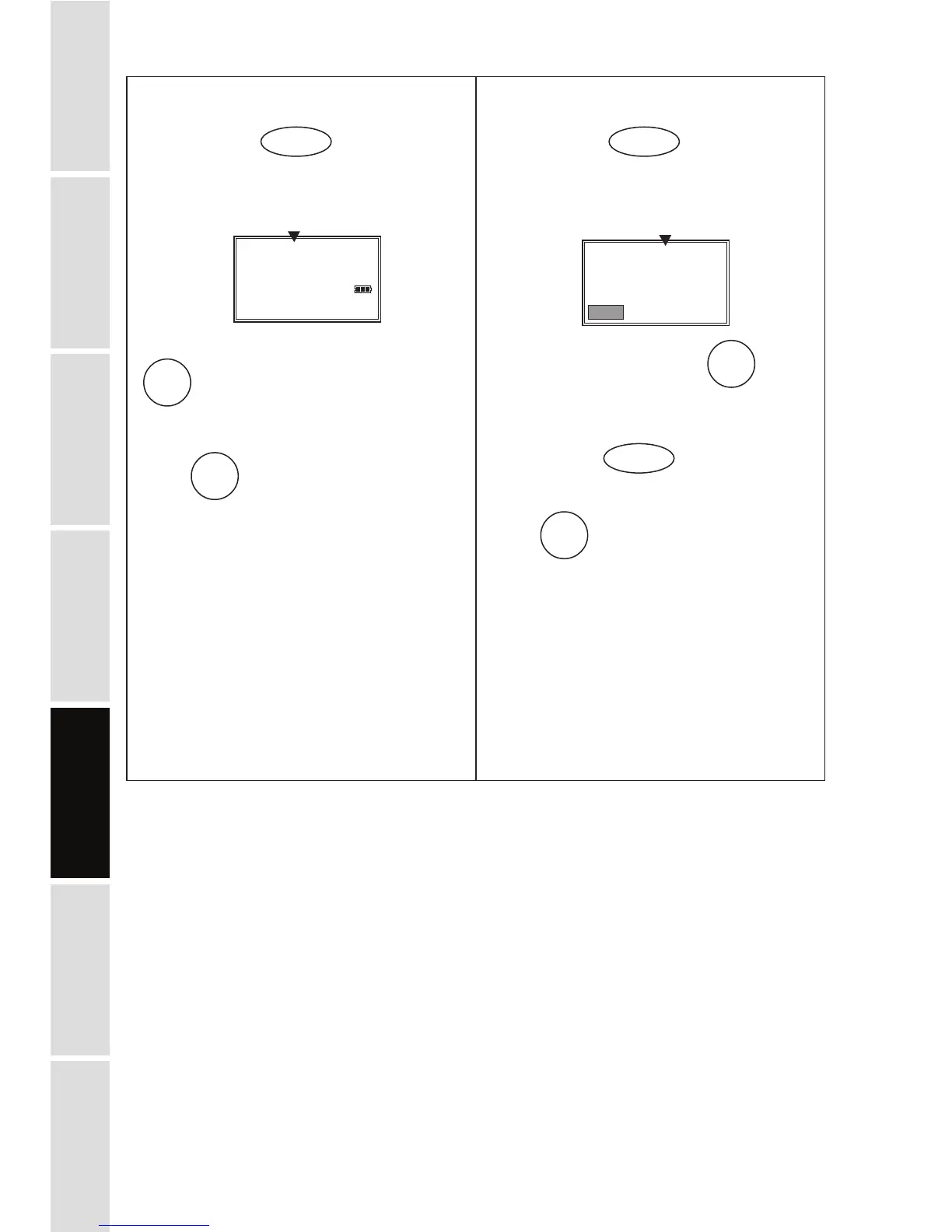
C-4. Decimal Digits Setting
Press and hold three times to
set the function.
The Meter will display:
Blinking point
When the number point is blinking, press
to select location of the point to
confirm the number of decimal digits
setting.
Press to confirm the value and quit
the setting mode. The setting value will be
stored.
NOTE:
•
The Meter displays the FLOATING
POINT Batch total dispensed.
• Independent of the selection carried out
(two or three decimal digits), as soon as
the amount dispensed exceeds 10 units,
the Meter displays only
two decimal
digits.
• As soon as the amount dispensed
exceeds 99 units, the Meter displays only
one decimal digit.
RESET
RESET
AUTO
AUTO
C-5. Reset Setting
Press and hold four times to set
the function.
The Meter displays:
Blinking
When YES is blinking, press to
select YES or No. If YES the batch total will
be set to
zero after hold button for 10
seconds, NO to cancel.
Press to confirm the value and quit
the setting mode. The setting value will be
stored.
NOTE:
Independent of the selection carried
out,
the Batch Total supplied is never reset
if the dispensing operation has been
carried out in AUTO mode.


 To Next Page
 Loading...