EasyManua.ls Logo

Lubeworks 1813351 - User Manual

Lubeworks 1813351
16 pages
Print Icon
To Next Page IconTo Next Page
Loading...
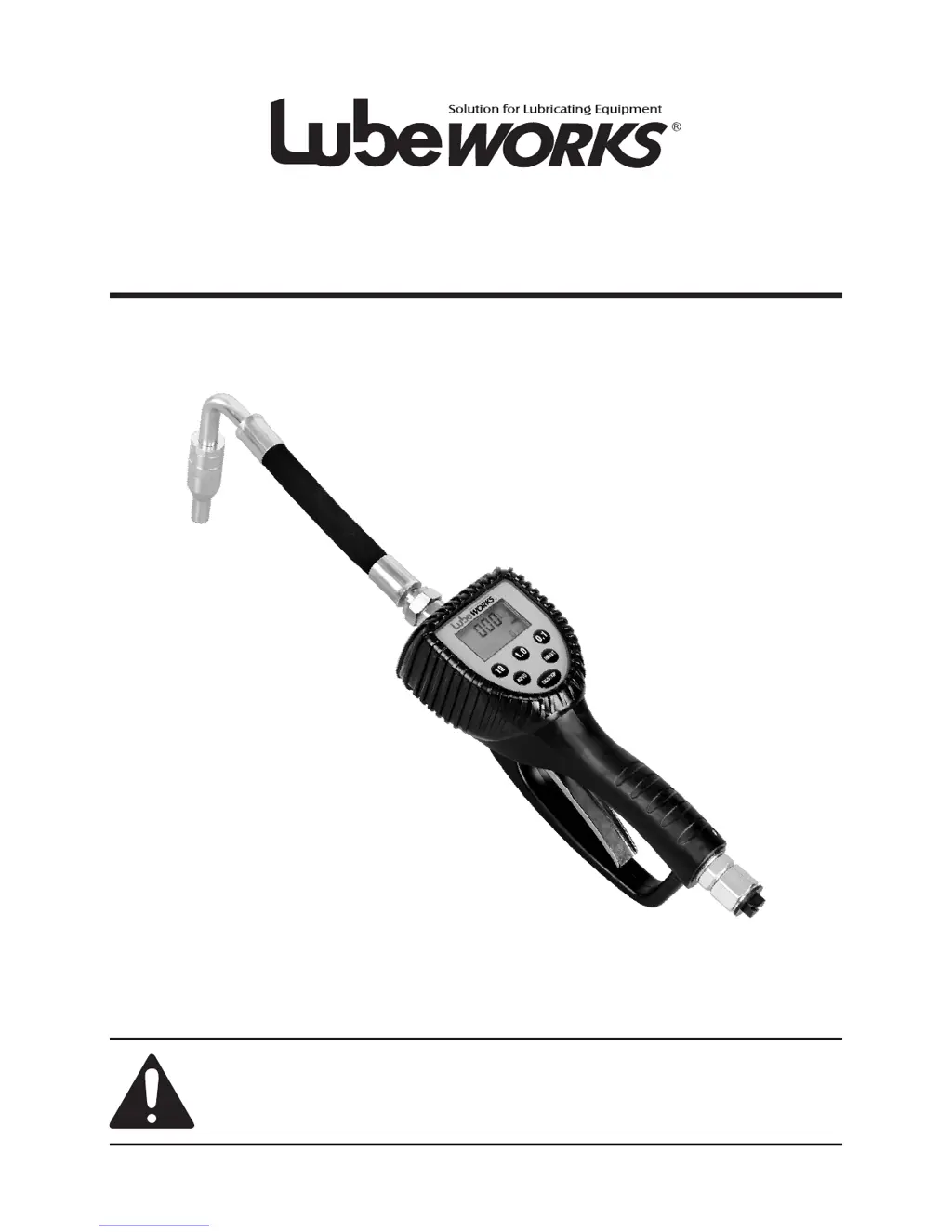
Instruction Manual
REV 06/23/16
WARNING: Read carefully and understand all INSTRUCTIONS before operating. Failure
to follow the safety rules and other basic safety precautions may result in serious personal
injury.
Save these instructions in a safe place and on hand so that they can be read when required.
Keep these instructions to assist in future servicing.
Oil Dispense Valve

Questions and Answers

Summary

Intended Use

Product Application

The oil preset meter dispenses motor oil and stops automatically.

Factory Settings

Preprogramming and Calibration

Meters are preprogrammed and calibrated at the factory for specific uses.

Preset Limitations

Factory presets cannot be changed; contact service for special requirements.

Tool Use

Safe Operation Practices

Guidelines for proper handling, maintenance, and use of the meter.

Fluid and Connection Compatibility

Use only compatible fluids, solvents, extensions, and nozzles.

Operation

Keypad Button Functions

Explains the purpose and operation of each button on the keypad.

Installation Procedure

Step-by-step guide for installing the meter, including pressure relief and grounding.

Meter Application to Hose

Instructions on attaching the meter to the hose, including sealant use.

Operating the Meter

How to use the meter for dispensing, including manual and auto modes.

Manual Mode Operation

Detailed steps for operating the meter in manual mode for dispensing.

Auto Mode Operation

Guide to using the automatic mode for preset dispensing quantities.

User Mode and Trigger Use

Explains user-defined preset values and how to use the trigger for dispensing.

Preset Value Setting

How to set and customize preset dispensing values and units.

Decimal Digits and Auto Reset

Configuration for decimal display and automatic reset behavior.

Calibration Procedure

Steps for calibrating the meter for accurate dispensing measurements.

Battery Replacement

Instructions on how to replace the 9V battery for the meter.

Exploded and Parts List

Component Identification

Visual diagram showing all parts of the meter with corresponding numbers.

Parts List and Descriptions

Detailed list of all meter parts, their descriptions, and quantities.

Trouble Shooting Guide

Display Issues

Troubleshooting steps for display blinking problems.

Batching Latching Problems

Solutions for issues where the meter does not latch for batching.

Summary

Intended Use

Product Application

The oil preset meter dispenses motor oil and stops automatically.

Factory Settings

Preprogramming and Calibration

Meters are preprogrammed and calibrated at the factory for specific uses.

Preset Limitations

Factory presets cannot be changed; contact service for special requirements.

Tool Use

Safe Operation Practices

Guidelines for proper handling, maintenance, and use of the meter.

Fluid and Connection Compatibility

Use only compatible fluids, solvents, extensions, and nozzles.

Operation

Keypad Button Functions

Explains the purpose and operation of each button on the keypad.

Installation Procedure

Step-by-step guide for installing the meter, including pressure relief and grounding.

Meter Application to Hose

Instructions on attaching the meter to the hose, including sealant use.

Operating the Meter

How to use the meter for dispensing, including manual and auto modes.

Manual Mode Operation

Detailed steps for operating the meter in manual mode for dispensing.

Auto Mode Operation

Guide to using the automatic mode for preset dispensing quantities.

User Mode and Trigger Use

Explains user-defined preset values and how to use the trigger for dispensing.

Preset Value Setting

How to set and customize preset dispensing values and units.

Decimal Digits and Auto Reset

Configuration for decimal display and automatic reset behavior.

Calibration Procedure

Steps for calibrating the meter for accurate dispensing measurements.

Battery Replacement

Instructions on how to replace the 9V battery for the meter.

Exploded and Parts List

Component Identification

Visual diagram showing all parts of the meter with corresponding numbers.

Parts List and Descriptions

Detailed list of all meter parts, their descriptions, and quantities.

Trouble Shooting Guide

Display Issues

Troubleshooting steps for display blinking problems.

Batching Latching Problems

Solutions for issues where the meter does not latch for batching.

Lubeworks 1813351 Specifications

General IconGeneral
BrandLubeworks
Model1813351
CategoryControl Unit
LanguageEnglish

Related product manuals