21
(LOCAL MODE)
REAR DIP SWITCH
8
8
74 5621 3
6745231
(AES and S/PDIF)
(AES and S/PDIF)
8 CHANNELS
8 CHANNELS
DIGITAL OUTPUTS
DIGITAL INPUTS
INPUT (8-CHANNELS)
ADAT OPTICAL
OUTPUT (8-CHANNELS)
ADAT OPTICAL
ANALOG OUTPUTS
ANALOG INPUTS
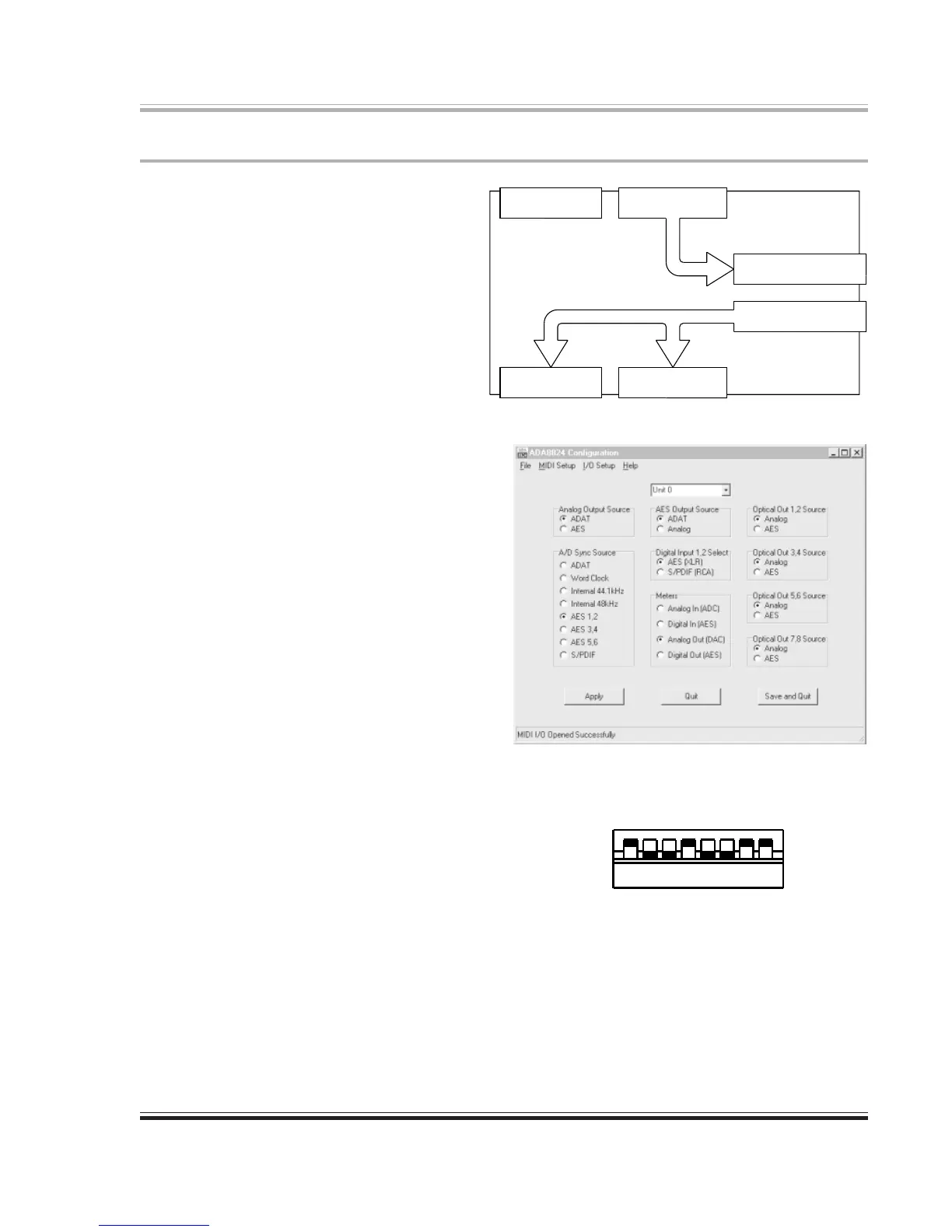
Digital I/O to ADAT Optical I/O, Plus Analog Monitoring of Host Outputs
In this application, the 8824 takes in four
AES/EBU digital signal pairs and delivers
them to the host computer via the lightpipe
connector. The computer sends eight chan-
nels of digital audio to the 8824 which
converts them to both analog audio and AES/
EBU digital signal pairs. Refer to figures at
right.
The DIP switch settings shown are for
operation in Local mode. Refer to page 7 for
a detailed discussion of the 8824’s dip switch
settings.
The screen shot of the configuration applica-
tion shows the selections made to make this
application scenario operate in Remote mode.
Digital audio signals enter the 8824 via the
four AES/EBU inputs. After conversion to
lightpipe format, the 8824 delivers the audio
to the lightpipe connector.
On the return trip, the 8824 receives digital
audio from the lightpipe input connector.
These signals are then sent to the AES/EBU
and S/PDIF digital outputs. They are also
converted to analog form and delivered via the
eight analog outputs.


 To Next Page